

Basic Settings
You can manage general site information from General Settings > Basic Settings.
From here, you can update:
- Site Title
- Site Tagline
- Footer Copyright
- Maintenance Mode
- Enable/Disable Google reCAPTCHA
- Site Address
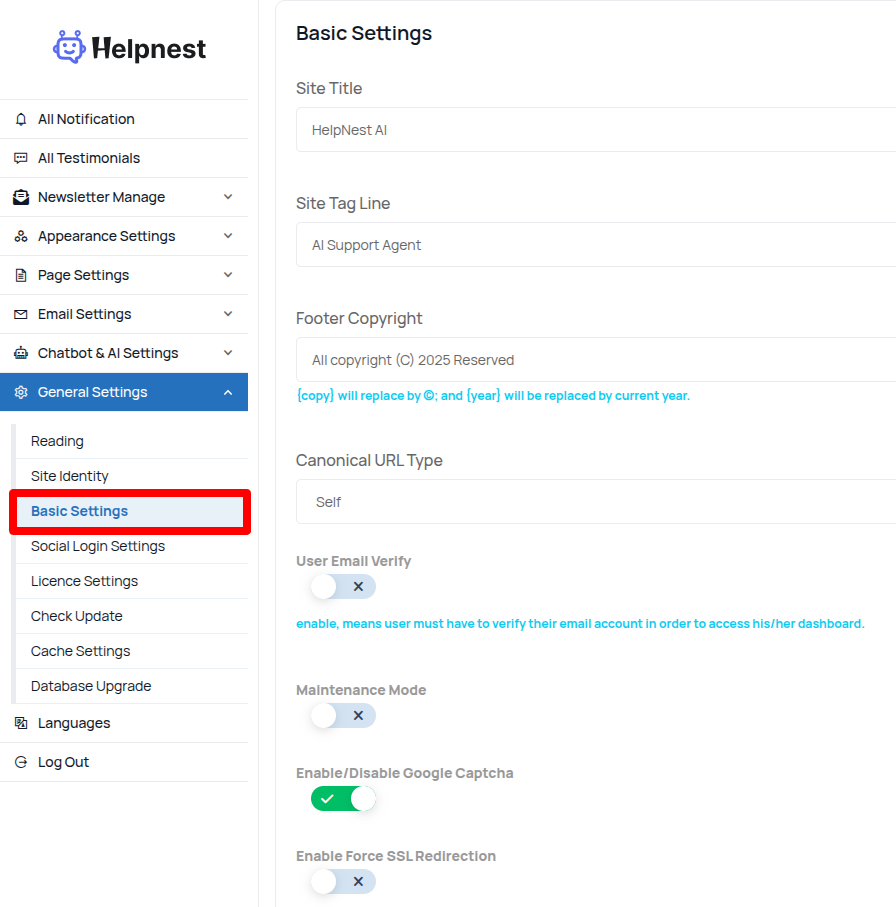
- Site Title: enter your website title, it is very important for your website seo
- Site Tag Line: enter your tag line
- Footer Copyright: footer copyright text, {copy} Will be replaced by © and {year} will be replaced by the current year.
- Dark Mode For Admin Dashboard: your can enable/disable admin panel dark mode
- Disable User Email Verify: you can enable/disable user email verification.