

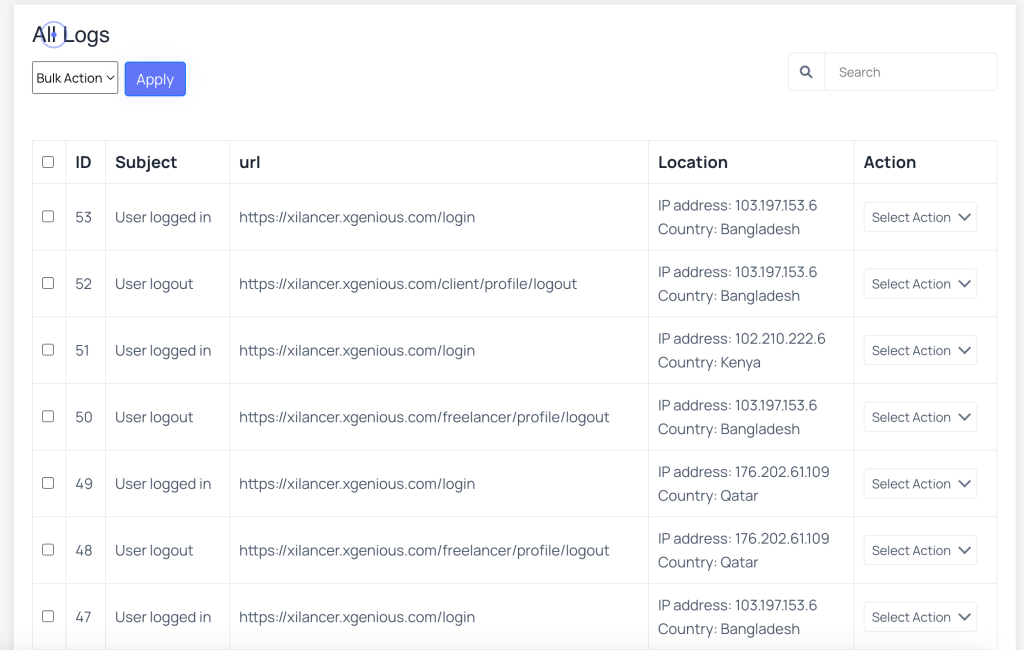
Go to admin panel “Security Manage Plugin” and click on “Log History”, in this page you will find logs of user logged in and logout, with the ip address and country
 Screenshot
Still stuck?
Our support team is ready to help you get set up.
Go to admin panel “Security Manage Plugin” and click on “Log History”, in this page you will find logs of user logged in and logout, with the ip address and country
Screenshot