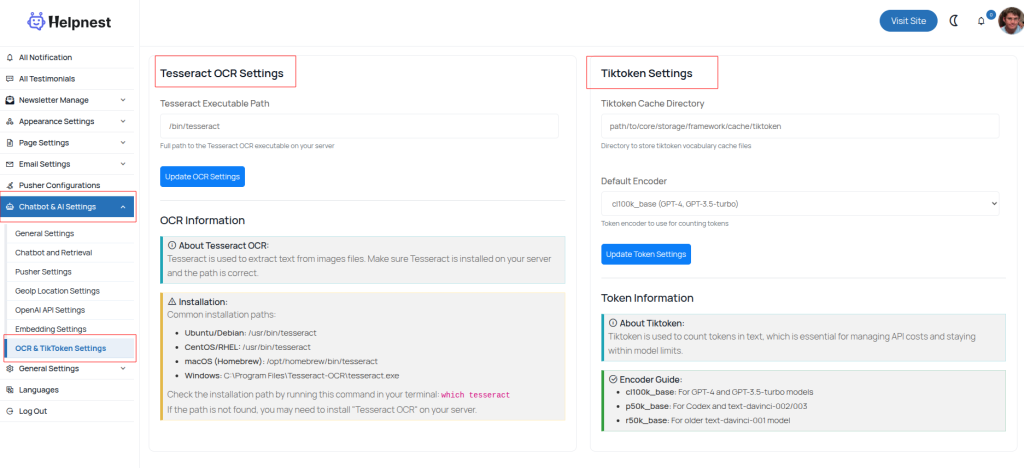

This page allows the admin to configure OCR and TikToken management settings for the AI system:
Tesseract OCR Settings:
- Executable Path: Set the full path to the Tesseract OCR executable on your server.
- Purpose: Tesseract extracts text from image files. Ensure it is installed and the path is correct.
- Installation Guide: Provides common paths for Ubuntu/Debian, CentOS/RHEL, macOS, and Windows.
Tiktoken Settings:
- Cache Directory: Specify where the tiktoken vocabulary cache files are stored.
- Default Encoder: Choose the token encoder (e.g.,
cl100k_basefor GPT-4 and GPT-3.5-turbo). - Purpose: Tiktoken counts tokens in text to manage API costs and stay within model limits.
Admins can update both OCR and Tiktoken settings from this page to optimize AI performance and cost efficiency.