

SMTP settings are a much-needed setting.
To set your own SMTP settings, go to “Email Settings > SMTP Settings”. You will see the below settings.
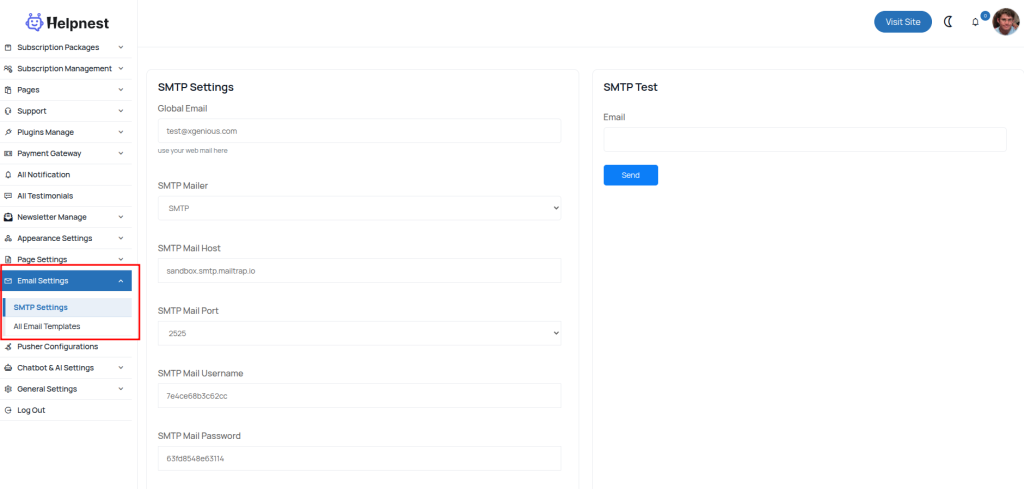
you have to set all of these field in smtp settings with your proper info
- SMTP Mailer: set one from those as your SMTP mailer or you can say SMTP driver
- SMTP
- Mailgum
- SendMail
- PostMark
- SMTP Mail Host: enter you SMTP mail host
- SMTP Mail Port: select your SMTP mail port from list
- 587
- 465
- 25
- Smtp Mail Username: enter your SMTP username or webmail address
- Smtp Mail Password: enter your SMTP password or webmail password
- SMTP Mail Encryption: select SMTP encryption type
- SSL
- TLS
- None
NT: Do not forget to add your SMTP email as your global email in “general settings > email template”.
that’s all from your SMTP setup.