

Only works for v1.0.7 and after
-
You will need to add apple sign in for your app in app store.
-
Open project/ios folder in XCode.
-
Click on “Runner“-> “Signing & Capabilities“-> “+ Capability“. Select “Sign in with Apple” and enter.
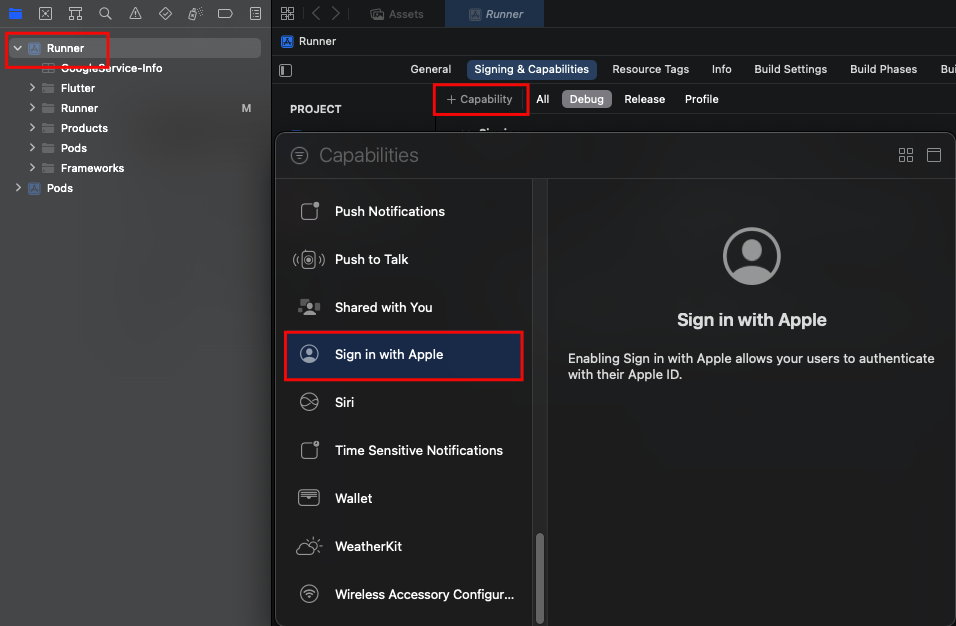 Screenshot
- Go to https://developer.apple.com/account/resources/authkeys/list and click on plus icon.
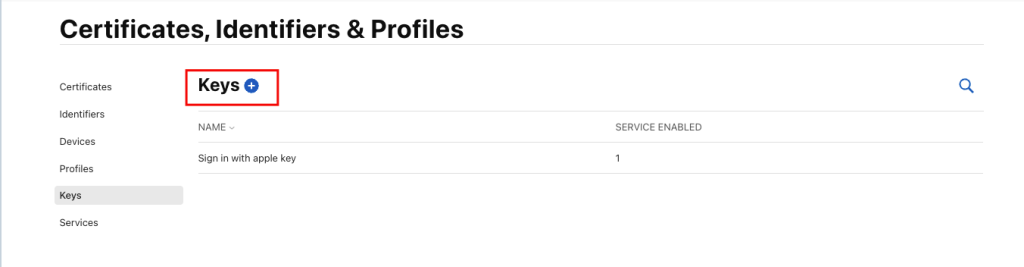 Screenshot
- Provide a name, check the Sign in with apple apple option then click “Configure“. In “
Configure” select your app id then click “Save“. Then Click “Continue” in the register a new key page.
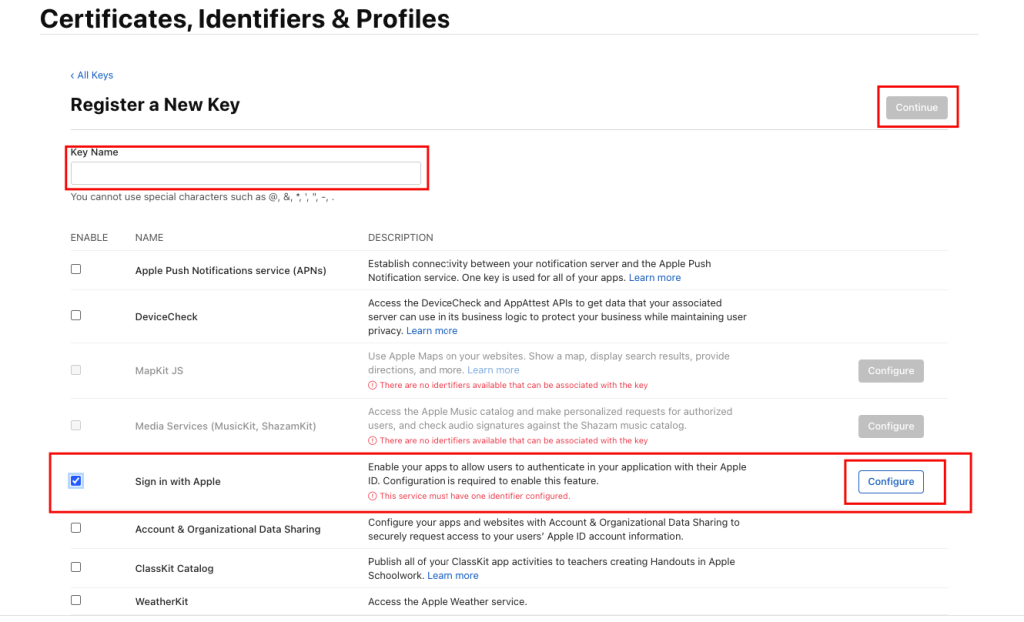 Screenshot
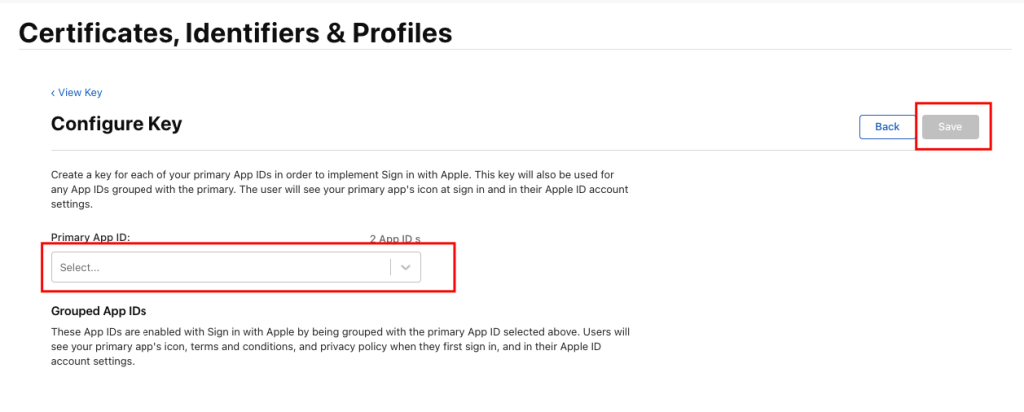 Screenshot
- Click on the key you just created
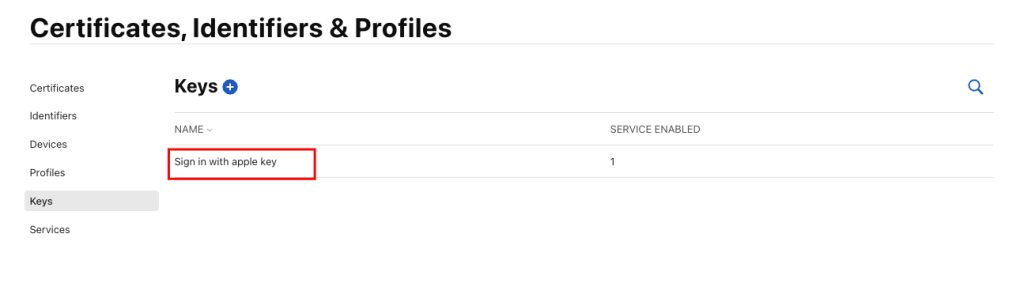 Screenshot
- We will need the key id later
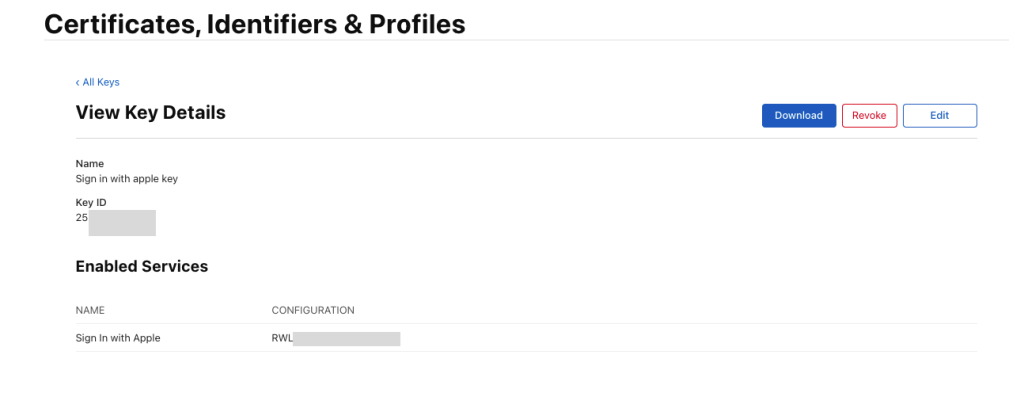 Screenshot
- Go to https://jwt.io provide the info according to below then copy the encoded key from the left side.
In Header:
{
"alg": "HS256",
"typ": "JWT",
"kid": "Your Key ID"
}

In Payload:
{
"iss": "Your 10-character Team ID associated with your developer account",
"iat": 20231011345,
"exp": 31536000,
"aud": "https://appleid.apple.com",
"sub": "App ID"
}

in iat: your project creation date in UTC
in exp: Expiration date for this JWT in seconds. Exp: if its six months then 15777000 seconds
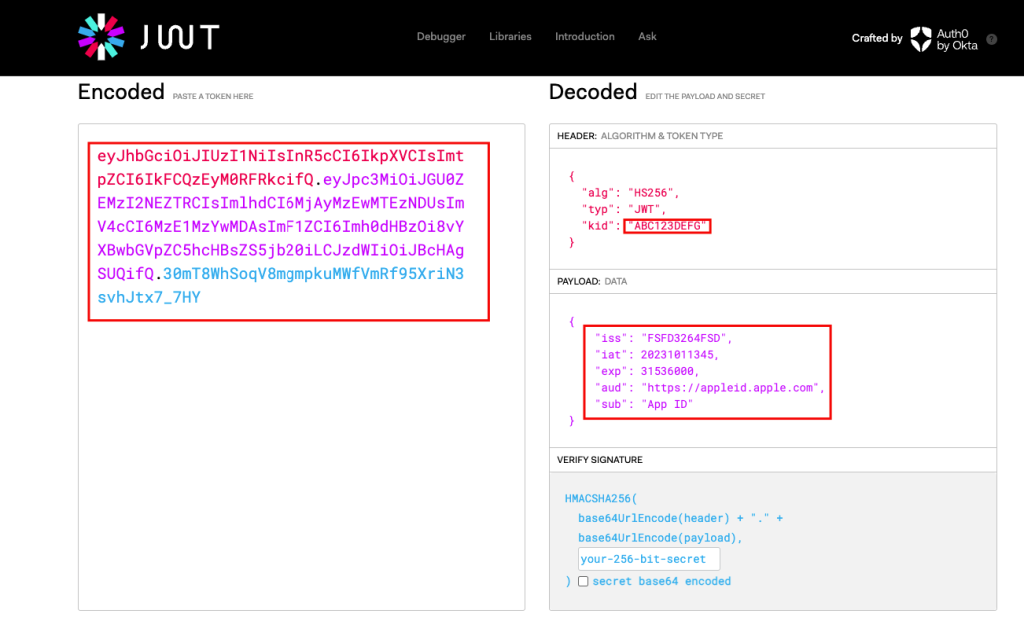 Screenshot
- Open project/lib/customizations.dart and provide the JWT in as the client secret.
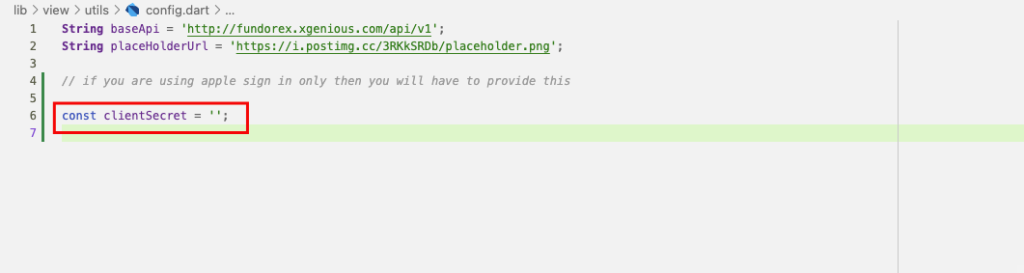 Screenshot
- You should be able to use Apple Sign-In now and on account deletion the user's apple id should get revoked.
Still stuck?
Our support team is ready to help you get set up.