

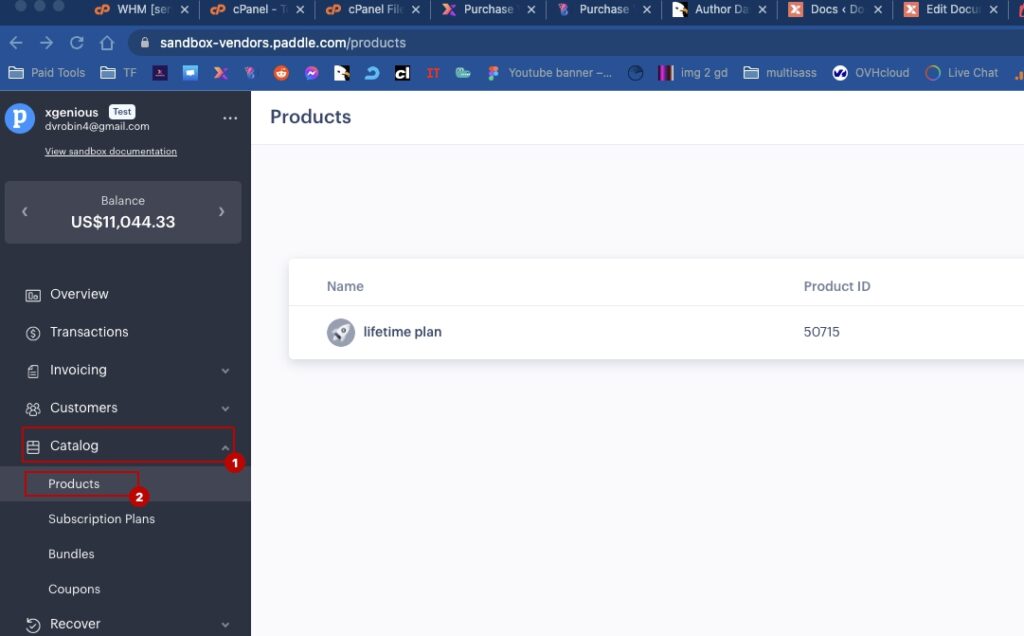
Step 01: login to your paddle vendor account. got to catalog -> product
 Screenshot
now click on add new product, add a new product then copy the product id and add it to admin panel -> payment settings -> paddle -> (Life Time Subscription) One Time Payment Product Id
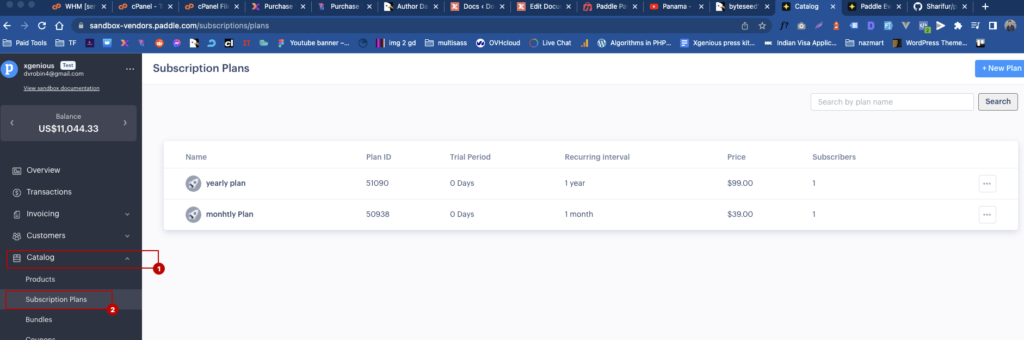
Step 02: now go to catalog -> subscription plan
 Screenshot
Create two plan , one for monthly and another one for yearly.
then put those monthly and yearly product id into admin panel -> payment settings -> paddle settings page.
Step 03: now go to Developer Tools -> Events then add this url as endpoint, do not forget to change yourdomain.com with your own domain name.
https://yourdomain.com/paddlepaymentgateway/landlord-price-plan-paddle
 Screenshot
make sure you check those event
 Screenshot
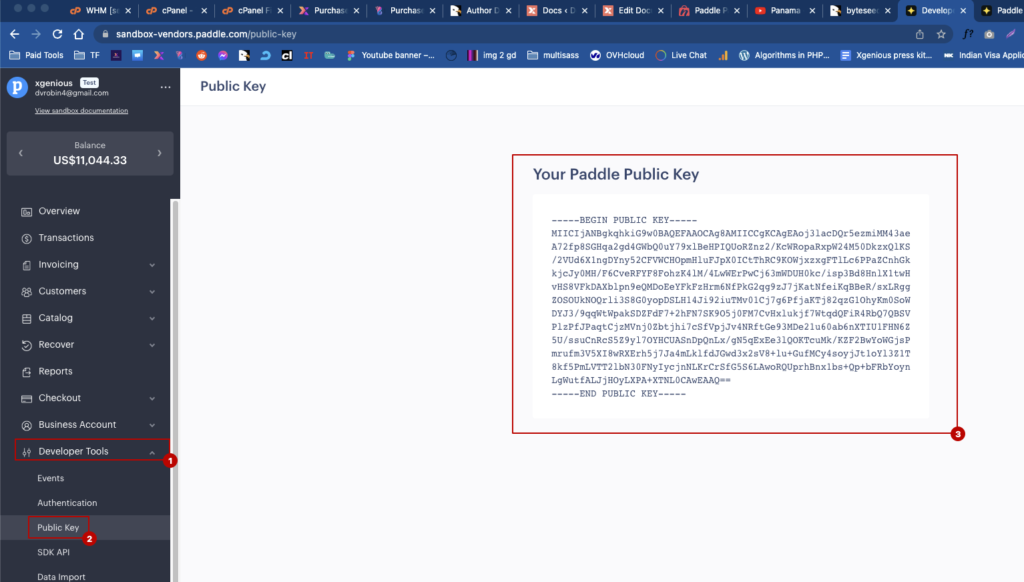
Step 04: go to Developer tools -> public key and copy this public key add it in admin panel -> payment settings -> paddle -> public key
 Screenshot
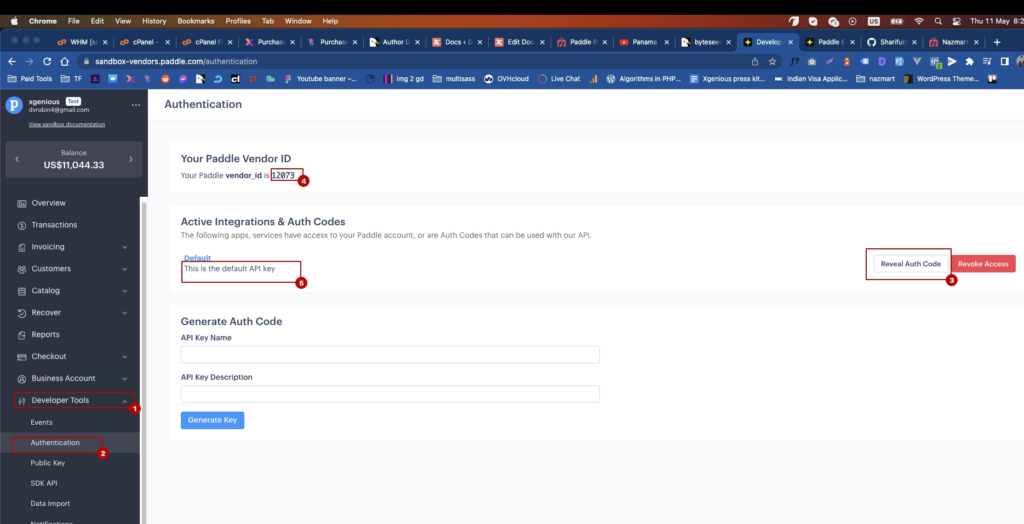
Step 05: go to Developer tools -> Authentication and copy this public key add it in admin panel -> payment settings -> paddle add vendor id and vendor auth code..
 Screenshot
Do not worry about the paddle subscription or product price, those will be dynamically set by the system, based on your input price plan value not the paddle products or subscription plan price.
that's all for paddle configure, you are ready to use it….