

Free SMTP for Laravel: Resend Integration Guide
Resend is a modern, developer-friendly email service providing free SMTP and API access for Laravel transactional emails. This comprehensive guide shows you how to setup free Resend SMTP for your Laravel application with both SMTP and native Laravel package approaches.
Step 1: Create a Resend Account
Visit Resend Website
- Go to resend.com in your web browser
- Click the Get started button in the top right corner
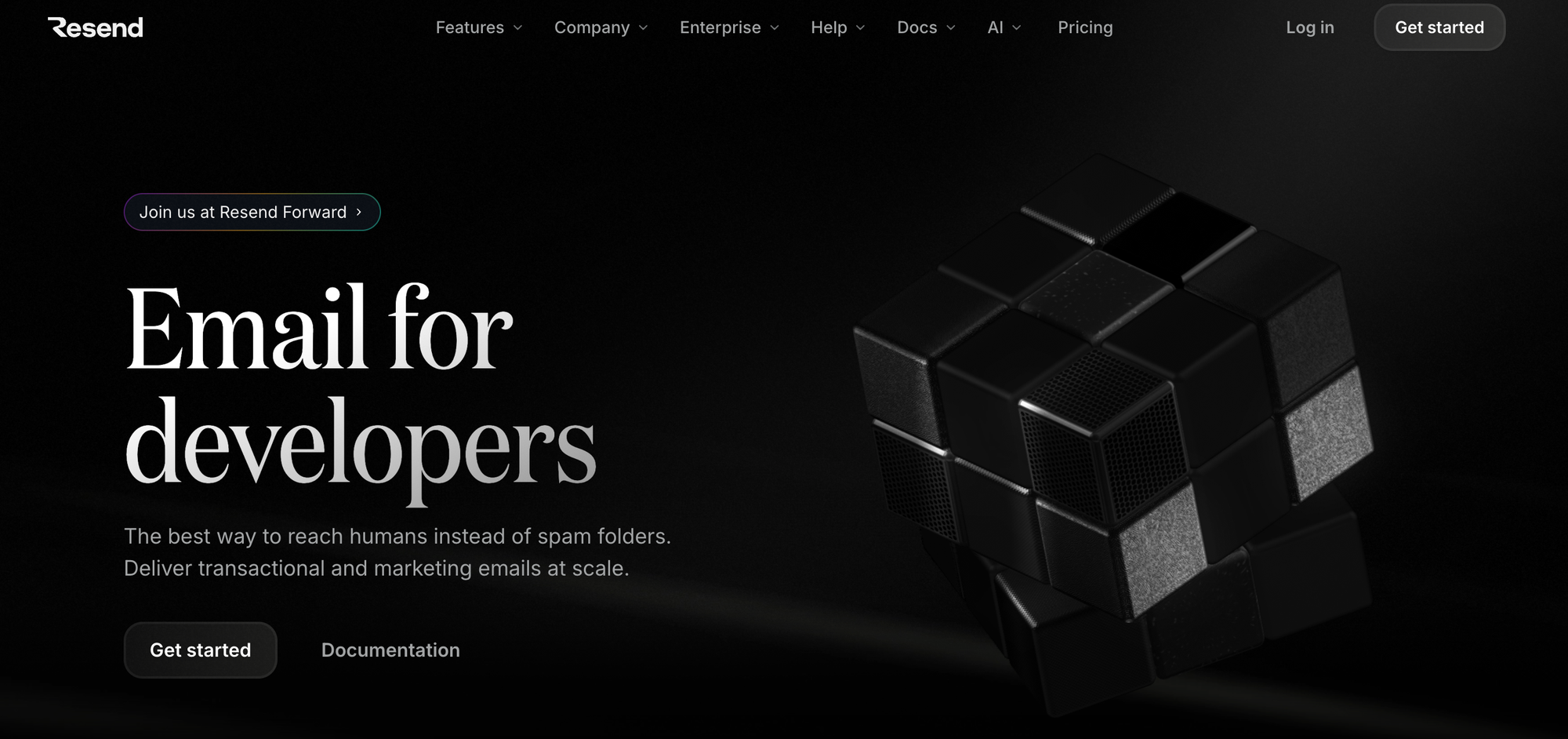 Resend Homepage
Register Your Account
- Enter your email address
- Create a strong password (at least 8 characters)
- Click Create account
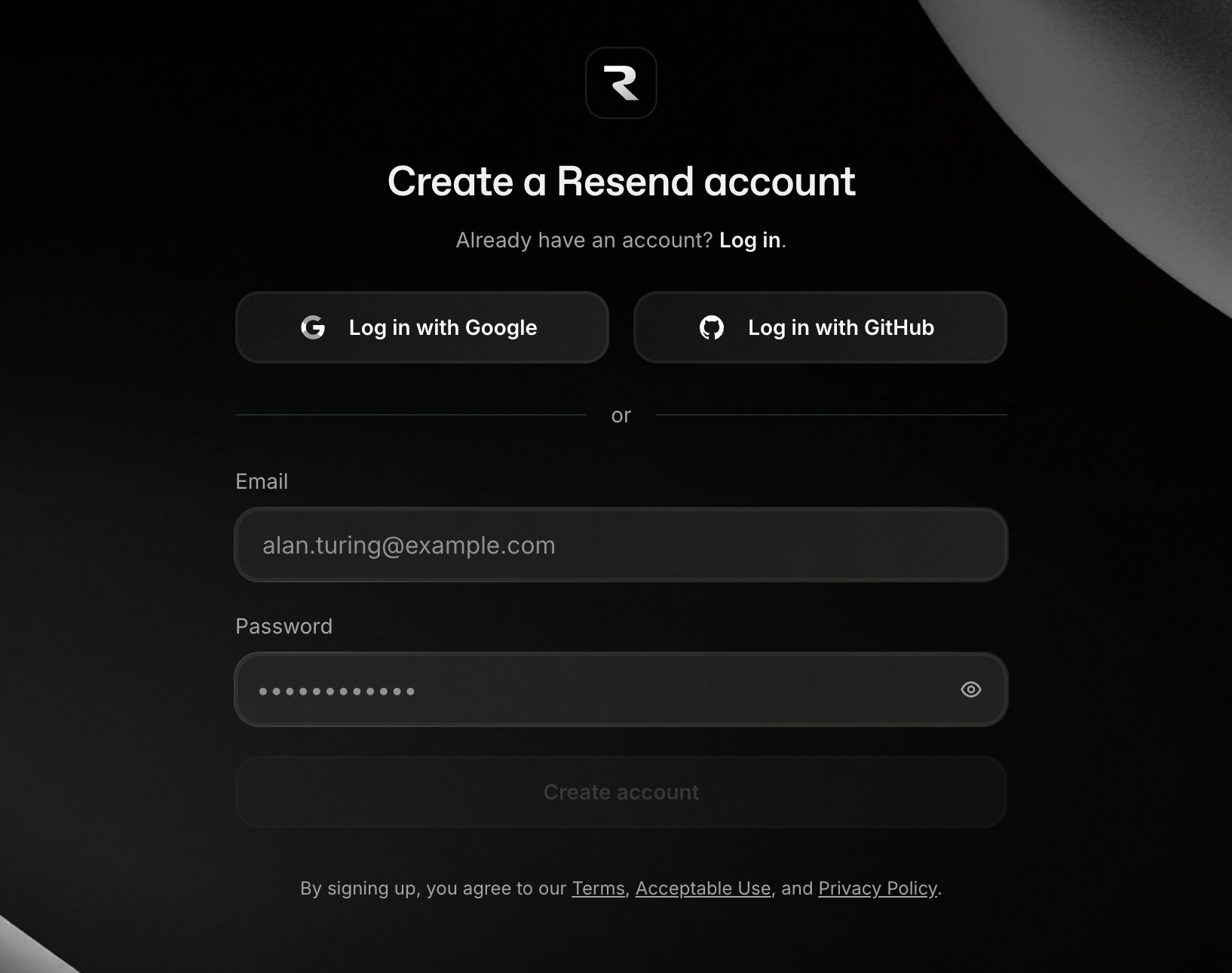 Resend Signup Form
Verify Your Email
- Check your email inbox for a verification message from Resend
- Click the verification link in the email
- Your account is now active
Step 2: Collect Your SMTP Credentials
Once logged into your Resend account, follow these steps:
Navigate to SMTP Settings
- In the left sidebar, click on Settings
- Select the SMTP tab at the top
- You'll see all your SMTP credentials displayed
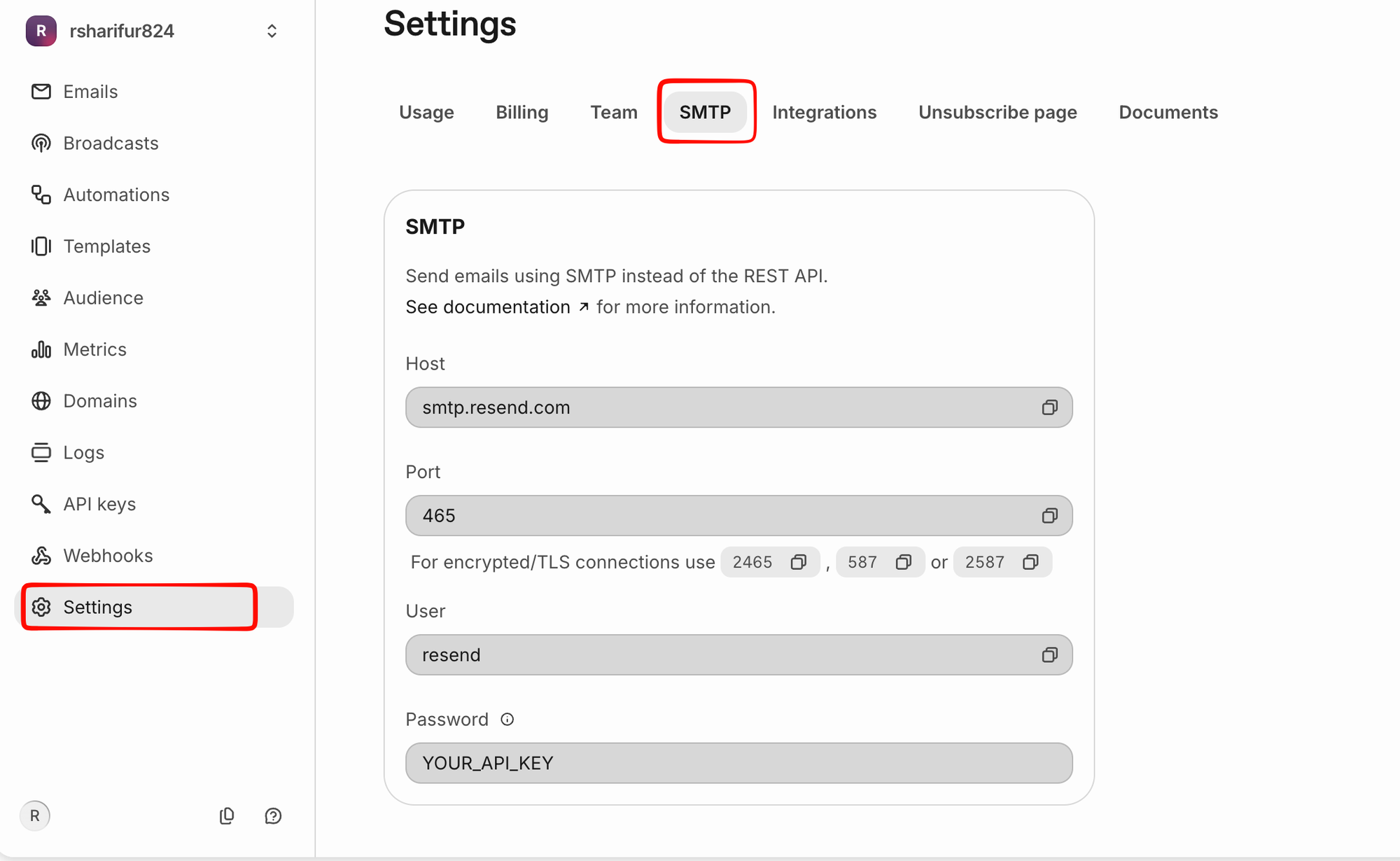 Resend SMTP Settings
Copy Your Credentials
You'll need the following information for SMTP:
- SMTP Host:
smtp.resend.com - SMTP Port:
465(SSL) or587(TLS) or2465/2587(encrypted) - SMTP Username:
resend(always use this) - SMTP Password: Your Resend API Key
- Encryption Type: SSL (for port 465) or TLS (for port 587)
<alert type="info">
Important: Your Resend API key is your SMTP password. Keep it secure and never share it publicly. You can find your API keys in Settings → API keys section.
</alert>
Step 3: Configure Laravel Environment
Update .env File
Open your Laravel project's .env file and update the mail configuration:
MAIL_MAILER=smtp
MAIL_HOST=smtp.resend.com
MAIL_PORT=465
MAIL_USERNAME=resend
MAIL_PASSWORD=your_resend_api_key_here
MAIL_ENCRYPTION=ssl
MAIL_FROM_ADDRESS=noreply@yourdomain.com
MAIL_FROM_NAME="Your App Name"
<alert type="warning">
Note: Replace your_resend_api_key_here with your actual Resend API key from Step 2.
</alert>
Alternative: Using TLS (Port 587)
If port 465 is blocked by your hosting provider, use TLS instead:
MAIL_MAILER=smtp
MAIL_HOST=smtp.resend.com
MAIL_PORT=587
MAIL_USERNAME=resend
MAIL_PASSWORD=your_resend_api_key_here
MAIL_ENCRYPTION=tls
MAIL_FROM_ADDRESS=noreply@yourdomain.com
MAIL_FROM_NAME="Your App Name"
Step 4: Verify Your Domain (Optional but Recommended)
For better deliverability and to remove "via resend.com" from emails:
Add Domain Verification
- In your Resend dashboard, go to Domains
- Click Add Domain
- Enter your domain (e.g.,
yourdomain.com) - Follow the DNS verification steps
- Add the provided DNS records to your domain registrar
Update From Address
Once verified, update your .env:
MAIL_FROM_ADDRESS=noreply@yourdomain.com
MAIL_FROM_NAME="Your App Name"
Step 5: Test Your Configuration
Create a Test Mail Command
Create a test command to verify the setup:
php artisan tinker
Then run:
Mail::raw('Test email from Resend', function($message) {
    $message->to('your-test-email@example.com')
            ->subject('Test Email');
});
Check Email Delivery
- Log into your Resend dashboard
- Navigate to Emails section
- Check if your test email appears in the list
- Verify it was successfully delivered
Step 6: Using Resend with Laravel (Recommended)
While SMTP works, Resend provides a Laravel package for better integration:
Install Resend Package
composer require resend/resend-laravel
Publish Configuration
php artisan vendor:publish --provider="Resend\Laravel\ServiceProvider"
Update .env
MAIL_MAILER=resend
RESEND_API_KEY=your_resend_api_key_here
MAIL_FROM_ADDRESS=noreply@yourdomain.com
MAIL_FROM_NAME="Your App Name"
Configure config/mail.php
Add or update the resend mailer in config/mail.php:
'resend' => [
    'transport' => 'resend',
],
Free SMTP for Laravel: Resend vs. Brevo vs. Alternatives
When choosing a free SMTP provider for Laravel, Resend and Brevo are top contenders. Here's the comparison:
| Feature | Resend | Brevo | Gmail | Mailgun |
|---|---|---|---|---|
| Free Emails/Day | 100 | 300 | 500 | 100 |
| Free Emails/Month | 3,000 | 9,000 | 15,000 | 10,000 |
| SMTP Method | ✅ Supported | ✅ Supported | ✅ Supported | ✅ Supported |
| Native Laravel Package | ✅ Yes | ❌ No | ❌ No | ✅ Yes |
| Free Domain Verification | ✅ 1 domain | ✅ Yes | ❌ No | ✅ Yes |
| API-First | ✅ API Primary | ⚠️ SMTP Primary | ❌ No | ✅ Yes |
| Deliverability | ✅ Excellent | ✅ Excellent | ⚠️ Limited | ✅ Excellent |
| Developer Experience | ⭐⭐⭐⭐⭐ | ⭐⭐⭐⭐ | ⭐⭐⭐ | ⭐⭐⭐ |
| Best For | Developers | Startups | Testing | High Volume |
When to Choose Resend for Laravel:
- ✅ You prefer API-first approach over SMTP
- ✅ You want native Laravel package integration
- ✅ You're building a SaaS product
- ✅ You prioritize developer experience
When to Choose Brevo:
- ✅ You need 300 free emails/day (vs Resend's 100)
- ✅ You prefer SMTP configuration
- ✅ You want email templates built-in
- ✅ You need more free monthly quota
Resend Free Plan Details
- Email sending limit: 100 emails per day
- Free monthly limit: 3,000 emails
- Paid monthly limit: Up to 1M emails
- Custom domains: 1 domain free
- API access: Full API access included
- SMTP access: Full SMTP support
- Support: Community support via Discord
- Uptime SLA: 99.9% included
<alert type="info">
Best Value: Resend's free tier is ideal for low-volume Laravel apps. If you need higher volume, Brevo's 300/day is better, or combine both for overflow handling.
</alert>
SMTP vs. Resend Package
Using SMTP (Direct)
✅ Works with any application
✅ No additional packages needed
❌ Less efficient for high volume
❌ Limited tracking features
Using Resend Package (Recommended)
✅ Better performance and tracking
✅ Built-in Laravel integration
✅ Event tracking and webhooks
✅ Easier debugging
✅ Full API access
Troubleshooting
Authentication Failed
- Problem: "SMTP authentication failed" error
- Solution:
- Verify your API key is correct (copy from Resend dashboard)
- Ensure username is exactly
resend - Check that spaces are trimmed from your API key
Connection Timeout
- Problem: "Connection timed out" error
- Solution:
- Verify you're using
smtp.resend.com(not resend.com) - Check port: use 465 (SSL) or 587 (TLS)
- Contact your hosting provider if port 465/587 is blocked
- Verify you're using
Emails Not Sending
- Problem: Configuration saved but emails aren't sending
- Solution:
- Check Laravel logs:
tail -f storage/logs/laravel.log - Verify
.envvalues are correctly set - Run
php artisan config:cacheand clear cache - Check Resend dashboard Emails tab for delivery status
- Check Laravel logs:
"From address not verified"
- Problem: Error about sender address not verified
- Solution:
- If using custom domain, verify it in Resend dashboard
- Or use a Resend-provided address temporarily
- Resend provides a default
onboarding@resend.devfor testing
Port Issues
- Problem: Connection refused on port 465 or 587
- Solution:
- Try switching between port 465 (SSL) and 587 (TLS)
- Contact your hosting provider about firewall restrictions
- Use Resend package instead (handles ports automatically)
Laravel Mailable Example
Here's how to send emails using Laravel's Mailable class with Resend:
<?php

namespace App\Mail;

use Illuminate\Mail\Mailable;
use Illuminate\Mail\Mailables\Content;
use Illuminate\Mail\Mailables\Envelope;

class WelcomeEmail extends Mailable
{
    public function envelope(): Envelope
    {
        return new Envelope(
            subject: 'Welcome to Our App',
        );
    }

    public function content(): Content
    {
        return new Content(
            view: 'emails.welcome',
        );
    }
}
Send it:
Mail::to($user->email)->send(new WelcomeEmail());
Monitoring & Analytics
Track Email Events
In your Resend dashboard, you can track:
- Email sent
- Email opened
- Link clicks
- Bounces
- Complaints
Set Up Webhooks
// Add to routes/api.php
Route::post('/webhooks/resend', function (Request $request) {
    $event = $request->input('type');
    $data = $request->input('data');

    // Handle email events
    \Log::info('Resend event: ' . $event, $data);
});
Security Best Practices
- Never commit your API key to git
- Use
.envfile to store sensitive credentials - Regenerate API key if accidentally exposed
- Use environment-specific API keys for production
- Enable two-factor authentication on your Resend account
- Regularly review authorized applications
Next Steps
- Configure email templates in your application
- Set up event listeners for mail events
- Implement error handling for failed emails
- Add email queuing for better performance
- Monitor deliverability and bounce rates
Production Best Practices for Resend SMTP in Laravel
Email Deliverability Tips
-
Verify Your Domain in Resend
- Better deliverability (removes "via resend.com")
- Setup SPF/DKIM records
- Higher sending limits
- Professional appearance
-
Monitor Resend Dashboard
- Track delivery rates
- Monitor bounce/complaint rates
- Review email logs
- Analyze open and click rates
-
Follow Email Standards
- Use descriptive From names
- Include Reply-To headers
- Add unsubscribe links
- Test before production sending
Implementing Retry Logic
Handle failed emails gracefully:
// In your controller or job
try {
    Mail::to($user->email)->send(new WelcomeEmail());
} catch (Exception $e) {
    // Queue for retry
    Log::error('Email failed', ['user' => $user->id, 'error' => $e]);

    // Retry after 5 minutes
    dispatch(new SendWelcomeEmail($user))
        ->delay(now()->addMinutes(5));
}
Combining Multiple Providers for Redundancy
For production apps, combine Brevo + Resend:
# Primary: Resend
MAIL_MAILER=resend
RESEND_API_KEY=your_api_key

# Fallback: Brevo
BREVO_API_KEY=your_brevo_key
Implement fallback logic:
class SendEmailJob implements ShouldQueue
{
    public function handle()
    {
        try {
            // Try Resend first
            Mail::mailer('resend')->send($mailable);
        } catch (Exception $e) {
            // Fallback to Brevo
            Mail::mailer('brevo')->send($mailable);
        }
    }
}
Testing Emails Before Production
Use Resend's sandbox:
# Development
MAIL_MAILER=resend
RESEND_API_KEY=re_test_key_xxx
Or test locally:
if (app()->environment('production')) {
    Mail::to($user->email)->send(new WelcomeEmail());
} else {
    Mail::to('your-test@example.com')->send(new WelcomeEmail());
}
FAQ - Resend SMTP for Laravel
Q: Is Resend free SMTP reliable for production Laravel apps? A: Yes! Resend's infrastructure is production-ready with 99.9% uptime SLA. The free tier (100 emails/day) is suitable for low-volume apps.
Q: Can I use Resend SMTP instead of the API? A: Yes! Both methods work equally well. SMTP is compatible with older systems, while the API offers better performance and features.
Q: Which is better: Resend SMTP or Resend Laravel Package? A: For Laravel, the native package is recommended (better error handling, logging, tracking). SMTP works but offers fewer features.
Q: What's the difference between Resend API and SMTP? A: API is faster, has better tracking, and supports more features. SMTP is more universal but slightly slower. Use API for new Laravel projects.
Q: Can I send 100+ emails/day with Resend's free plan? A: No, free tier is limited to 100/day. Upgrade to paid plan ($20/month for 5,000 emails) or use Brevo (300/day free) for higher volume.
Q: Does Resend work with Laravel 10 and 11? A: Yes! Resend Laravel package supports Laravel 9+ and works with all recent versions including Laravel 11.
Q: How do I scale from Resend's free tier? A: Upgrade to paid plan ($20/month starting), or combine with Brevo (300/day free) for overflow handling, or use AWS SES for high volume.
Q: Is my API key secure in .env? A: Yes, if you keep .env in .gitignore. For production, use environment variables provided by your hosting provider.
Resend vs. Brevo: Detailed Comparison for Laravel
Speed & Performance
- Resend: API-first, typically faster (~500ms)
- Brevo: SMTP-based, slightly slower (~1s)
- Winner: Resend (for API), Tie (for SMTP)
Ease of Setup
- Resend: 5 minutes with Laravel package
- Brevo: 5 minutes with SMTP configuration
- Winner: Tie
Free Tier Generosity
- Resend: 100 emails/day = 3,000/month
- Brevo: 300 emails/day = 9,000/month
- Winner: Brevo (3x more quota)
Feature Set
- Resend: Modern API, webhooks, better tracking
- Brevo: Email templates, marketing features, automation
- Winner: Brevo (more features)
Developer Experience
- Resend: Excellent docs, developer-friendly, trendy
- Brevo: Good docs, more traditional approach
- Winner: Resend
Recommendation for Laravel
For API-first developers: Use Resend
For higher volume: Use Brevo
For optimal setup: Use both (Resend primary, Brevo fallback)