

Step 01:
Login to your cpanel account Then Goto “Advance > Cron” or search fro Cron, you will see as like below screenshot
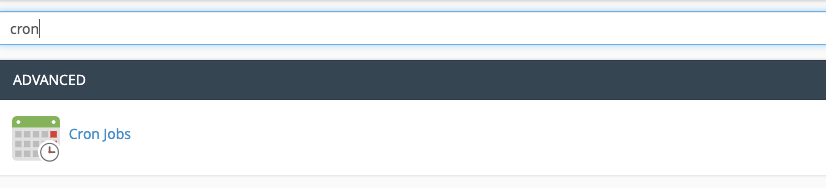 Screenshot
Step 02:
Now click on Cron jobs you will see page like below screenshot
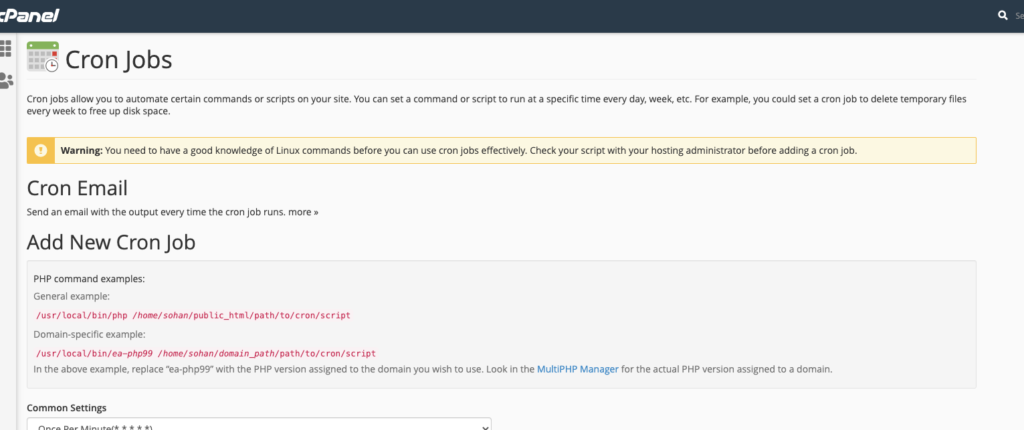 Screenshot
Step 02:
now setup a cron job as like below screenshot
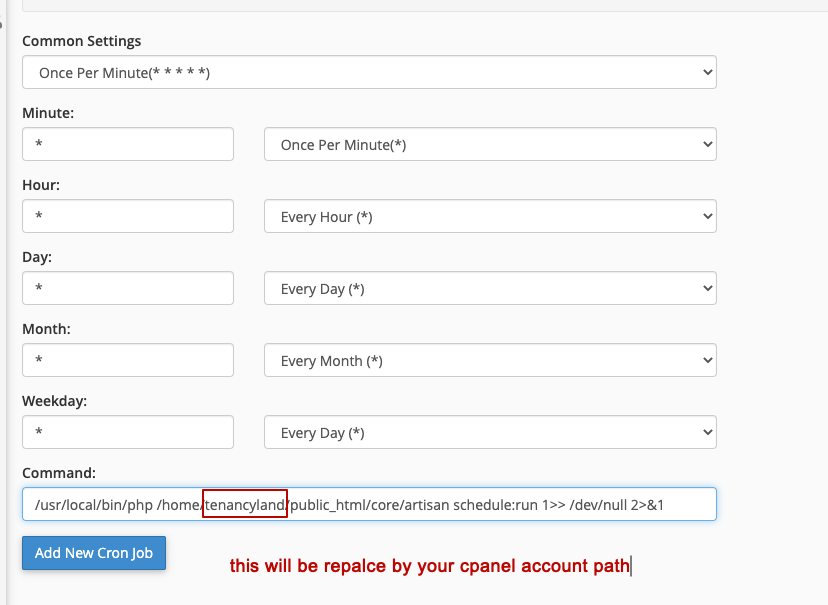 Screenshot
here is code
/usr/local/bin/php /home/{replace_it_with_your_cpanel_username}/public_html/core/artisan schedule:run 1>> /dev/null 2>&1
if you use install it in a sub folder then you have to point
"public_html/{your_subfolder_name}/core/artisan schedule:run 1>> /dev/null 2>&1"
now click on “Add New Cron Job” button , then you will see success message as like below screenshot
 Screenshot
That's all for now.
if you face any issue please open a support ticket our team will help you.
Still stuck?
Our support team is ready to help you get set up.