

login to your aapanel then go to cron page from sidebar
 Screenshot
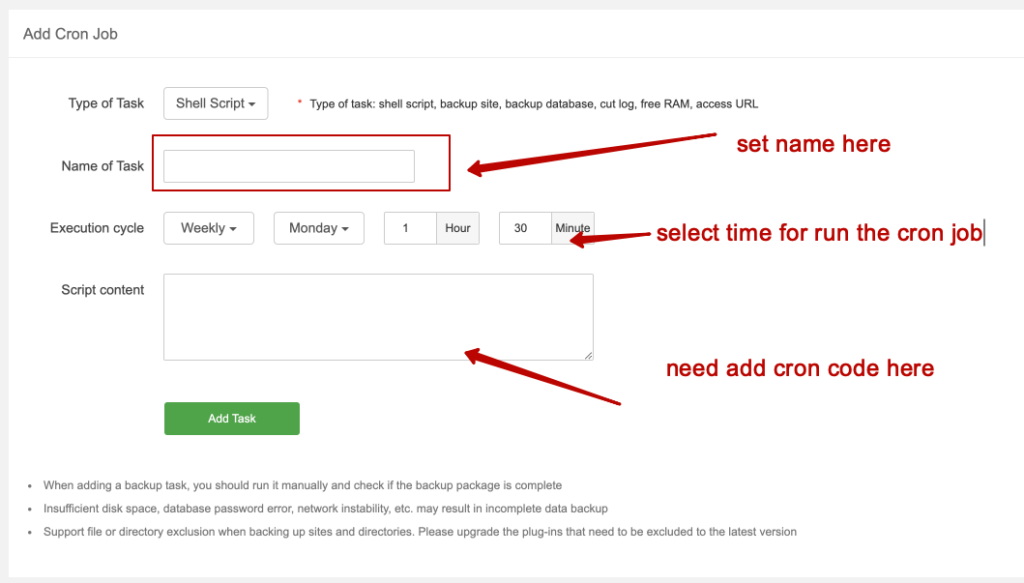
we need to fill up to thing to work cron job properly
 Screenshot
this is how it will look like when cron configure is ok, now hit add cron button, then click on execute if it show success that means it is working fine.
 Screenshot
/www/server/php/{php_version}/bin/php /www/wwwroot/{your_domain}/core/artisan
schedule:run 1>> /dev/null 2>&1
that's all for now.
Still stuck?
Our support team is ready to help you get set up.