

Withdraw
Jump to: How to add withdraw payment gateway · How to withdraw? · Withdraw Amount Settings
How to add withdraw payment gateway
Login to your admin panel and go to Withdraw>Withdraw Payment Gateway. From here admin can set payment gateway name, account details etc.
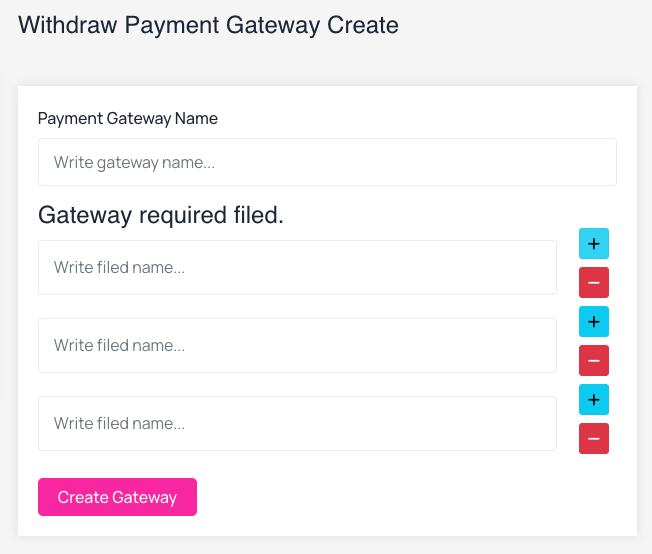 Screenshot
How to withdraw?
Influencer must login to their dashboard to create a withdraw request. After login they will get a wallet option like this.
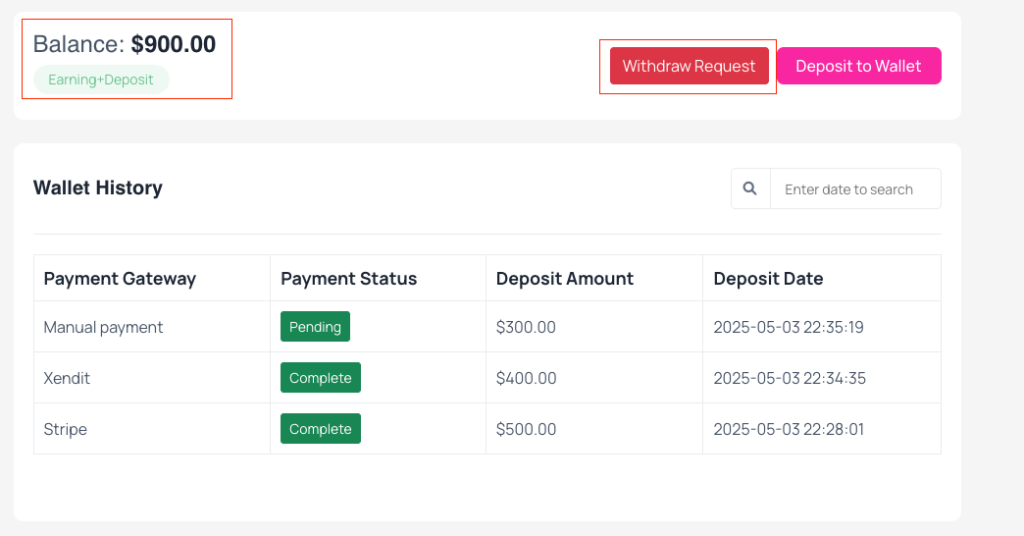 Screenshot
Now when the influencer click on Withdraw Request button they will see a popup modal where they can submit their withdraw request.
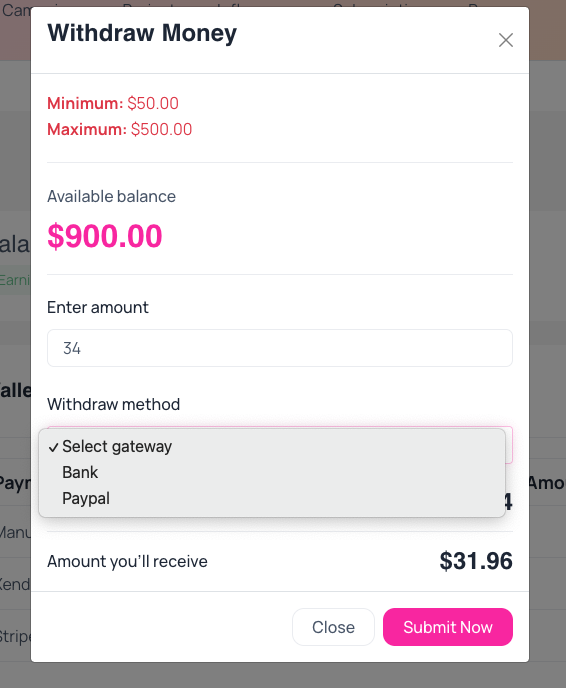 Screenshot
Once the admin approves the request, the influencer will receive the amount in the account they have provided.
Withdraw Amount Settings
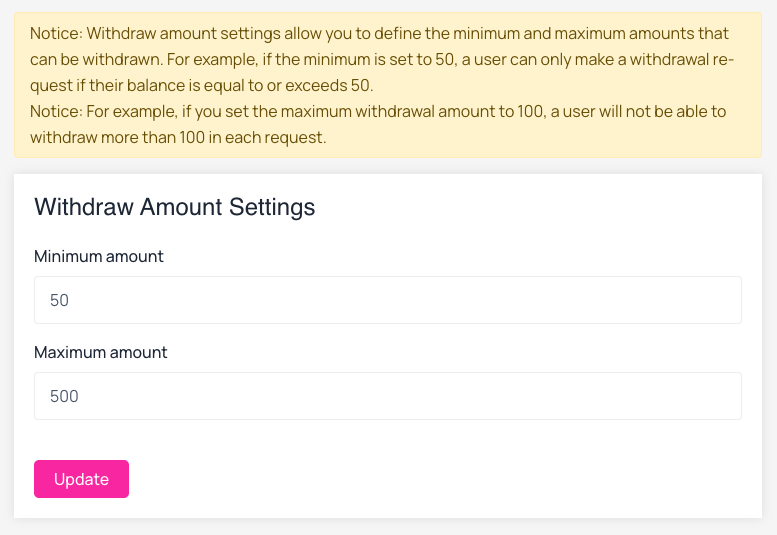
Login to your admin panel and go to Withdraw>Withdraw Settings. From here admin can set minimum and maximum withdraw amount each request.
Notice: Withdraw amount settings allow you to define the minimum and maximum amounts that can be withdrawn. For example, if the minimum is set to 50, a user can only make a withdrawal request if their balance is equal to or exceeds 50.
Notice: For example, if you set the maximum withdrawal amount to 100, a user will not be able to withdraw more than 100 in each request.
 Screenshot