

Campaign Module
Jump to: How to create a campaign? · Campaign Approve Process
How to create a campaign?
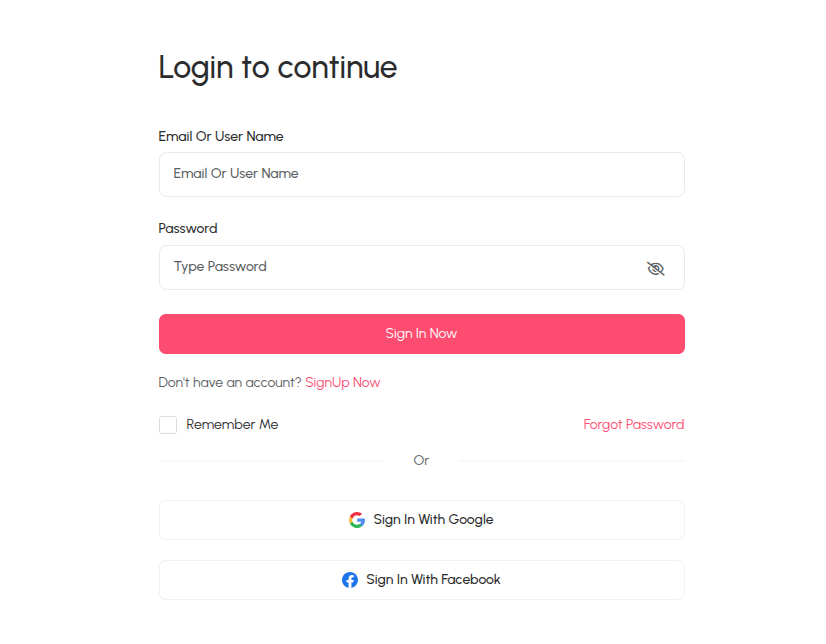
Step-1: Login as a client or brand
For create a campaign you must login as a client or brand first.
 Screenshot
Step-2: Create Campaign
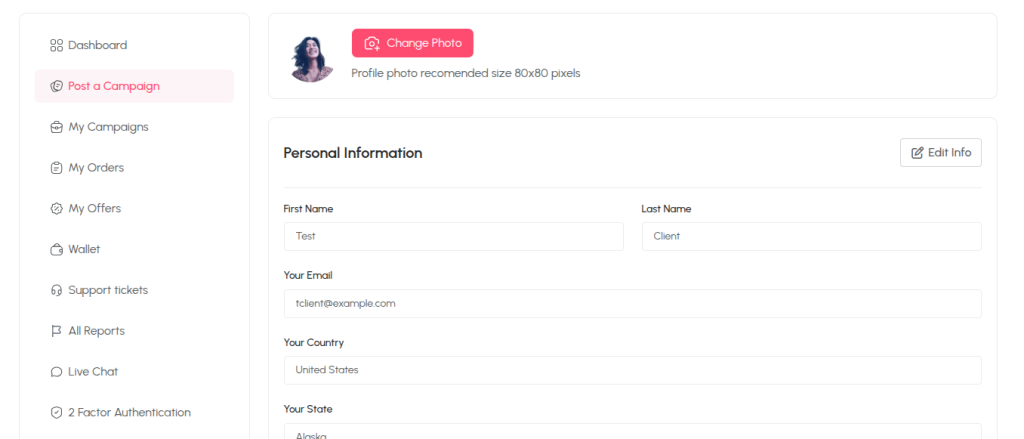
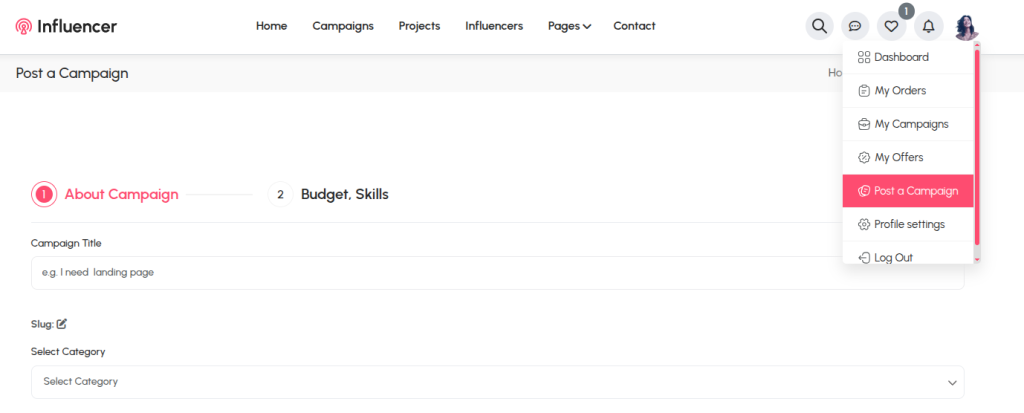
After login you will get two options to create a campain one is profile settings page and another one is from profile photo quick access. Follow the bellow images to create a campaign properly.
First way:
 Screenshot
Second way:
 Screenshot
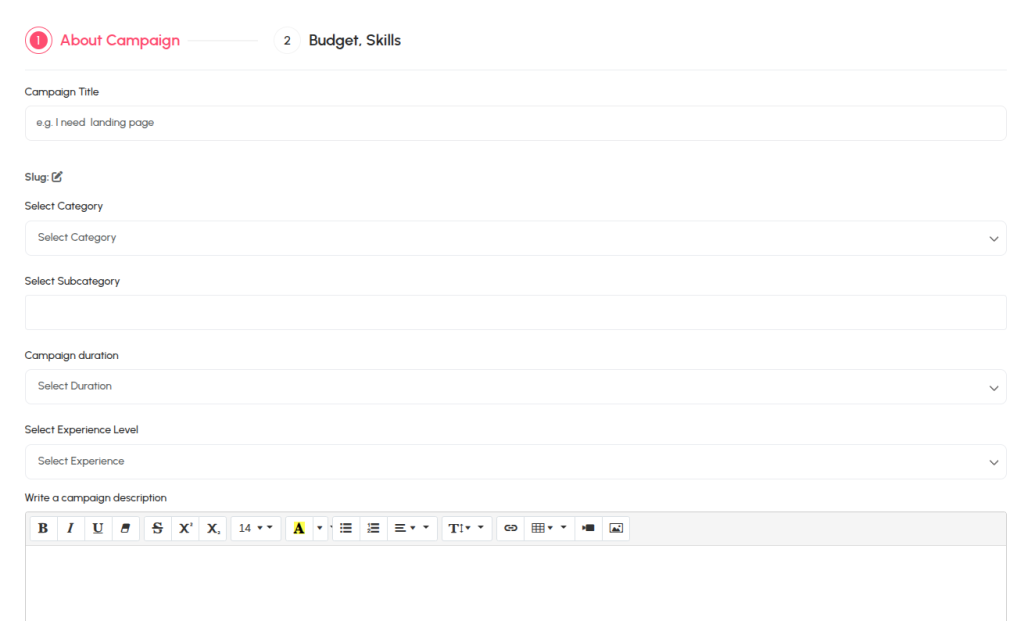
Input Job Data
You must complete each section to go next section otherwise get validation error.
 Screenshot
Campaign Approve Process
Once the campaign successfully created admin will get a notification and email as well as campaign approve request. Admin can approve or decline the campaign from action area.
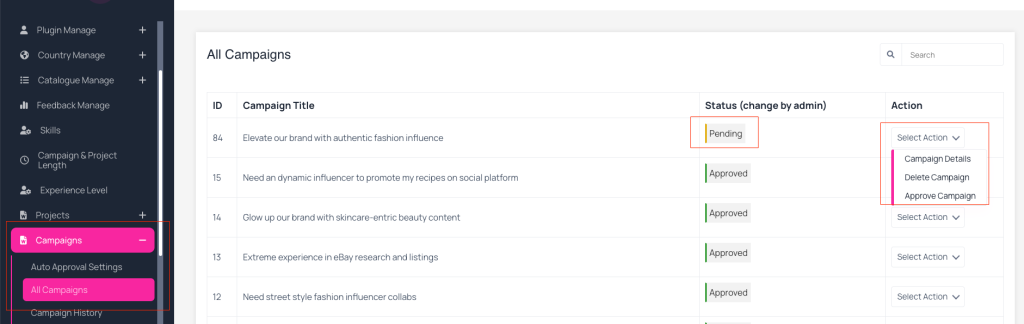 Screenshot
Note: if admin can set campaign auto approval in that case campaign will automatically published.
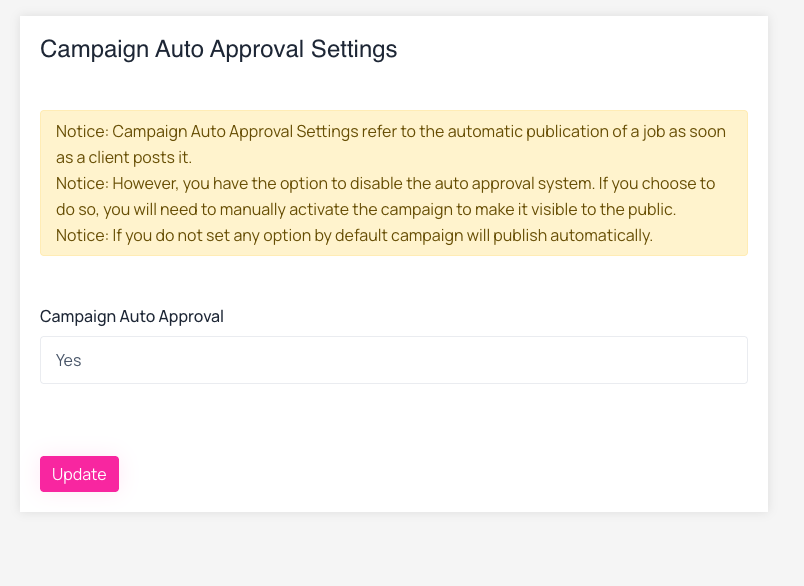 Screenshot