

Transaction Manage
Jump to: Admin Commission Settings · Transaction Fee Settings · Withdraw Fee Settings
Admin Commission Settings
Login to your admin panel and go to Transaction Settings>Admin Commission Settings. From here admin can set commissions either percentage or fixed amount.
Notice: Commission Settings means how much percentage will admin get per completed order. Generally admin will get 25 percent each order if he/she don't set any commission.
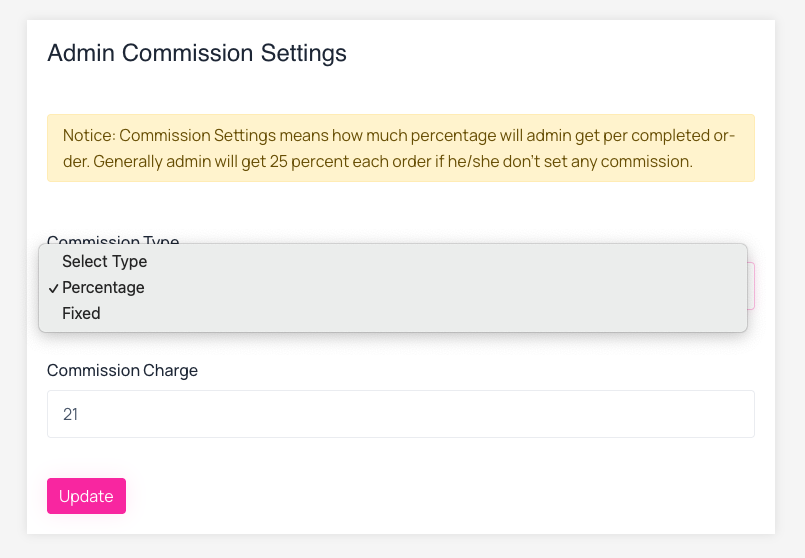 Screenshot
Transaction Fee Settings
Login to your admin panel and go to Transaction Settings>Transaction Fee Settings. From here admin can set transaction fee either percentage or fixed amount.
Notice: Transaction fee means how much charge will user pay for each transaction. Generally no charge will be added if you set transaction charge 0.
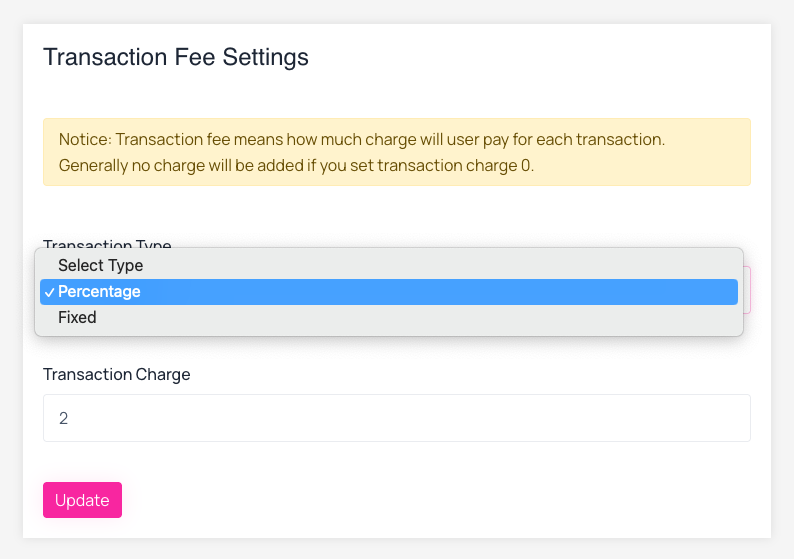 Screenshot
Withdraw Fee Settings
Login to your admin panel and go to Transaction Settings>Withdraw Fee Settings. From here admin can set Withdraw fee either percentage or fixed amount.
Notice: Withdraw fee means how much amount will user pay for each withdraw. Generally no fee will be applicable if you set withdraw fee 0.
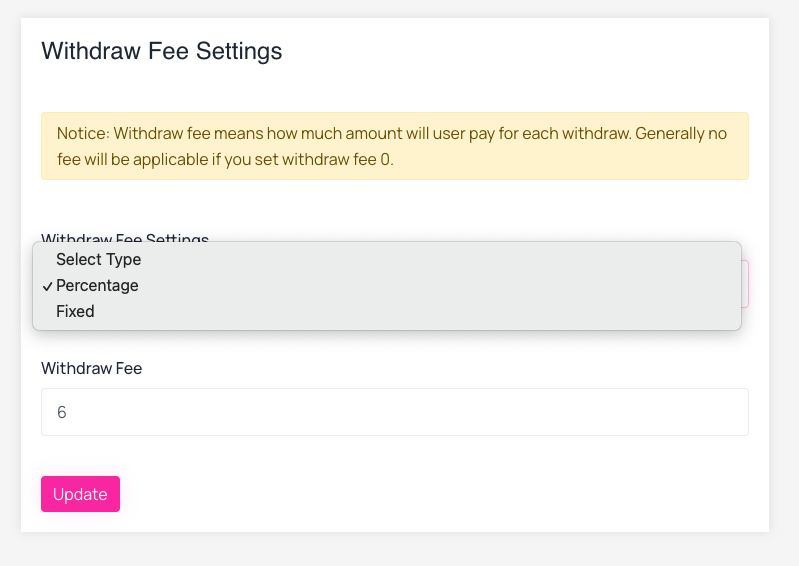 Screenshot