

It is mandatory to set up your google reCAPTCHA v2 api key to work of your register page. follow below step to get you own captcha key.
Step 01: click on v2 Admin Console to go admin console
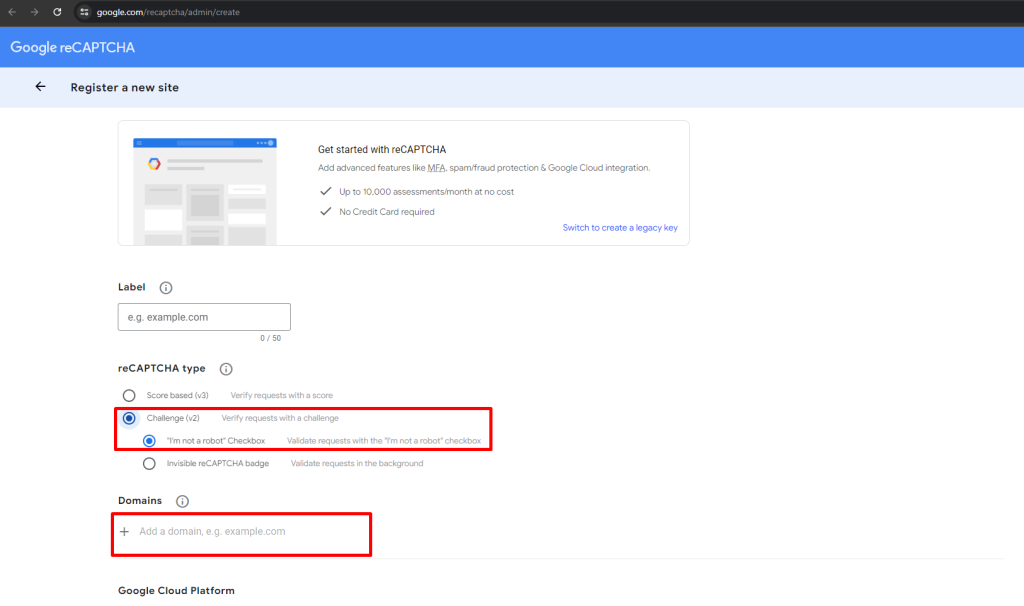
Step 02: Register a new site
 Screenshot
-
Step 03: enter label for recognise it later
-
Step 04: select reCAPTCHA type to reCAPTCHA v2
-
Step 05: enter your Domains
-
Step 06: add Owners
-
Step 07: Accept the reCAPTCHA Terms of Service
-
Step 08: click on submit button, Your API keys will be generated.
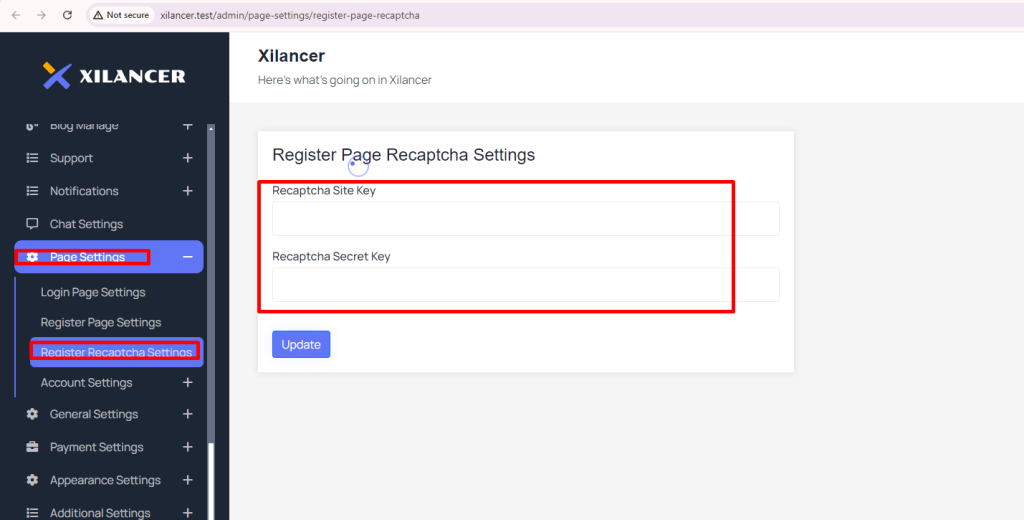
generated google captcha v3 api key Step 09: now you have to add those captcha keys to admin panel “Page Settings->Register Recaptcha Settings”
 Screenshot
-
Google Captcha V2 Site Key: copy google captcha v2 site key and paste it here
-
Google Captcha V2 Secret Key: copy google captcha v2 secret key and paste it here