

Here is the instruction on how you can manage FAQ in our script.
Clients will submit their questions in the website FAQ section and it will be stored in the admin panel FAQ option.
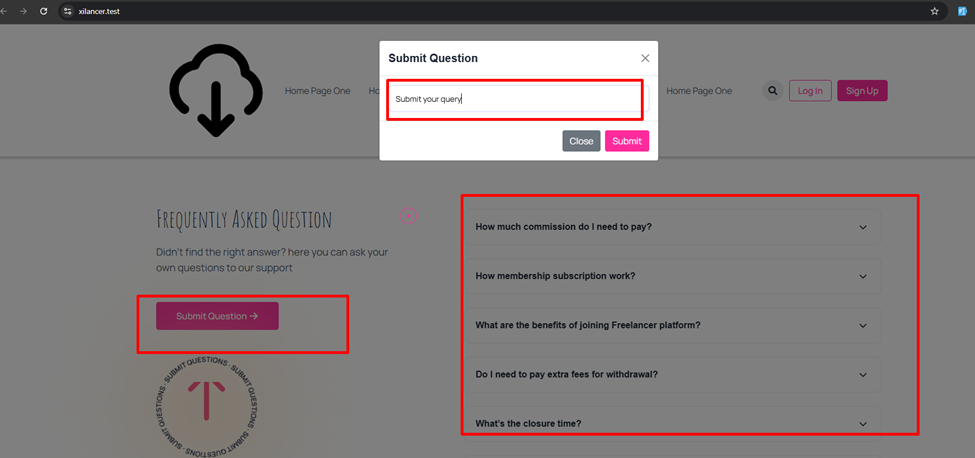 Screenshot
 Screenshot
Admin will collect the client-submitted questions and give answers to these questions. For this admin needs to go “Pages->All Pages-> Page Builder” section.
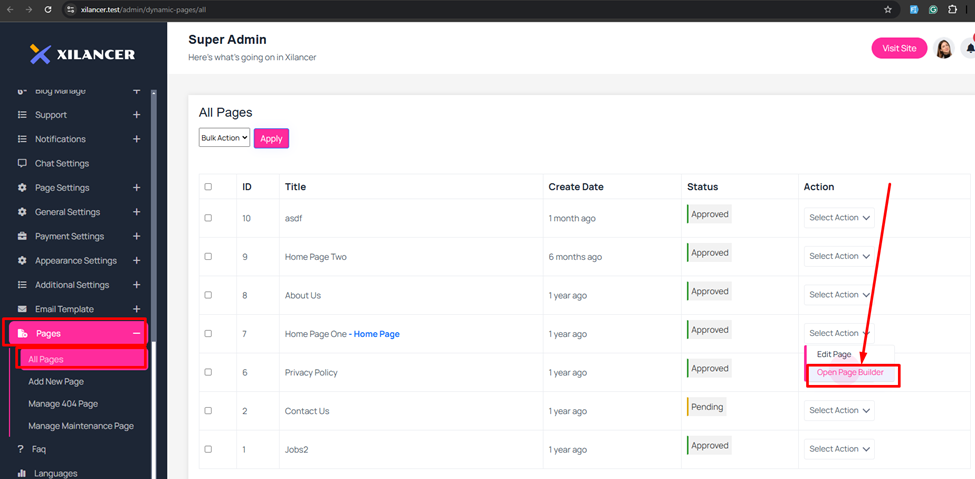 Screenshot
After going to the page builder section admin will see the FAQ addon.
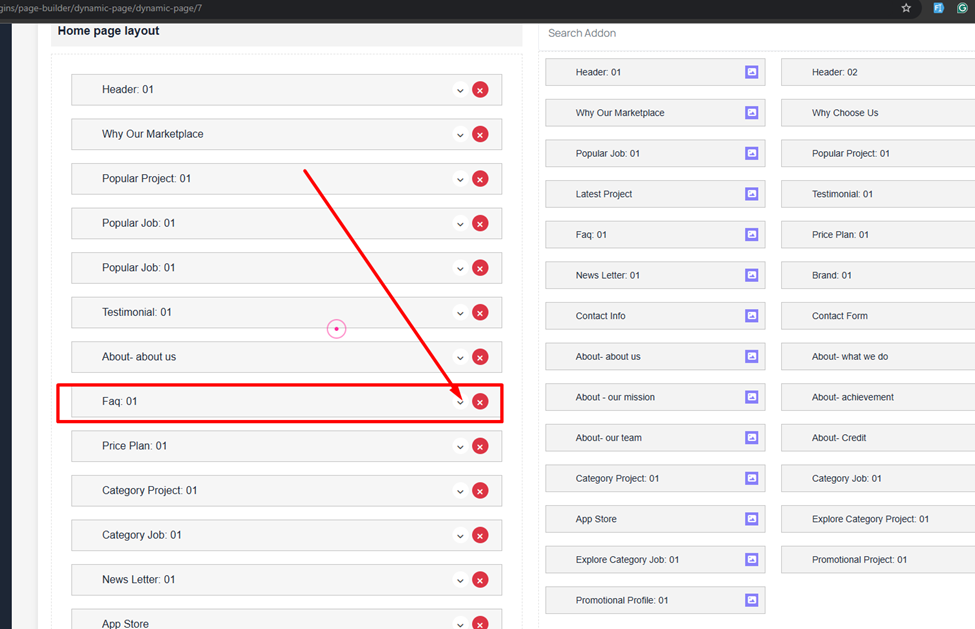 Screenshot
Admin needs to just go to the inside of the FAQ addon. clicking on the Plus icon admin will add a new addon or click on the delete icon to delete.
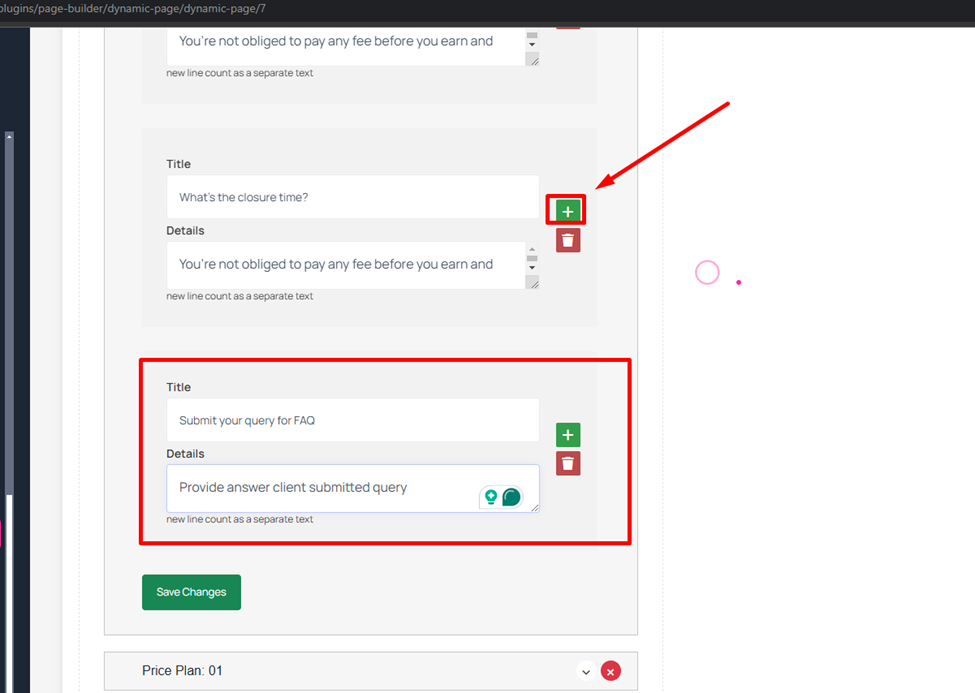 Screenshot
After saving frontend will display the question and answer.
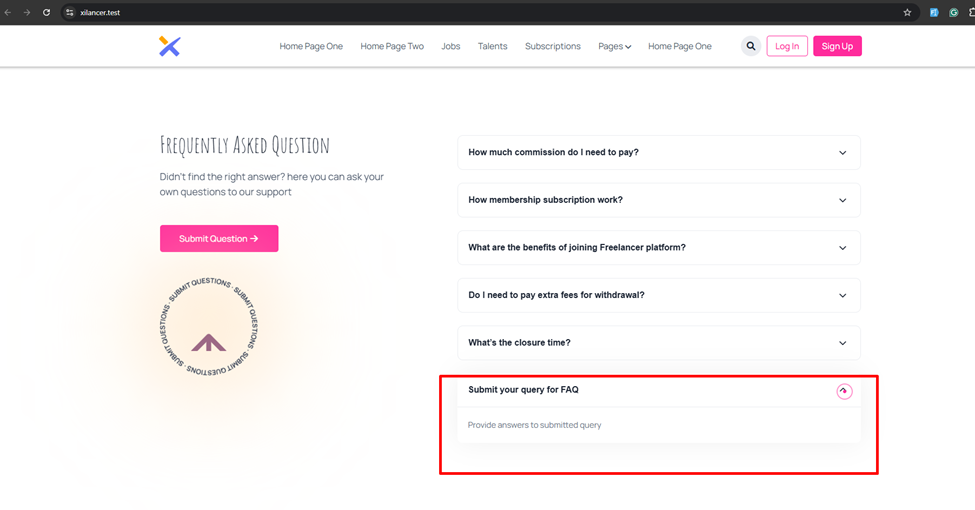 Screenshot
Still stuck?
Our support team is ready to help you get set up.