

To change home page, you need to go to admin panel > general settings > reading
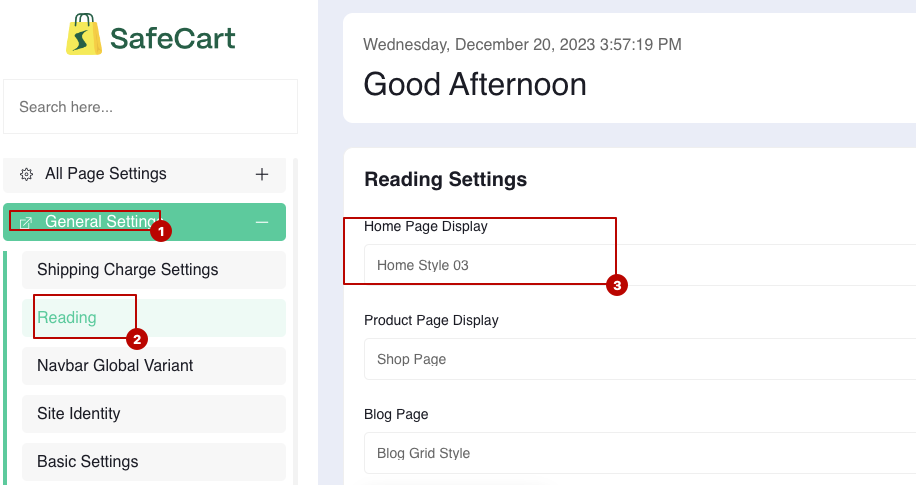 Screenshot
Select the page you want to set as home page from the marked dropdown, then click on save change and your are done.
Still stuck?
Our support team is ready to help you get set up.