

Wallet
Jump to: Wallet Settings · Wallet Gateway · withdraw request · Customer Deposit History · Vendor Wallet List · Delivery Man Wallet List · Delivery man withdraw request
Wallet Settings
If you want find wallet settings then you can search on left sidebar
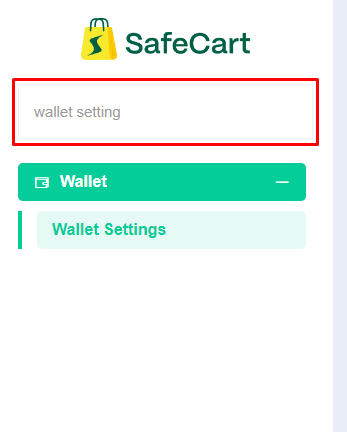 Screenshot
Here you can set minimum withdraw amount for your vendor withdraw request
/admin-home/wallet/settings/update
 Screenshot
Wallet Gateway
Note
A wallet gateway is a professional payment transfer method designed for seamlessly sending funds to vendors. It ensures efficient and secure financial transactions
Wallet gateway page you will find it left sidebar inside wallet section in admin panel
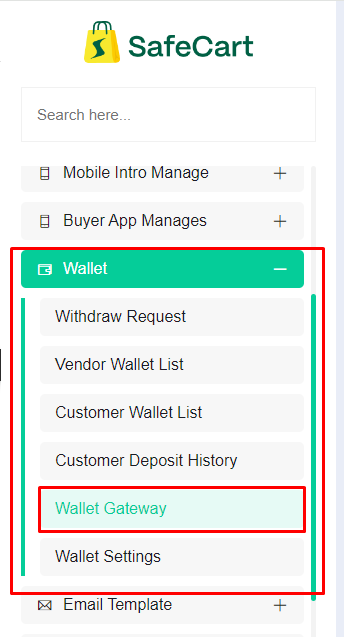 Screenshot
Or you can search it inside search box or you can directly visit this page by using url/admin-home/wallet/withdraw/gateway
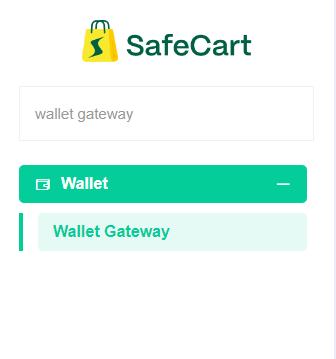 Screenshot
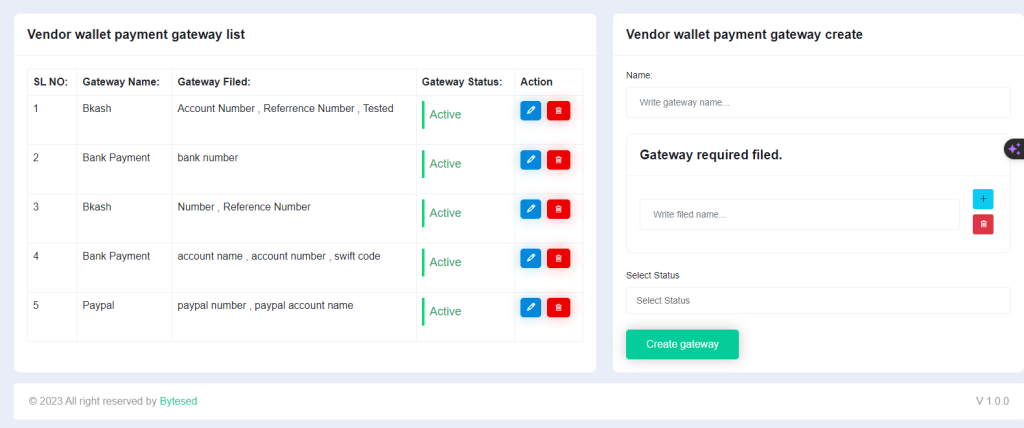
This is our desire page from left side you can see all wallet gateway list that you have created.
You can edit them delete them from left site
And from right side you can create new vendor wallet payment gateway
 Screenshot
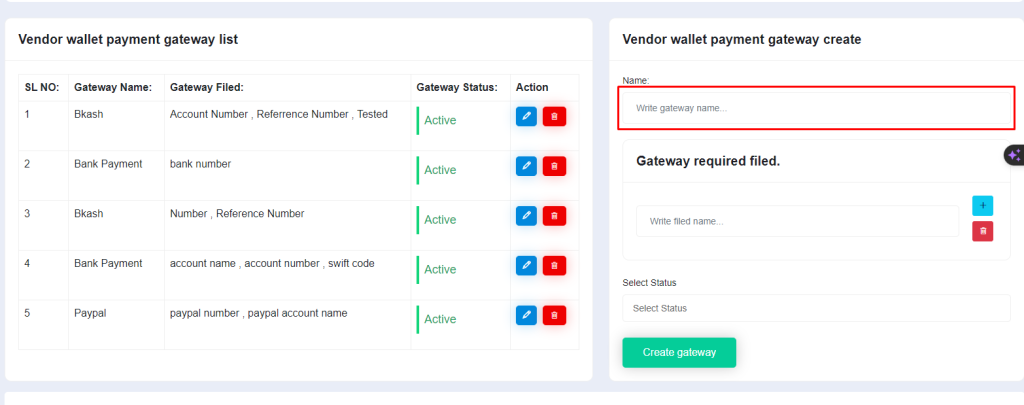
This field will use for setting wallet name for example Paypal
 Screenshot
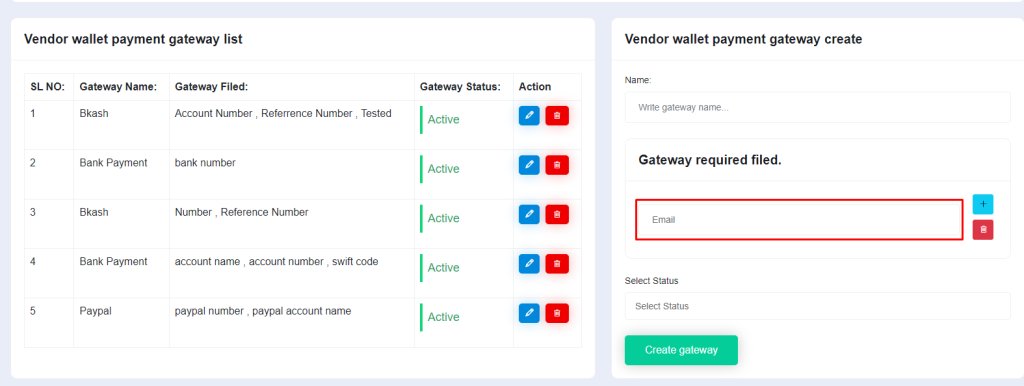
You can add fields as your need for paypal you will need to email for transferring money here is an example
 Screenshot
Note
If you need to more field for transferring fund then you can can send more field by pressing plus button and if you walt to remove a field then you can click on trash icon for remove a field
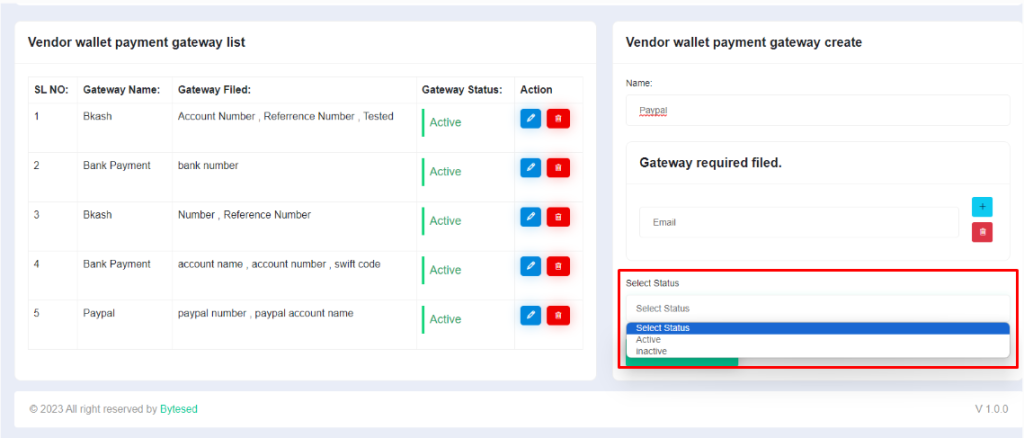
You can set gateway status here
only active wallet gateway vendor can use for withdraw
 Screenshot
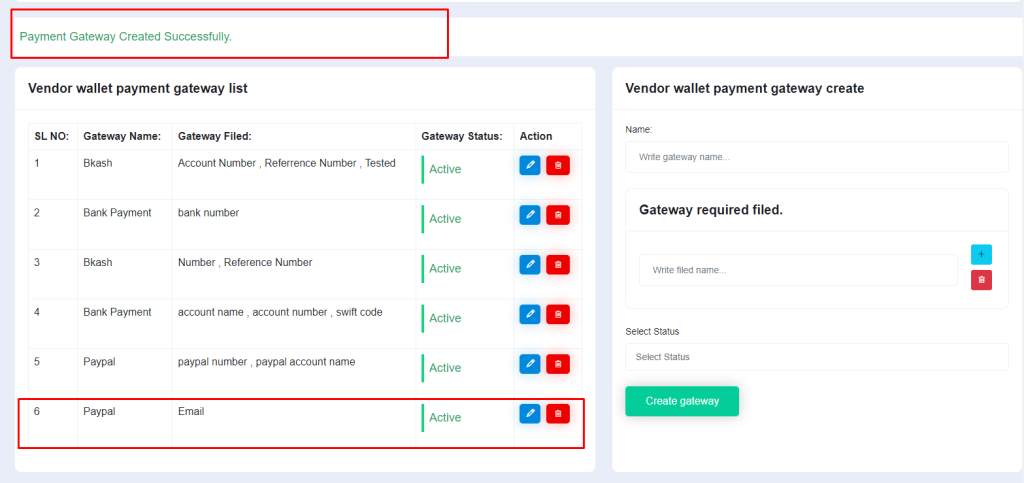
After you have added everything now you can click on create gateway button for creating
After you have clicking on create gateway you will get a success alert for this and and your gateway will be visible bottom of the list
 Screenshot
withdraw request
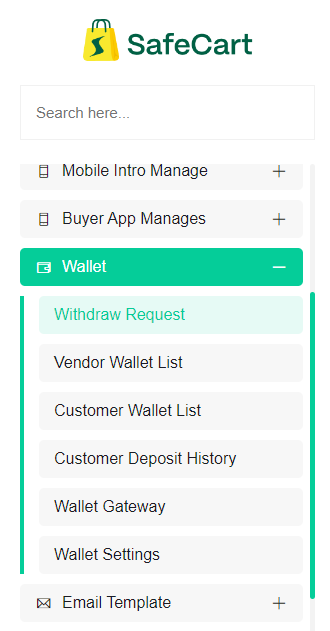
You will find this page left sidebar inside wallet section in admin panel
 Screenshot
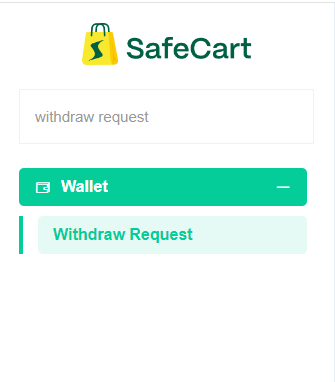
Or you can search it in search box
 Screenshot
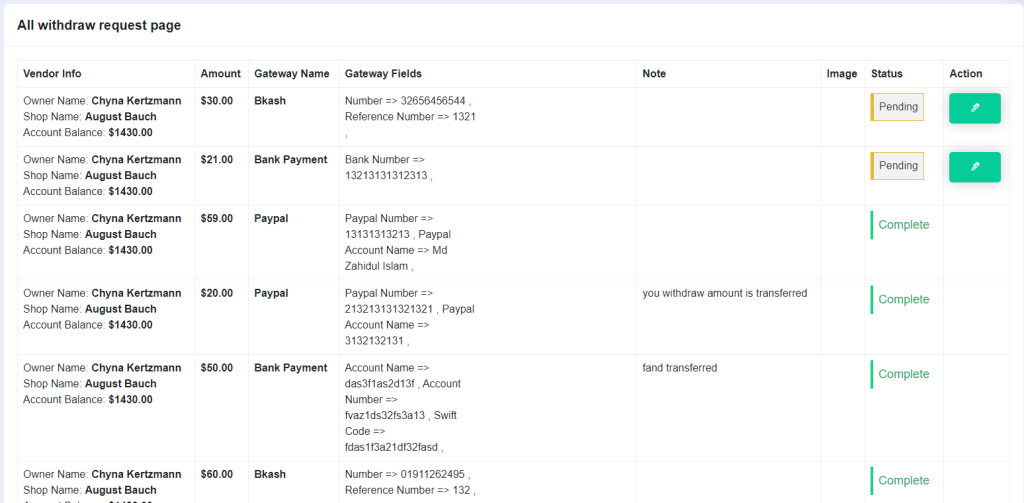
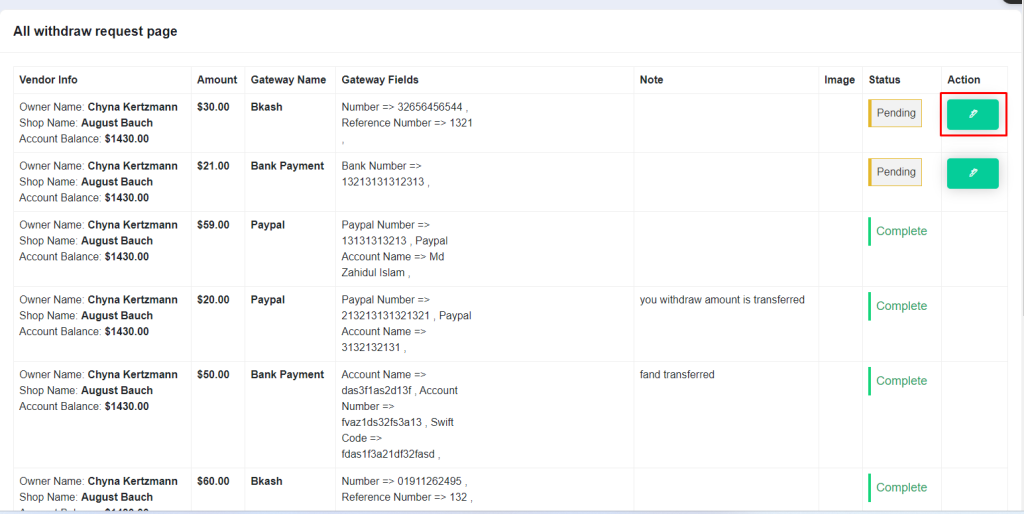
This is the page here you can see all withdraw request and you can update request status by clicking on pen button
 Screenshot
 Screenshot
 Screenshot
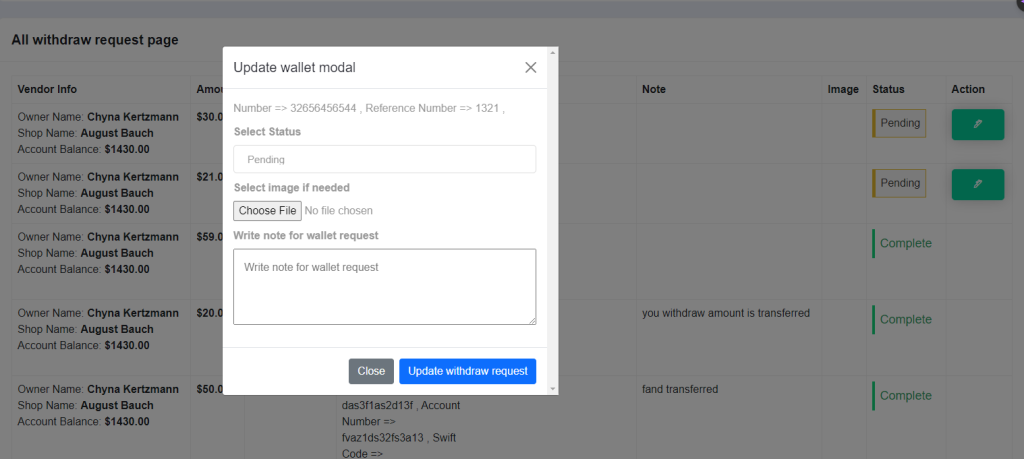
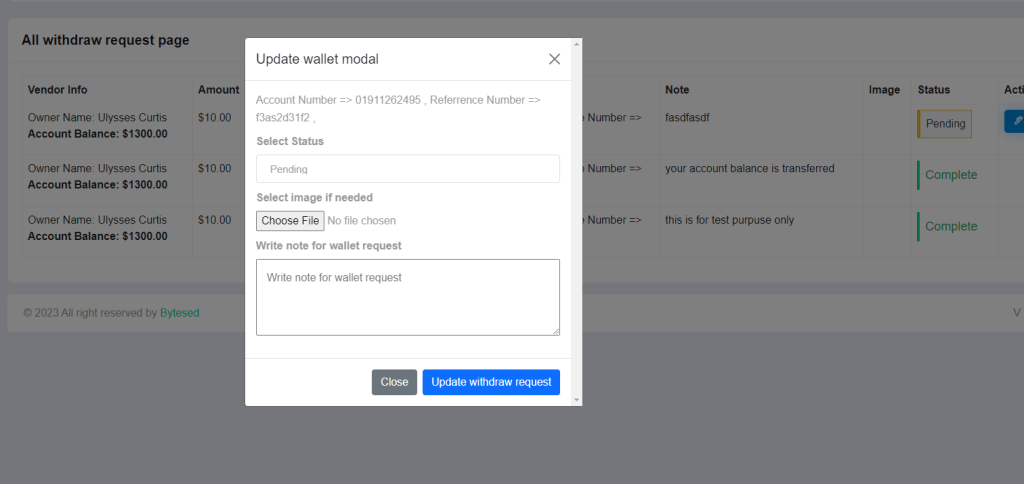
Here you can provide note if needed you can send image and you can set withdraw request from select status box
Note
You can update only request status isn't completed, cancelled and failed
Customer Deposit History
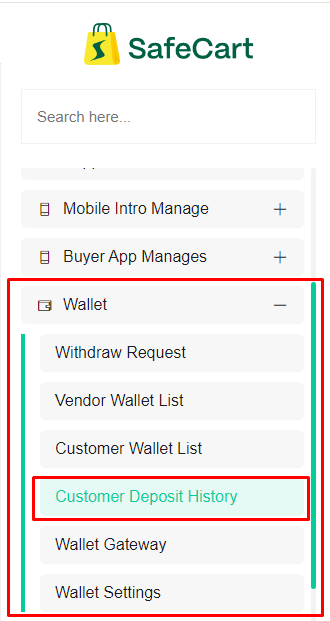
You can find this page inside left sidebar or you can search it inside search box
 Screenshot
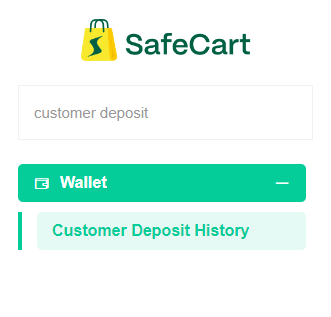
Here is the example for searching
 Screenshot
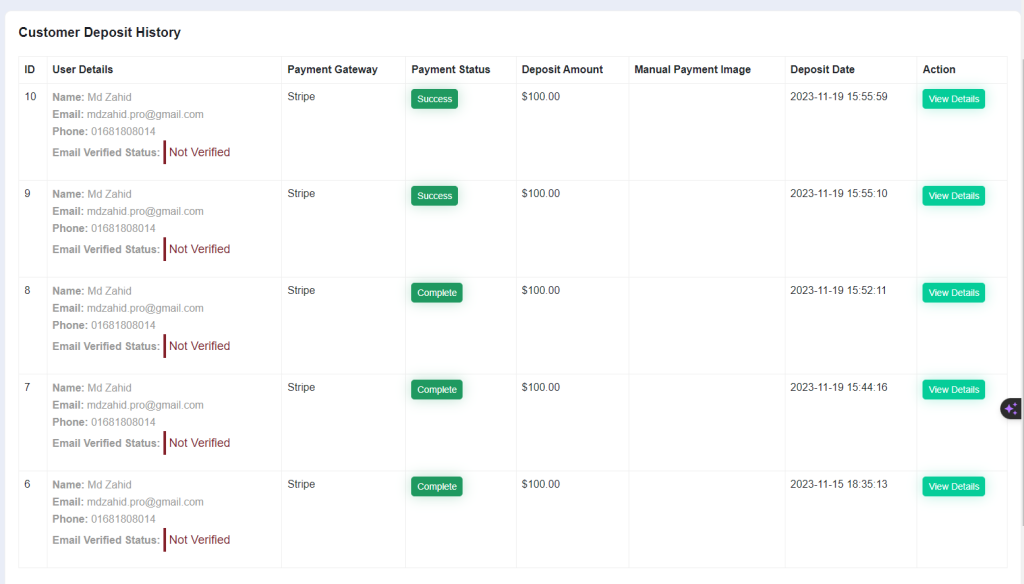
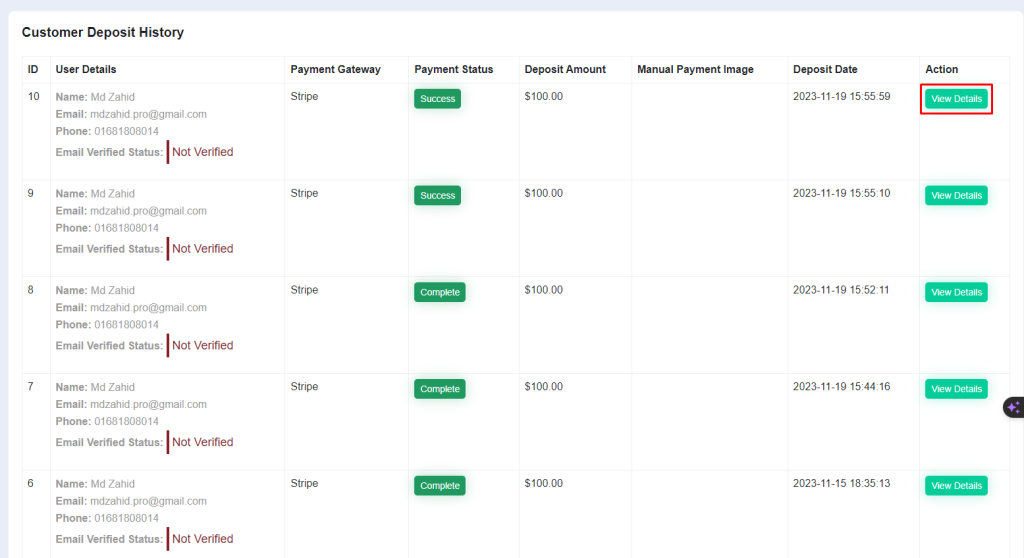
This is the customer deposit history page
you can change payment status if status is not cancelled and success
 Screenshot
You can view deposit by clicking on view deposit button
 Screenshot
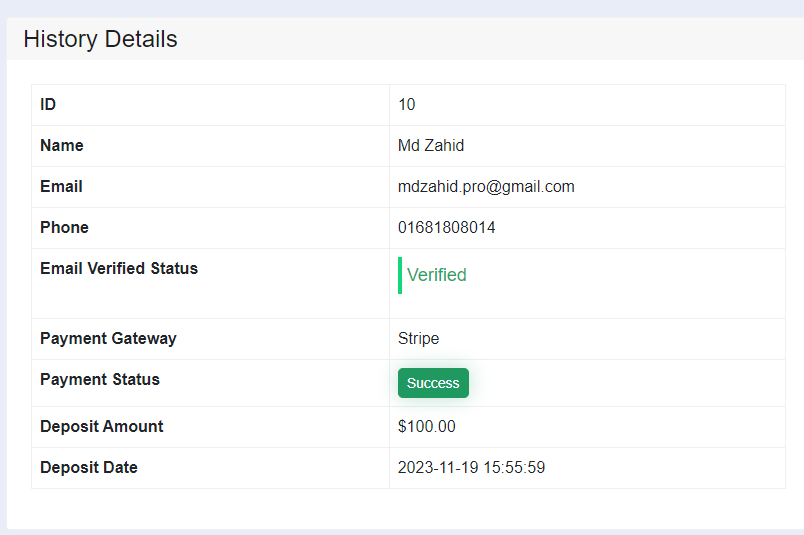
This is the details page
 Screenshot
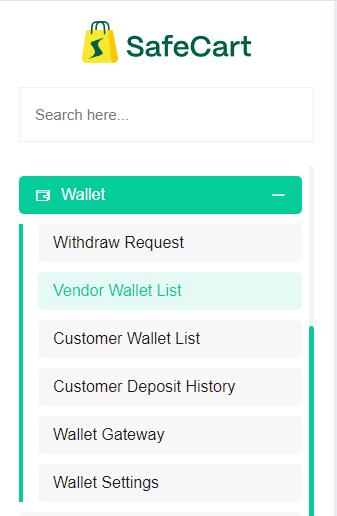
Vendor Wallet List
You can find this page in admin panel left sidebar inside wallet section
 Screenshot
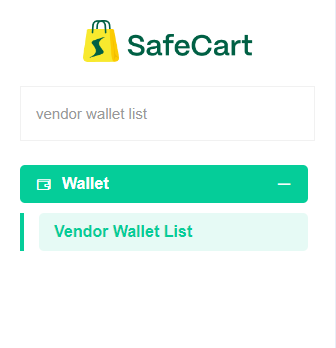
or can search it inside search box
 Screenshot
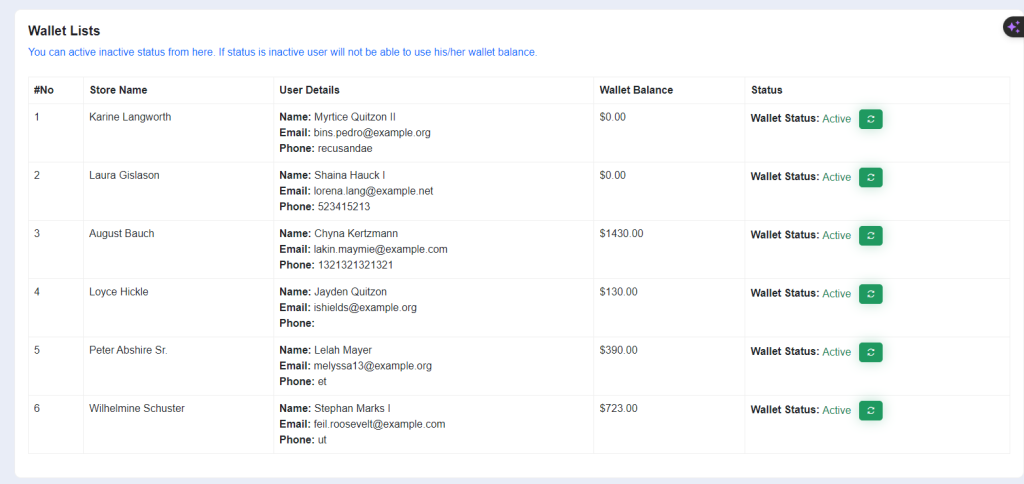
This is the page that we're finding
Here you can see all vendors wallet list from here you can manage vendor wallet you can change vendor wallet status by click on green button
 Screenshot
Delivery Man Wallet List
Note
This feature isn’t available with main script if you want to get those functionalities then you have to purchase our Delivery man plugin first
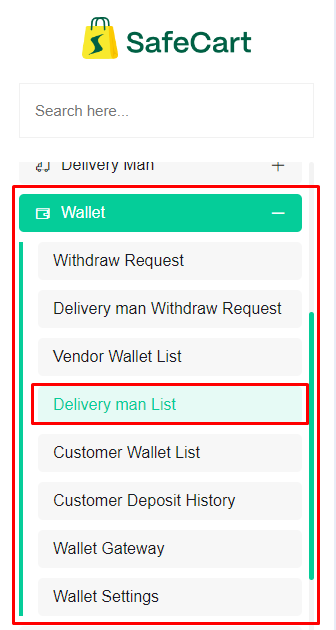
You can find this page in admin panel left sidebar inside wallet section
 Screenshot
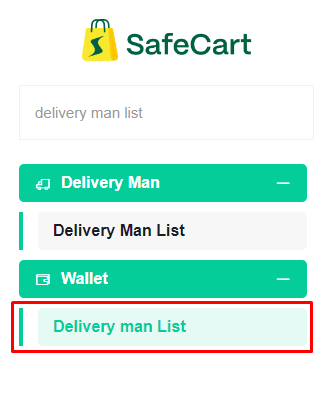
or can search it inside search box
 Screenshot
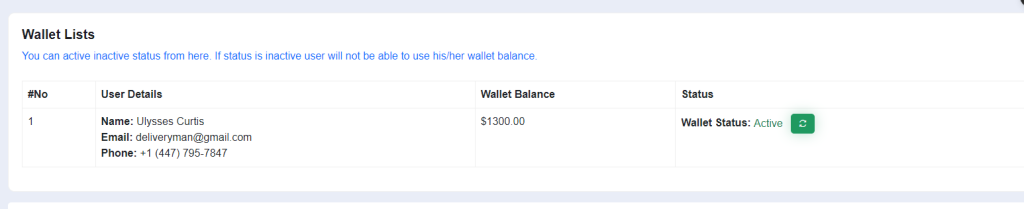
This is the page that we're finding
Here you can see all vendors wallet list from here you can manage vendor wallet you can change vendor wallet status by click on green button
 Screenshot
Delivery man withdraw request
Note
This feature isn’t available with main script if you want to get those functionalities then you have to purchase our Delivery man plugin first
You will find this page left sidebar inside wallet section in admin panel
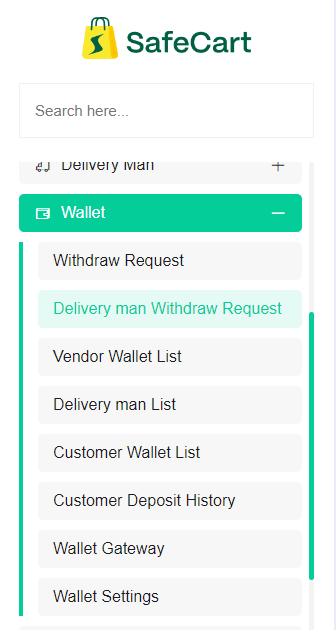 Screenshot
Or you can search it in search box
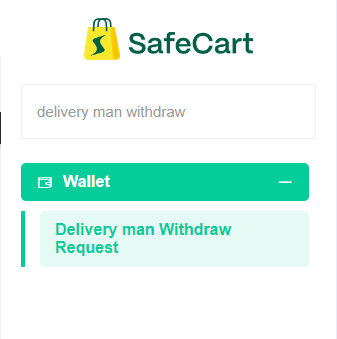 Screenshot
This is the page here you can see all withdraw request and you can update request status by clicking on pen button
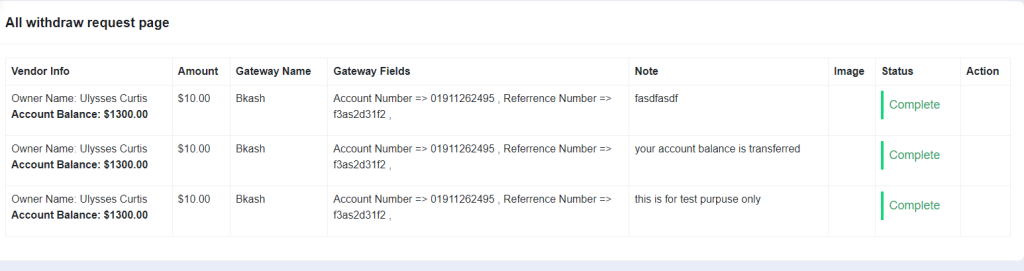 Screenshot
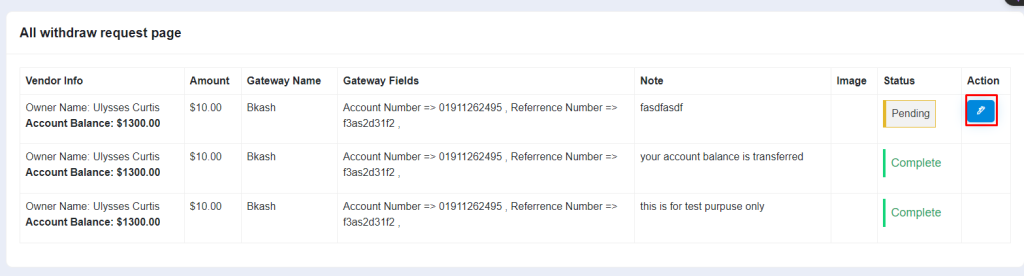 Screenshot
 Screenshot
Here you can provide note if needed you can send image and you can set withdraw request from select status box
Note
You can update only request status isn't completed, cancelled and failed