

go to https://sandbox-app.transaction.cloud/ and login to your sandbox account.
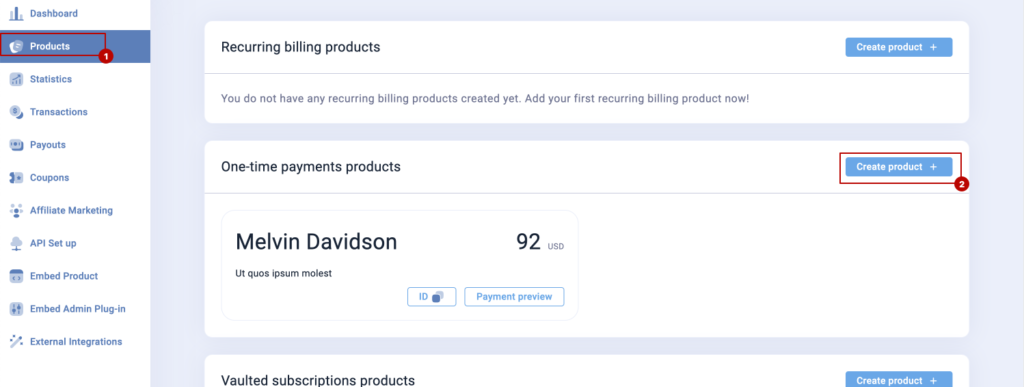
create a new one time payment product , from sidebar products then click create product.
 Screenshot
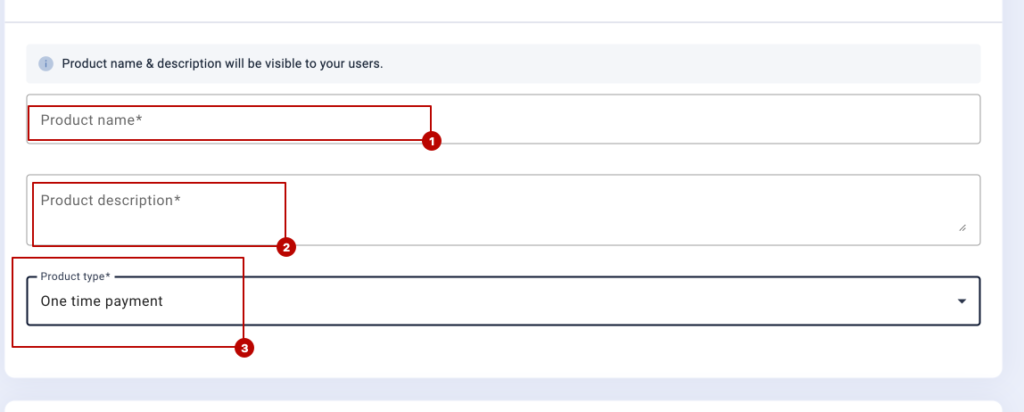
add product name , description and type ( set it as one time payment )
 Screenshot
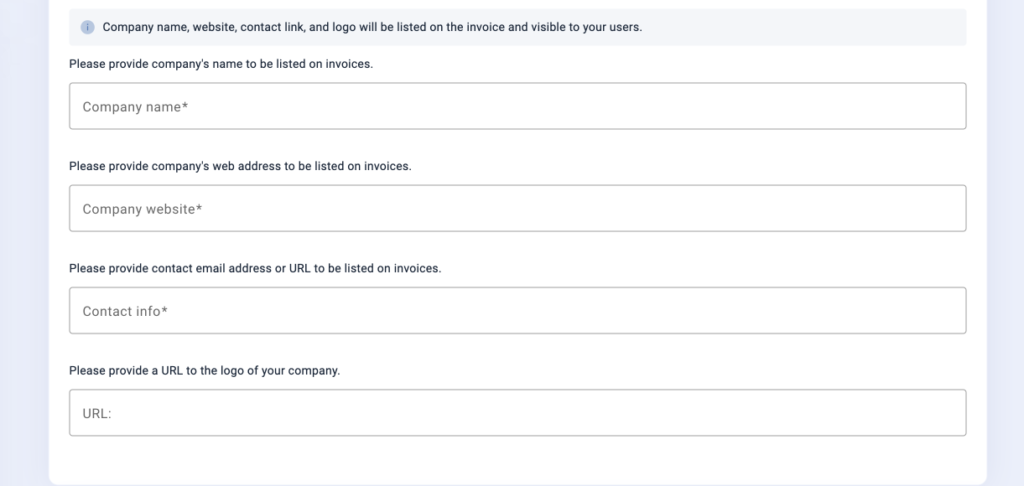
now configure invoice info
 Screenshot
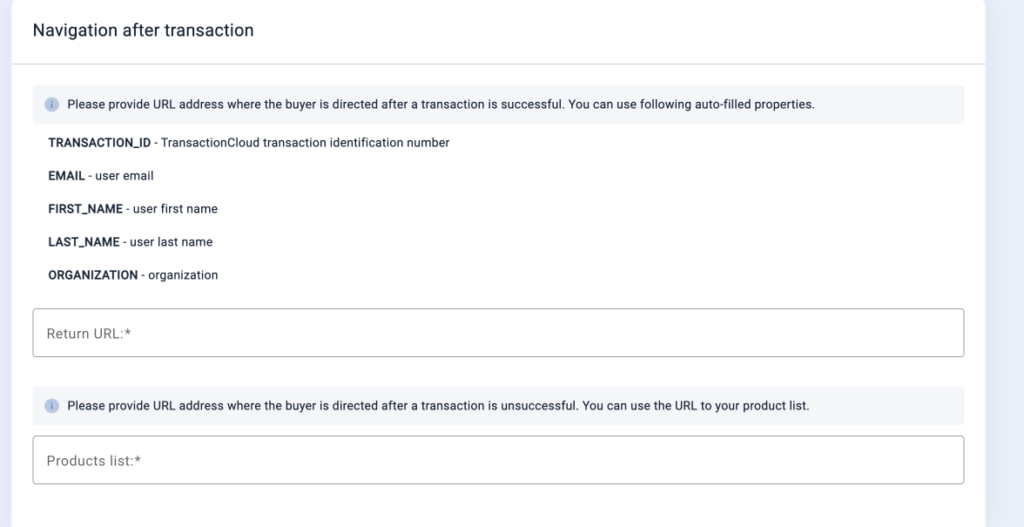
now add return url and product list url
example product return url
https://yourwebsite,com/ipn?id=TRANSACTION_ID&user=EMAIL&first=FIRST_NAME&last=LAST_NAME&org=ORGANIZATION
you will get this url in admin panel -> general settings -> payment gateway settings page.
 Screenshot
Now you you need to create api, go to API set up page, copy api login and api password and add it into the admin panel..
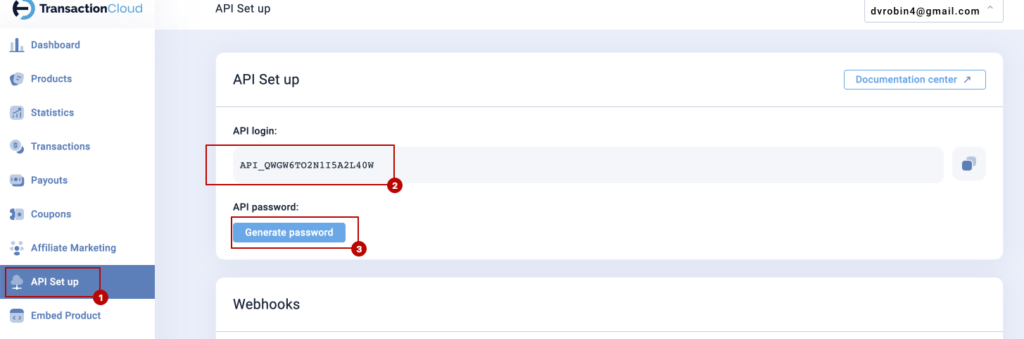 Screenshot
Still stuck?
Our support team is ready to help you get set up.