

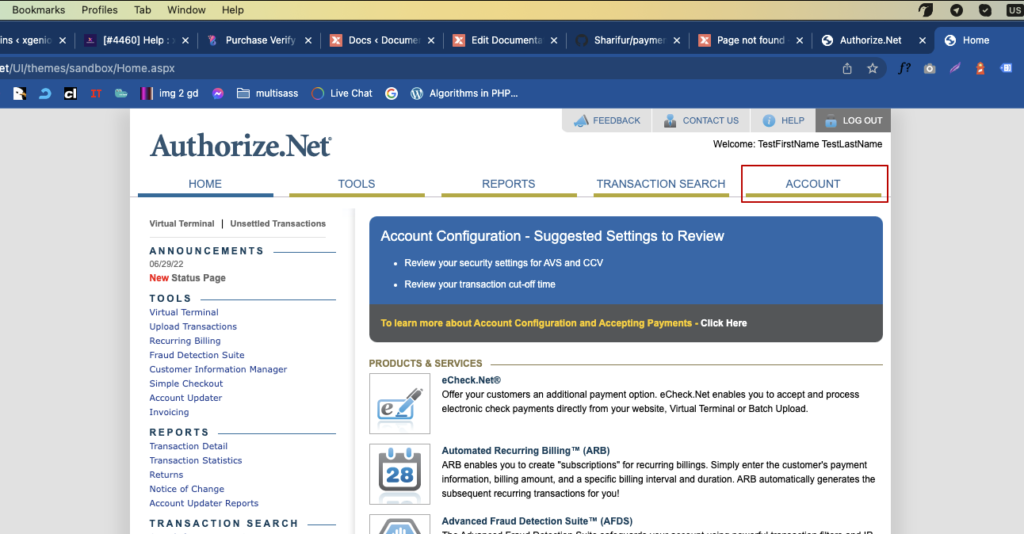
Login to your Authorize.net account click on account menu.
 Screenshot
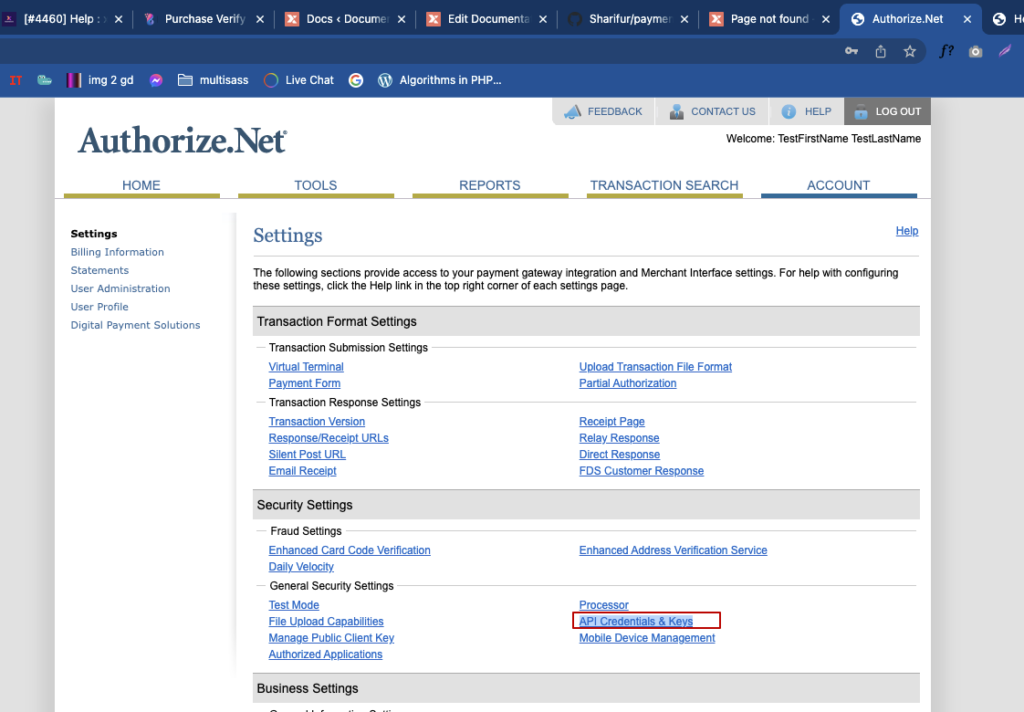
No Scroll down and click on API Credentials & Keys menu
 Screenshot
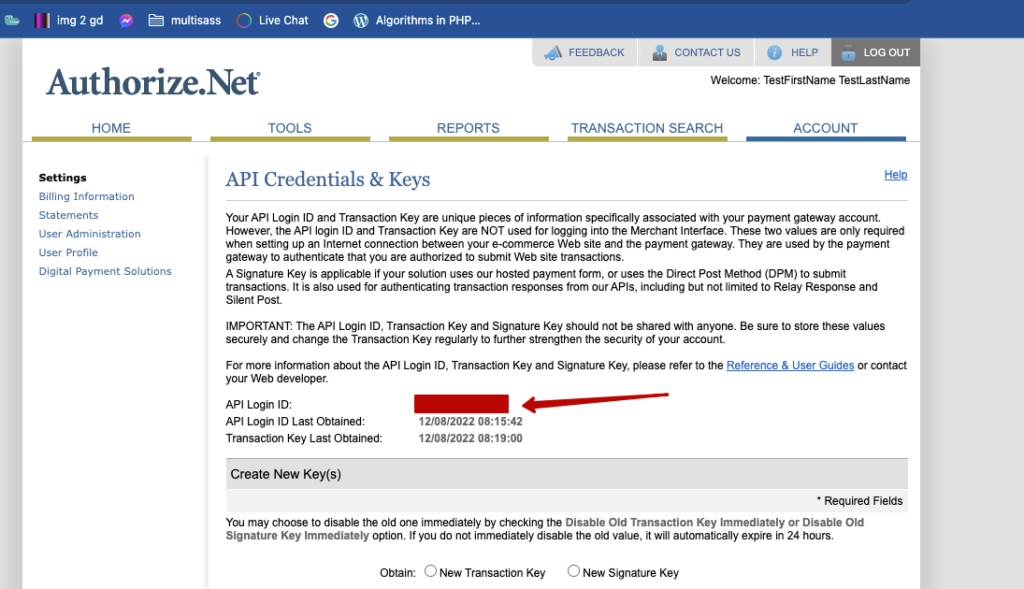
here is your merchant login id
 Screenshot
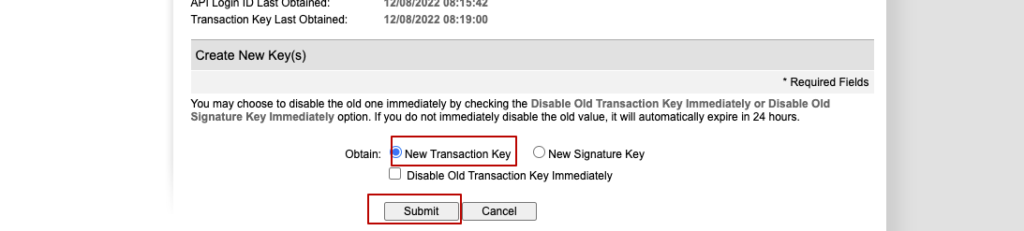
now generate a new transaction key. check new transaction key, then click on submit button
 Screenshot
than you will get your transaction key, store it safely because it will not show again for security purpose
Still stuck?
Our support team is ready to help you get set up.