

Landlord Options
To use and check GoDaddy as a Domain Reseller Provider go to Reseller from the sidebar -> Domain Dashboard
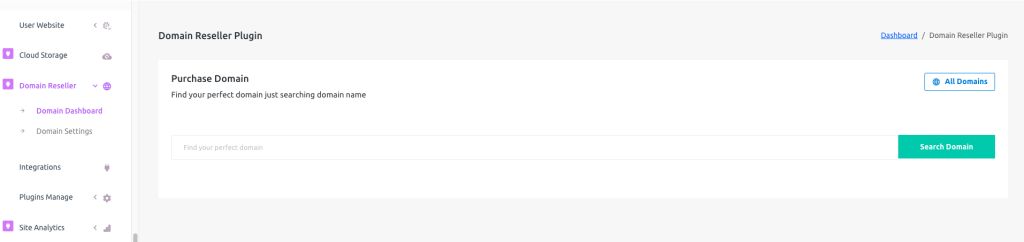 Screenshot
Here you can check the domain availability but can not purchase as a landlord.
 Screenshot
You can check the list of all tenants who purchased domains just clicking on the All Domain button
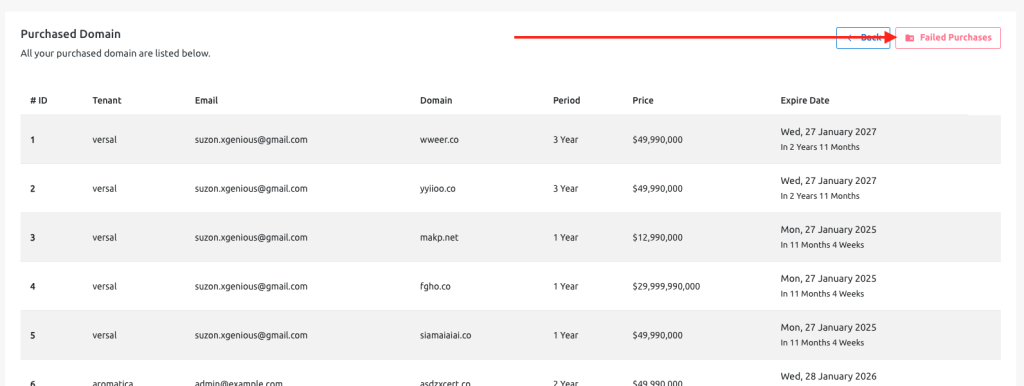 Screenshot
To check unsuccessful purchases go to the Domain list then click on the Failed Purchase button
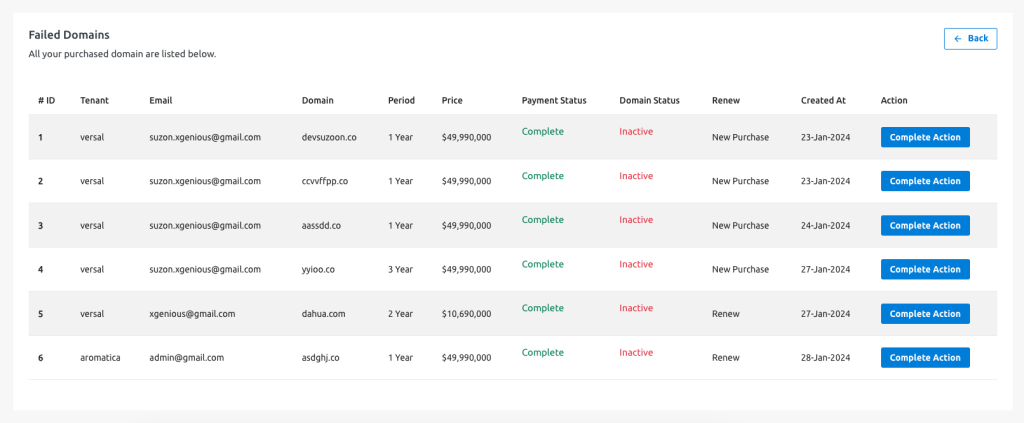 Screenshot
You can complete the purchase or renewal actions from here.
Tenant Options
To use GoDaddy as Domain Reseller Provider go to Domain Reseller from the sidebar -> Domain Dashboard
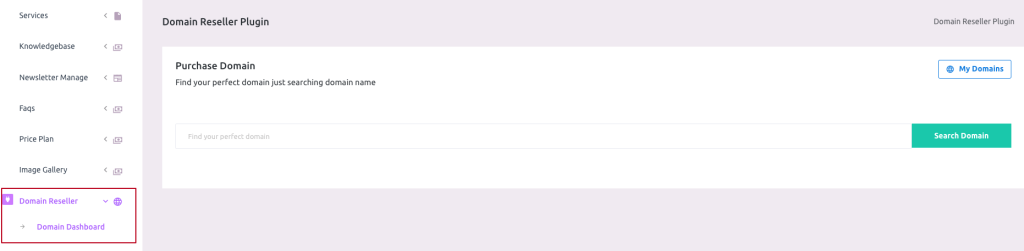 Screenshot
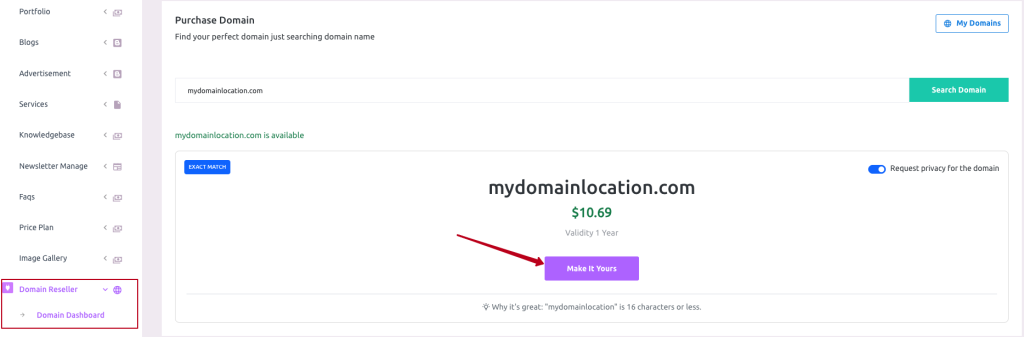
Here you can search your desired domain for availability.
 Screenshot
If the domain is available then you can select it to continue purchase.
 Screenshot
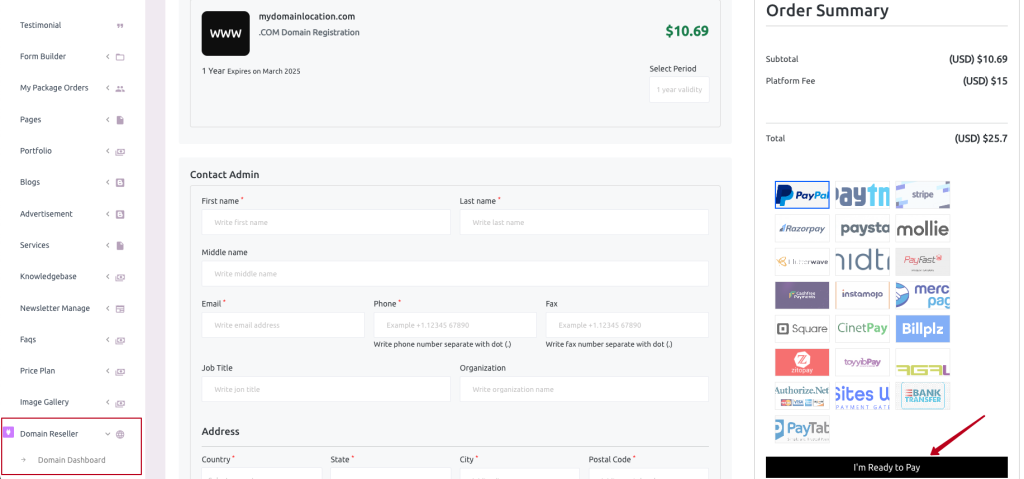
Fill up the form according to the instructions and select the period of your domain validity and payment gateway then hit the button for checkout.
 Screenshot
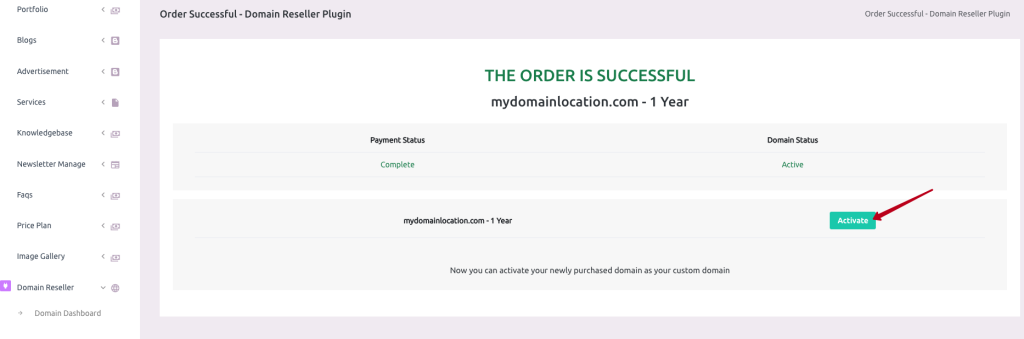
After successful checkout you will land on this page, Here you can connect your purchased domain to your custom domain for your tenant site or shop just clicking on the Activate button
 Screenshot
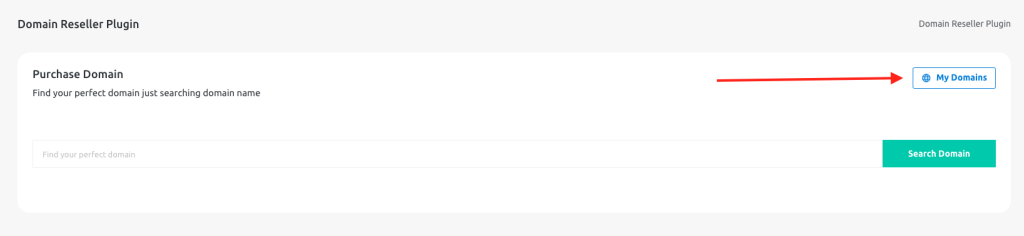
Or, you can also open the Domain Dashboard from the sidebar and click on this button to open your purchase history and activate or renew your custom domain.
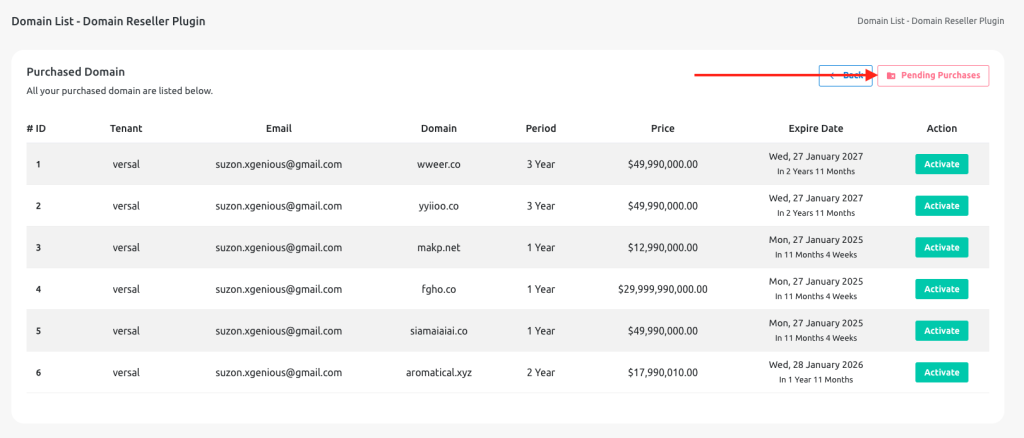 Screenshot
You can also check your domains that are in pending status just clicking the Pending Purchases button from the Domain List page