

Wallet Plugin
Jump to: Wallet Settings · Wallet deposit · Wallet for Purchasing Memberships · Wallet Lists · Wallet History
Wallet Settings
In Wallet Settings, you can configure the Deposit Amount Settings. After that, you will see an option to “Wallet > Wallet Settings” .
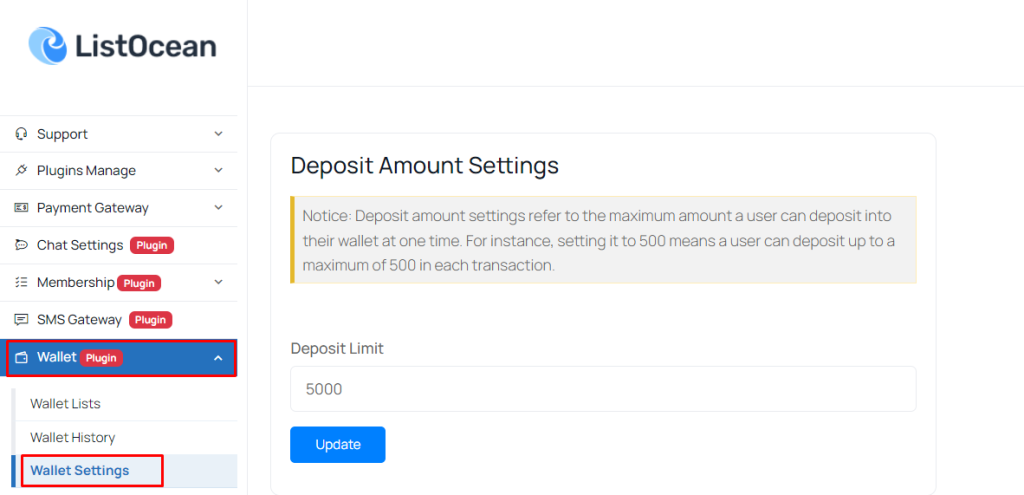 Screenshot
Wallet deposit
Click on the “Deposit to Wallet” button. You will be prompted to enter the amount you wish to deposit into your wallet.
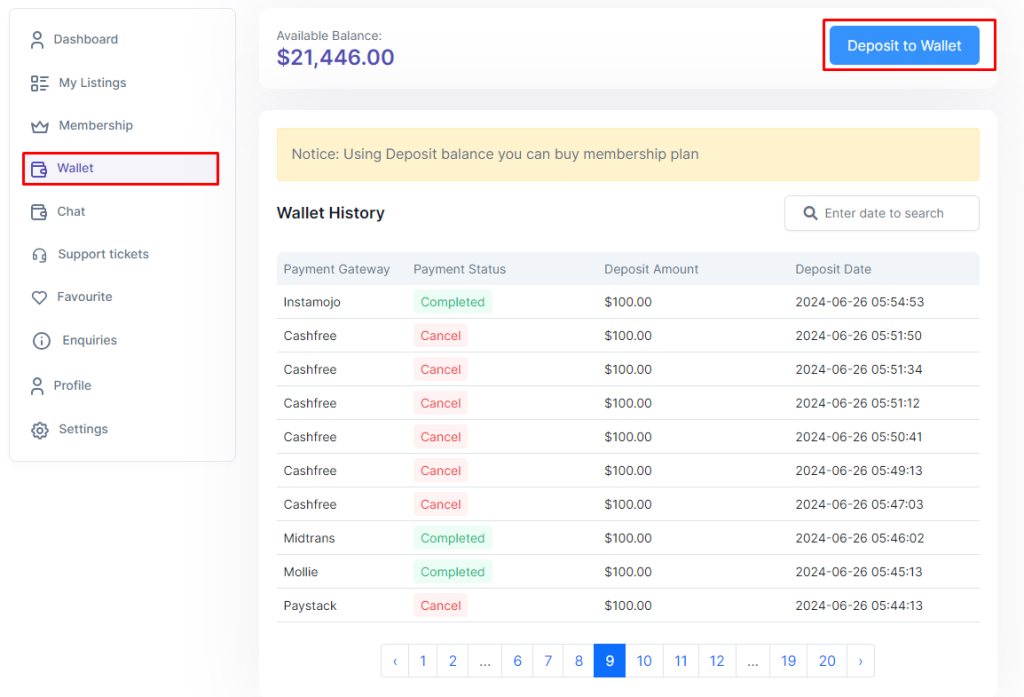 Screenshot
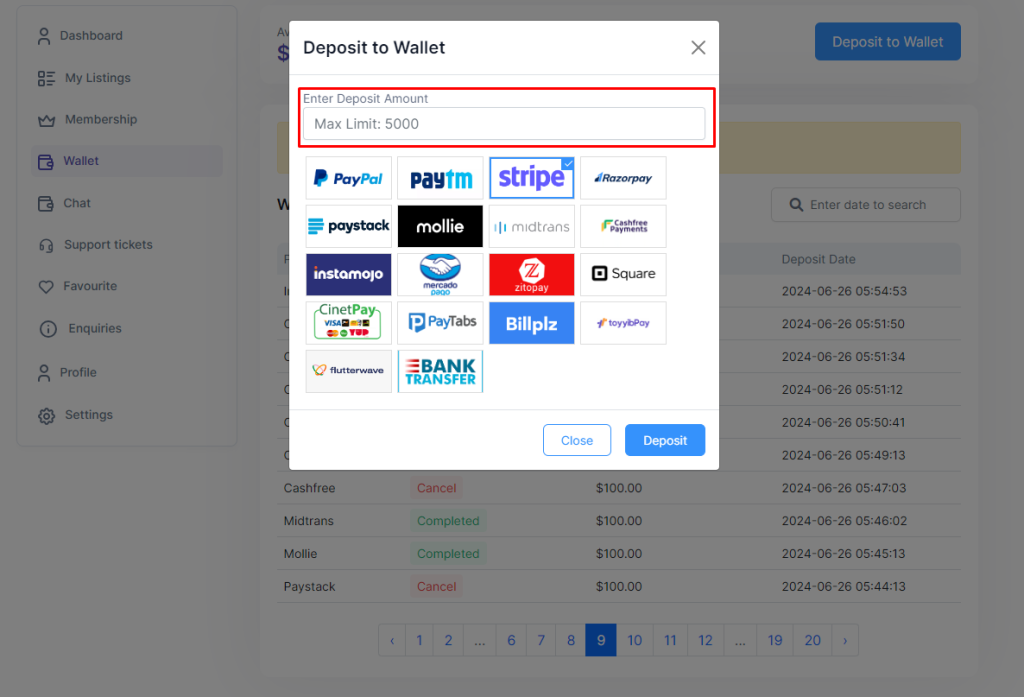 Screenshot
Wallet for Purchasing Memberships
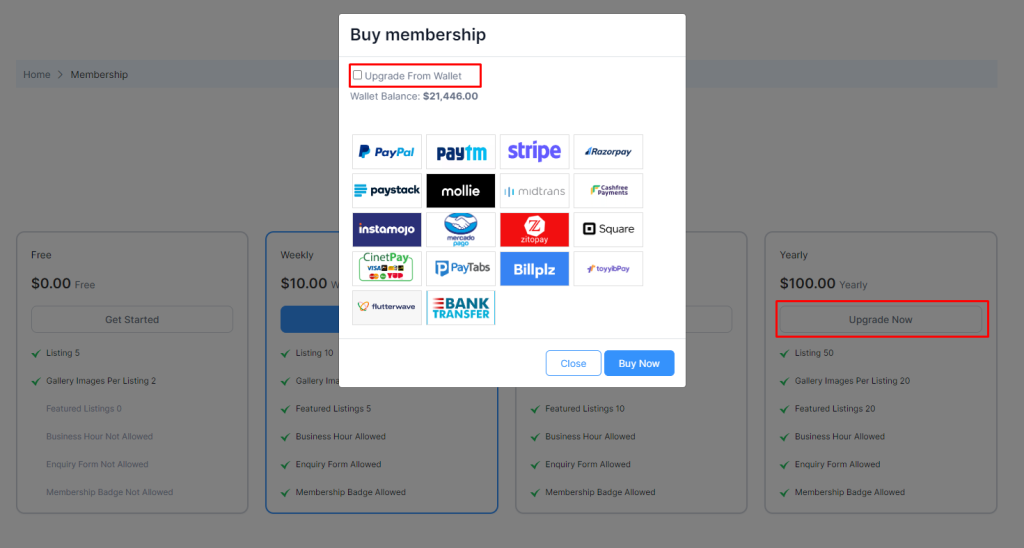
Click the ‘Buy/Upgrade/Renew' button to open a modal. Select the checkbox to use your wallet balance for purchasing memberships on our platform.
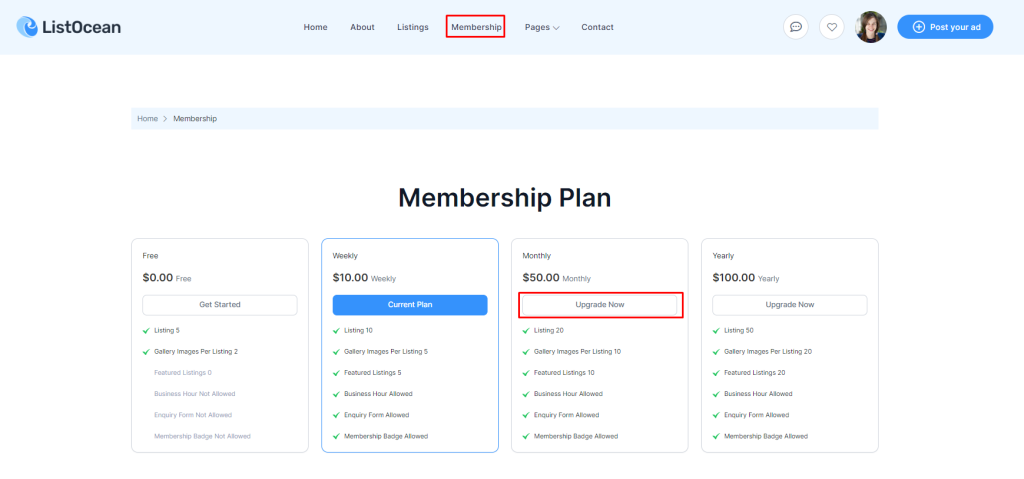 Screenshot
 Screenshot
Wallet Lists
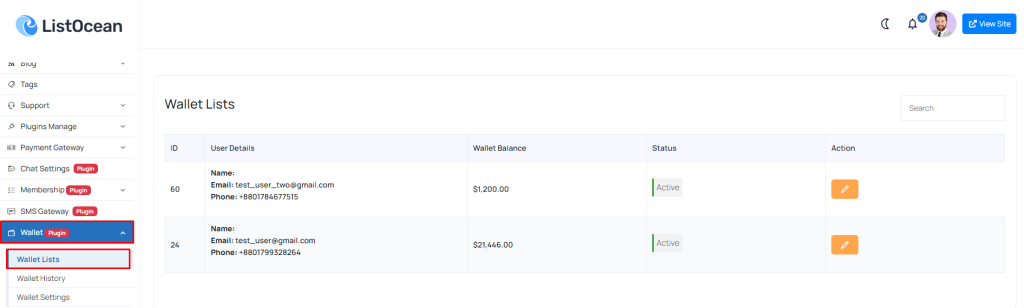
View Your Wallet Transactions: go to admin panel “Wallet > Wallet Lists”.
 Screenshot
Wallet History
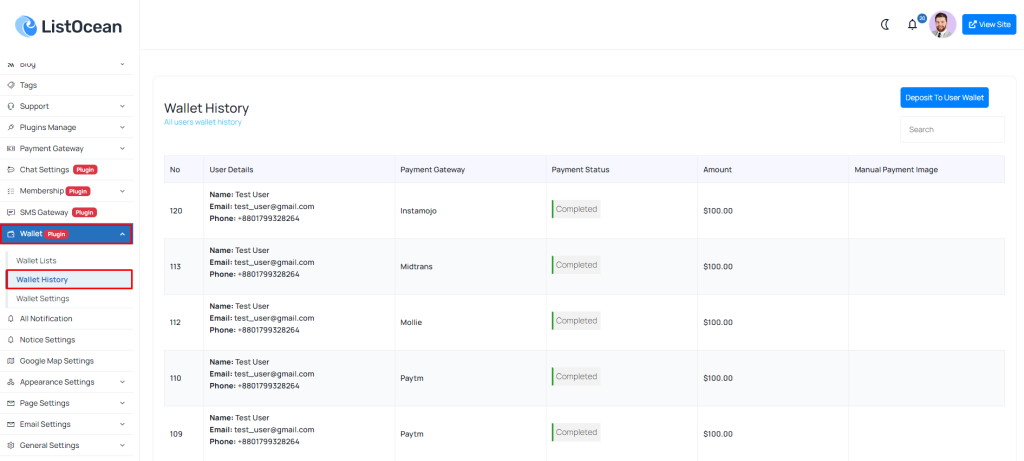
View Your Wallet Transactions History: go to admin panel “Wallet > Wallet History”.
 Screenshot
Still stuck?
Our support team is ready to help you get set up.