

General Settings
Jump to: How to fix 503 server unavailable issue · How To Change Home Page Variant · How To Change Home Page Style Using Page Builder · How to received email notification when new user registration
How to fix 503 server unavailable issue
 Screenshot
Usually this issue happend when website is in maintenance mode, it happend when your are trying to update the website but it failed due to server connection timeout.
to fix this issue you have to delete “down” file, goto core/storage/framework delete the file.
then reload the webpage, it should work fine.
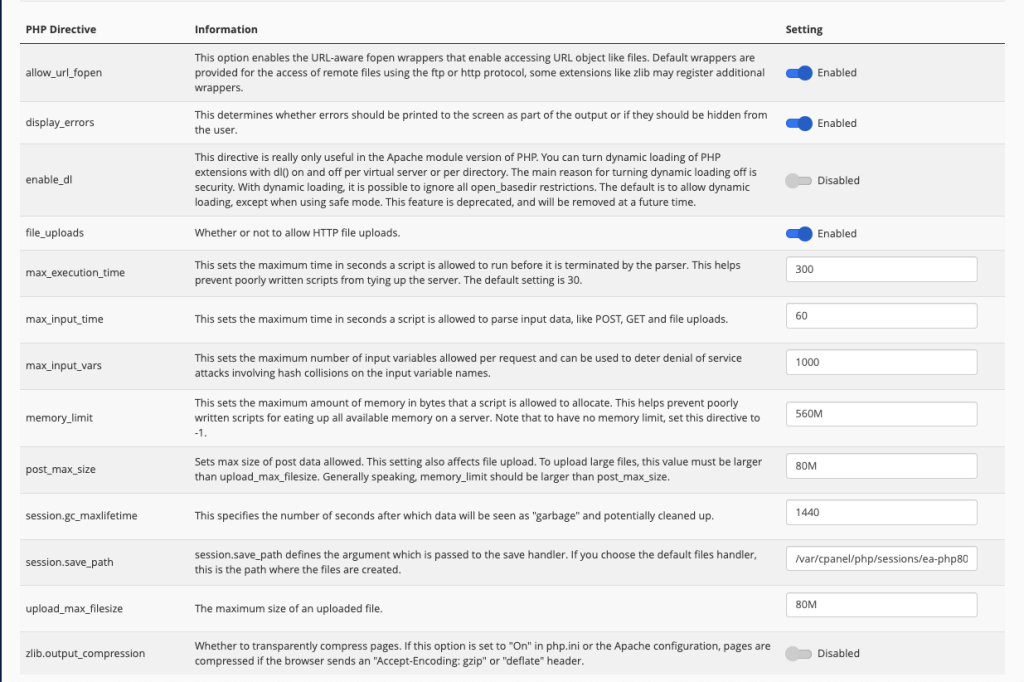
before trying to update it again, make sure you have a good internet connection. and your php ini settings as follows
 Screenshot
How To Change Home Page Variant
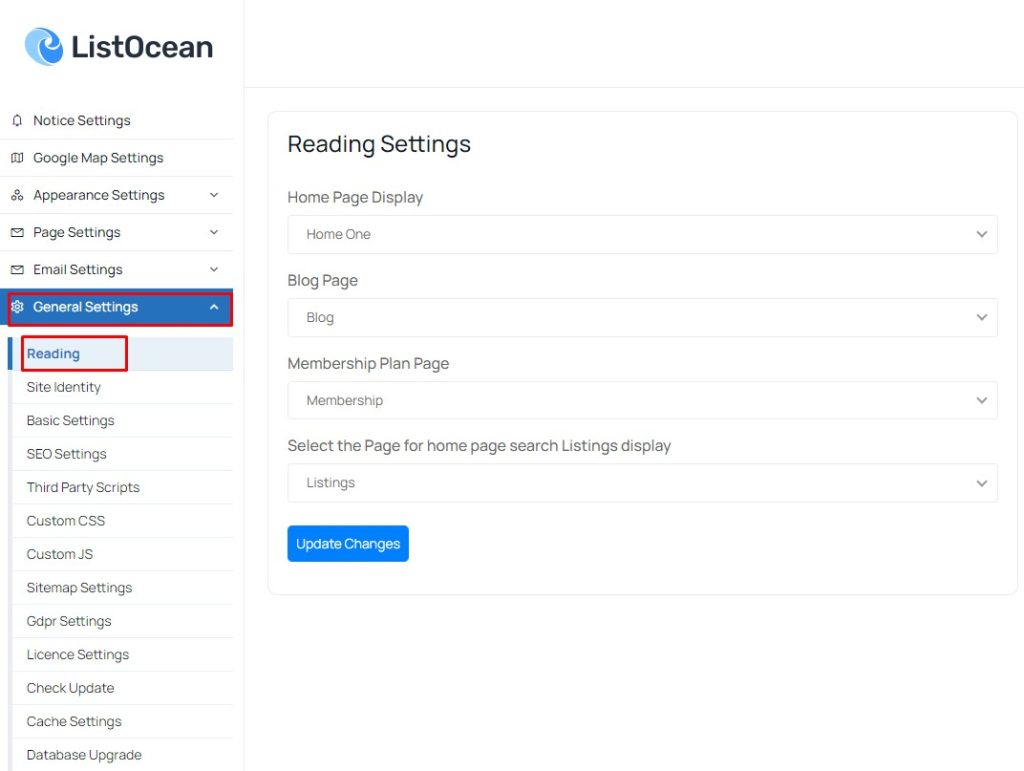
This CMS comes with many home page variant, you can use any of them for your website, go to “General Settings -> Reading-> Home Page Display” select your home page variant and save change.
 Screenshot
How To Change Home Page Style Using Page Builder
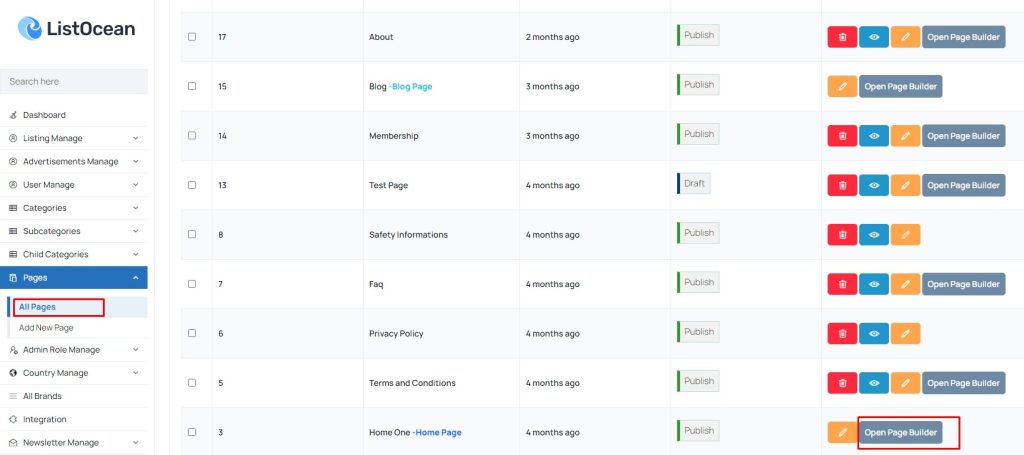
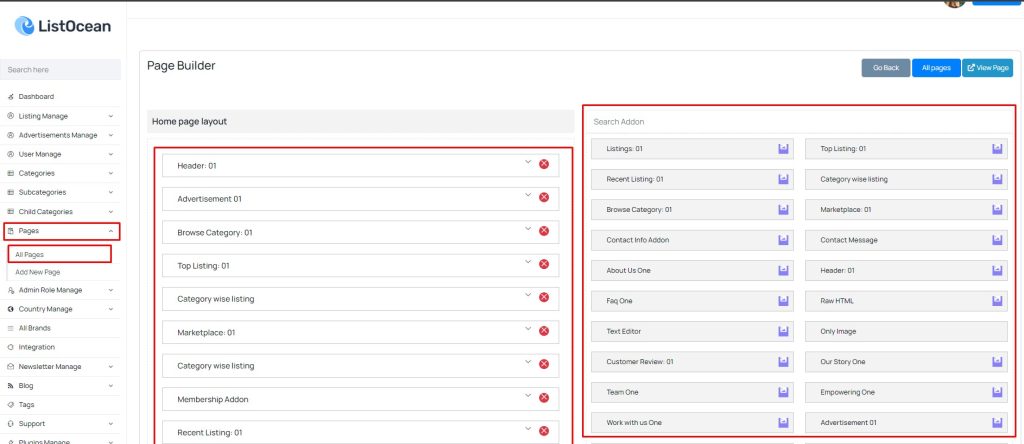
You can easily manage all of home page style and content from admin panel ”Pages -> All Pages” open your home page builder.
 Screenshot
Drag and drop your designed addon and change style and content.
 Screenshot
How to received email notification when new user registration
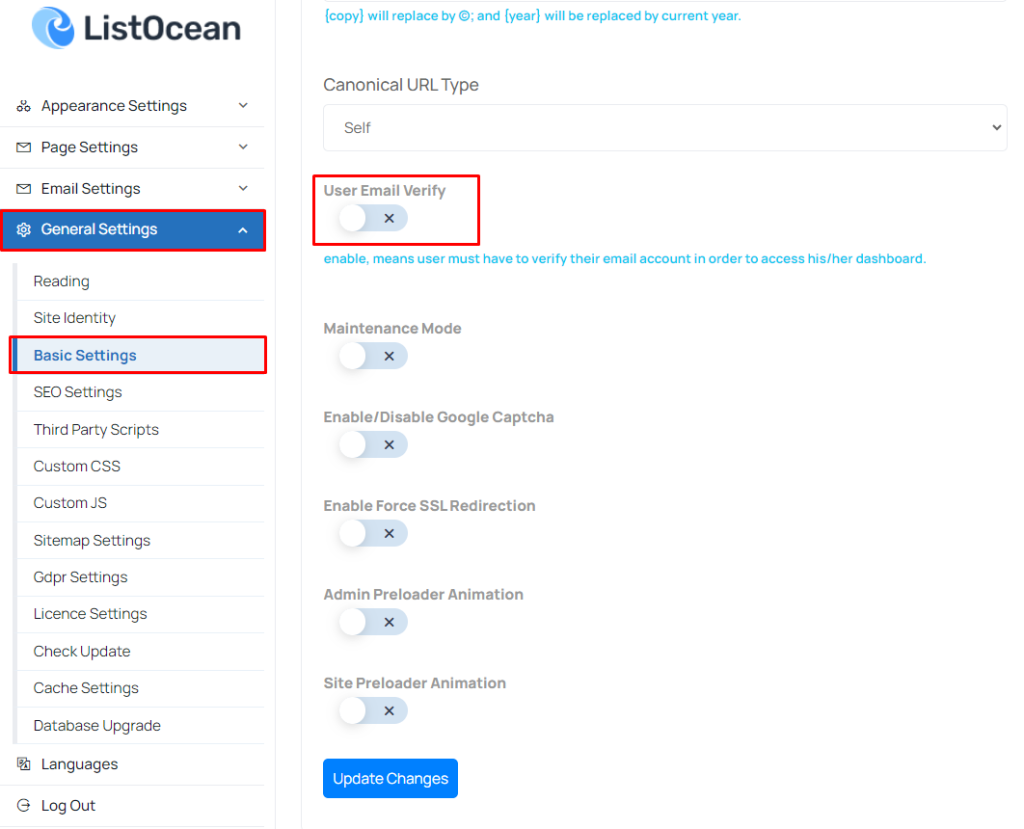
To get email notification you need go to “General Settings->Basic Settings” and enable User Email Verify.
 Screenshot