

we will guide you step by step into add custom domain for your user website.
Step 01:
user can request for custom domain for his website from user panel -> Custom Domain
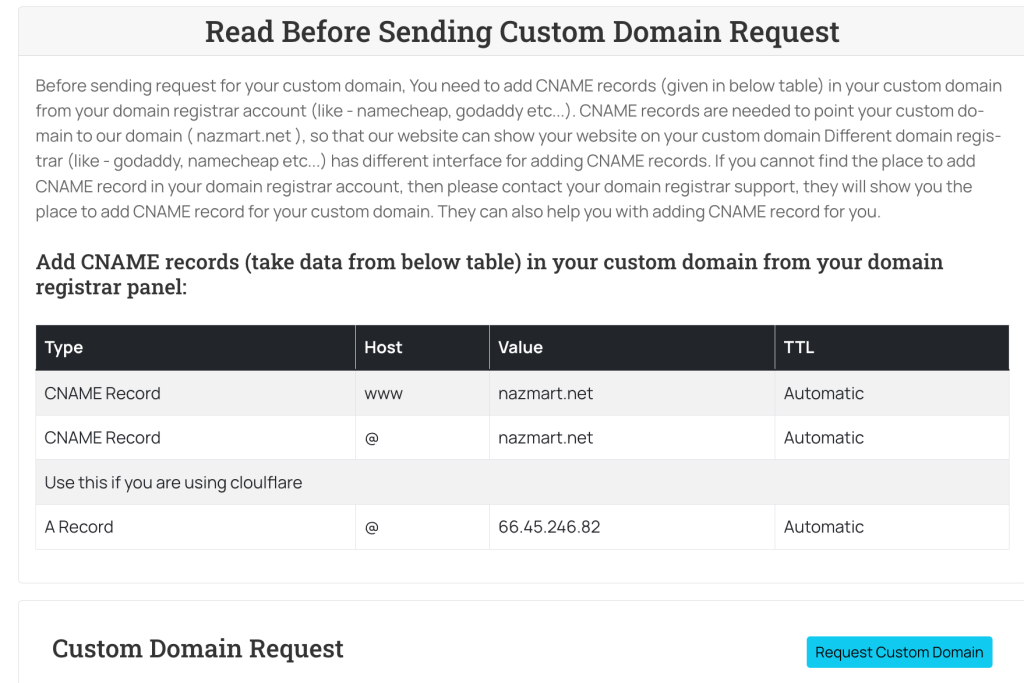 Screenshot
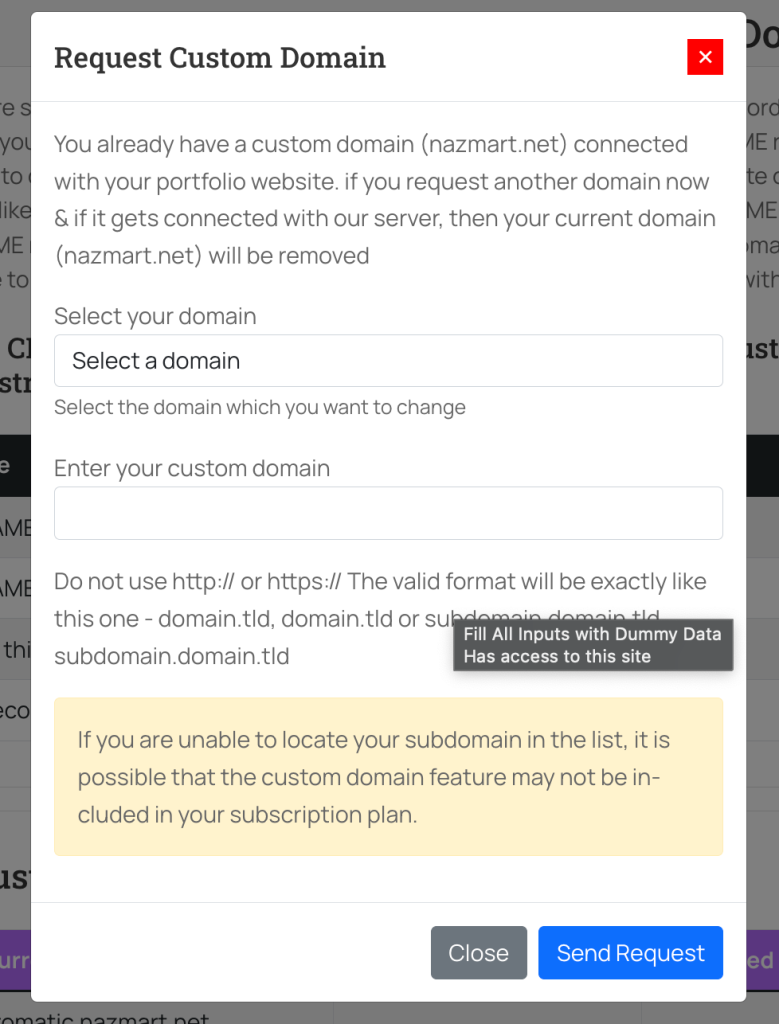
Step 02: Click on Request Custom Domain button for request a custom domain for user subdomain.
 Screenshot
now you will see this option after clicked that button
here user have to select their website and the custom domain they want to add.
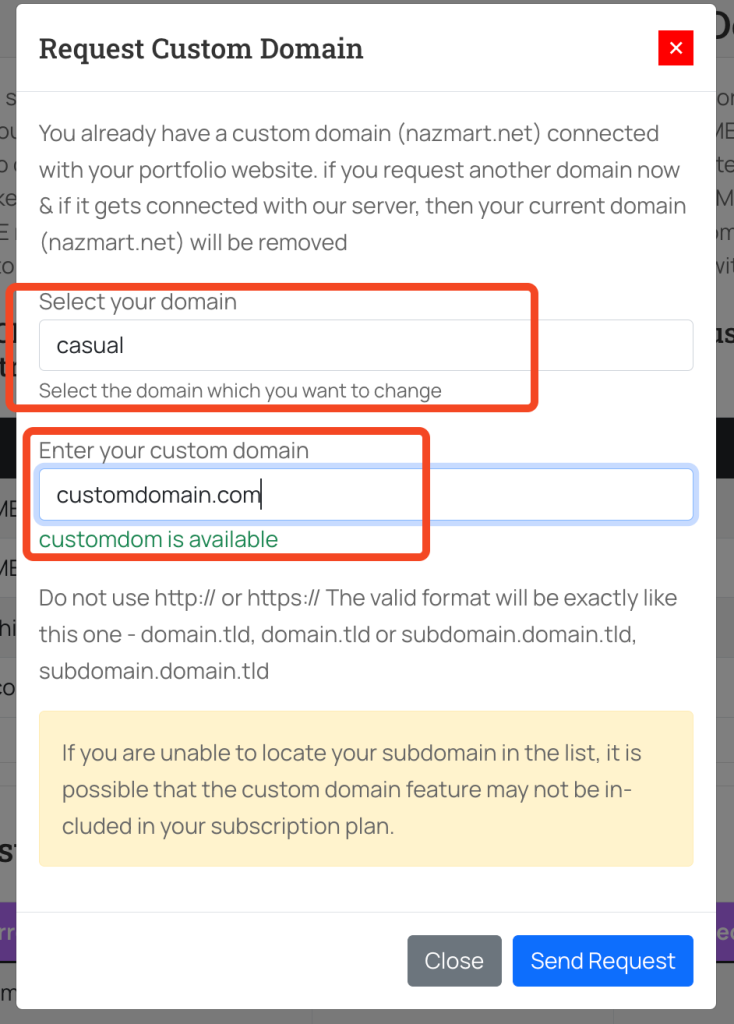 Screenshot
Step 03
Most important is this point. your user must have to add their user panel shown cname record in their user domain panel.
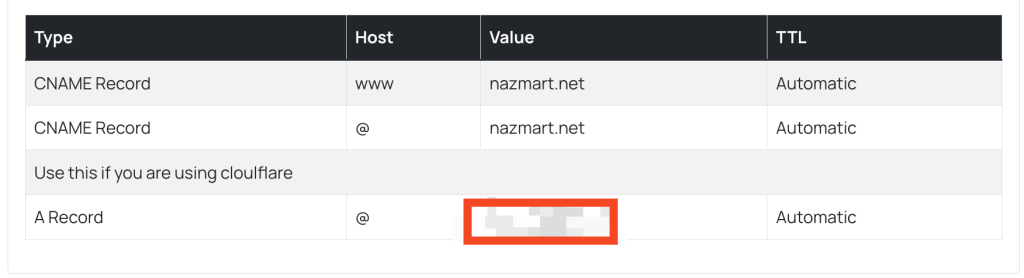 Screenshot
Step 04: ( admin part start from here)
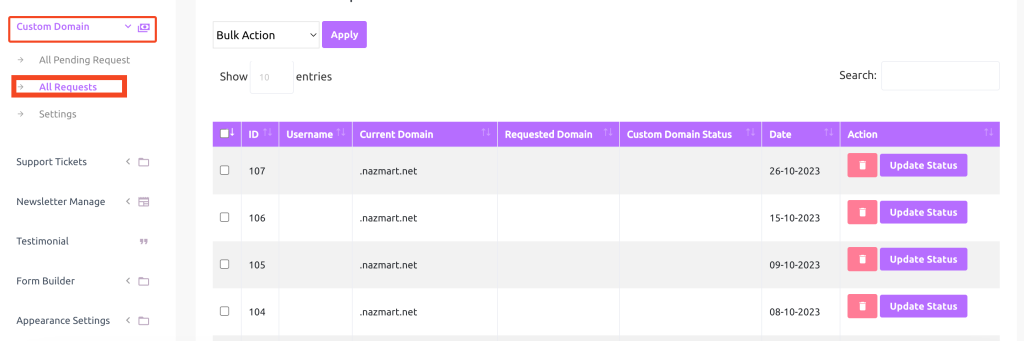
Now admin will see a new custom domain request in admin panel
 Screenshot
now you need to change the update status into in progress
Step 05: ( add the domain into server to make it actually work )
We are showing example of cpanel, but this process is almost same for all other panel, you might see change in the ui of this settings
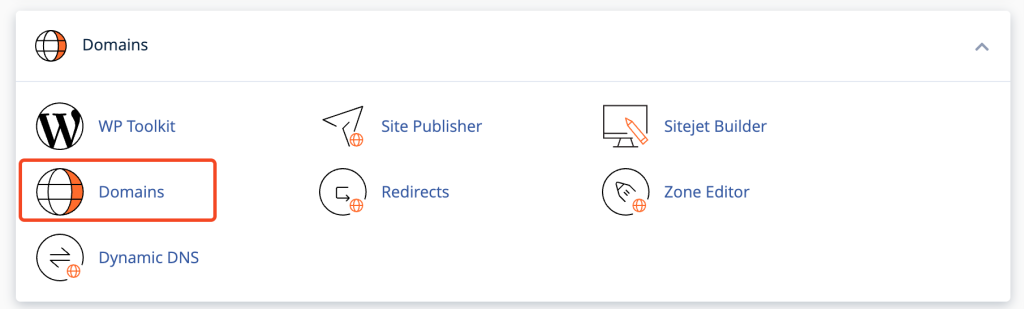
login to your cpanel and search for domain ( you may find it addon domain in older version of cpanel )
 Screenshot
now click on domains page
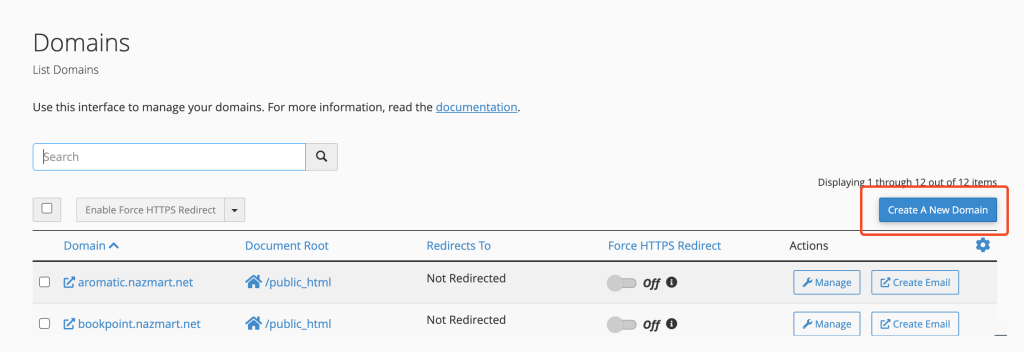
in domain page you will find a button name add new domain , click into it to connect your users domain into your server.
 Screenshot
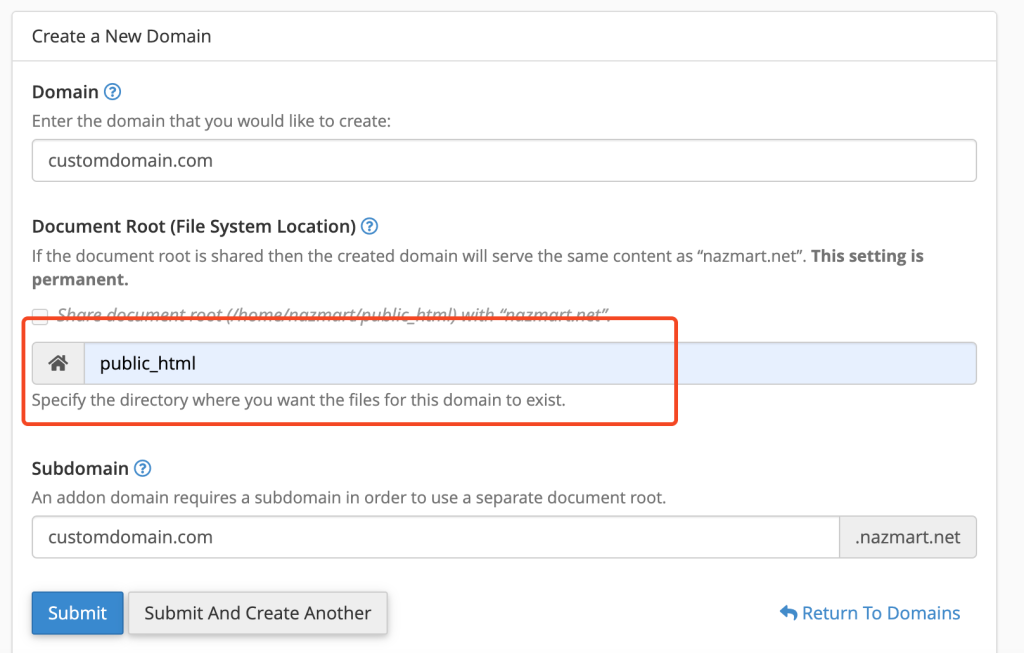
now you have to add domain in as like the screenshot shown. make sure the most important thing is your domain path should be point to the exact same path your script is, let's say you have install the script in public_html folder then you have to set domain path is public_html.
 Screenshot
domain is not connected successfully, not it will still take 24/74hour to propagate dns changes.
Step 06: ( final step )
now need to change the custom domain request from “In Progress” to “connected“
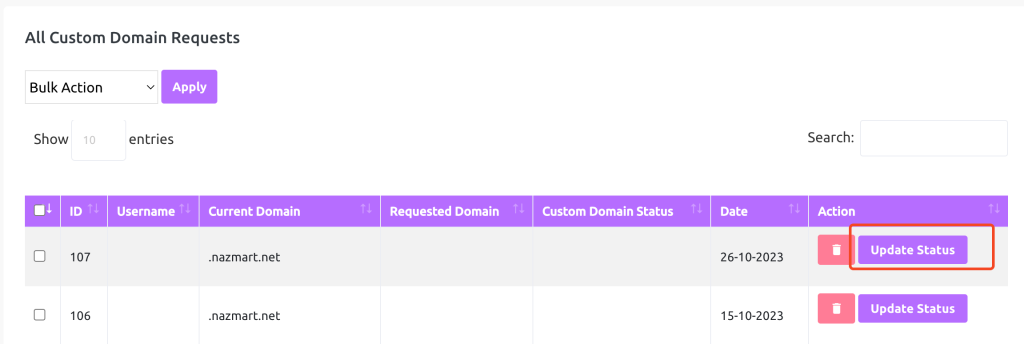 Screenshot
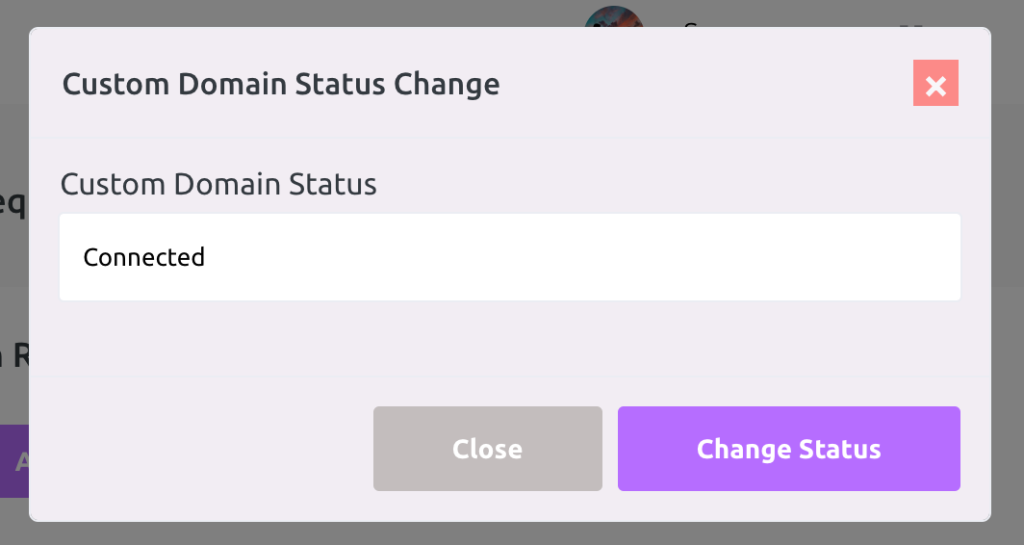 Screenshot
once the status is changes to connected, wait for 5 to 10min, then the website load on user domain instead of your subdomain.
that's all for configure custom domain in cpanel..