

Subscription Package Management
Jump to: Subscription Package Management · User Subscriptions Management
Subscription Package Management
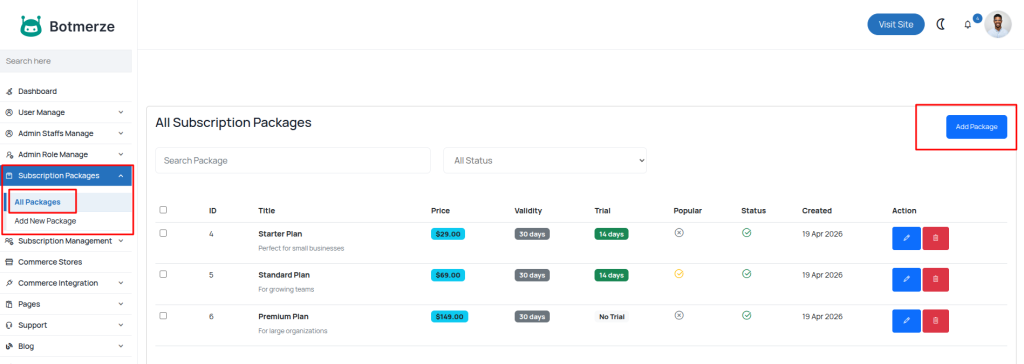
This section, accessible via Admin Panel → Subscription Packages → All Packages, allows the admin to view and manage all subscription packages in the system. From this page, you can:
-
View all existing packages.
-
Edit or delete packages as needed.
-
Review associated pricing, duration, and features.
 Screenshot
Displays the list of all existing subscription packages within the system.
Create Subscription Package
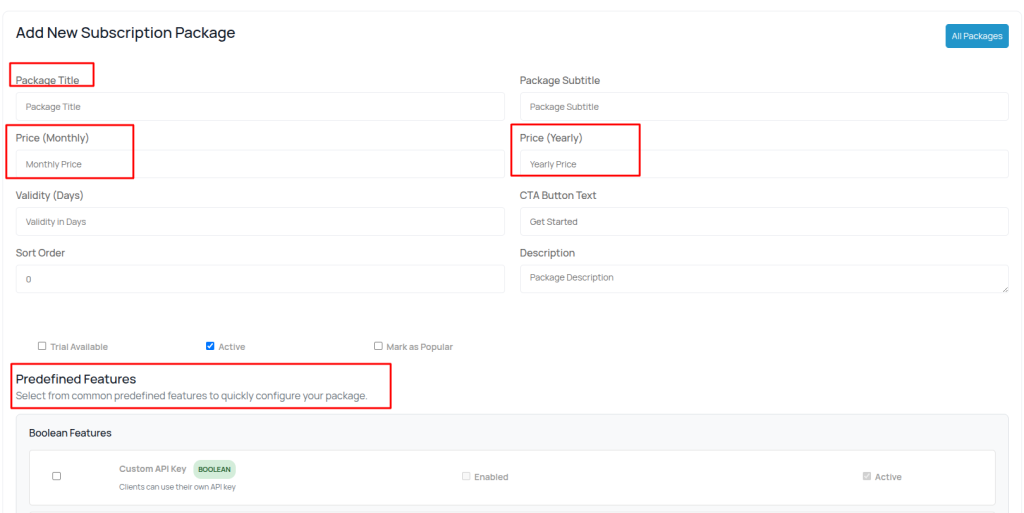
In the Create Subscription Package section, the admin can define new packages tailored to different user needs.The system includes a set of predefined features that can be easily selected and assigned to each package.This feature ensures flexibility in building customized subscription tiers that align with business goals and pricing strategies.
 Screenshot
Shows the interface used to create a new subscription package.
User Subscriptions Management
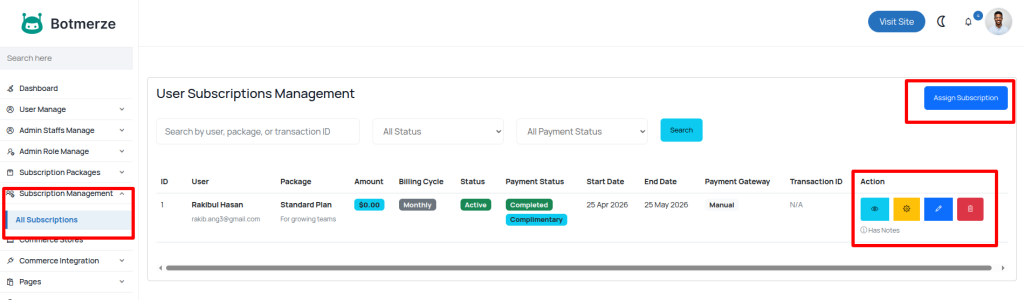
This section allows the admin to view and manage all user subscription activities within the system.Accessible via Admin Panel → Subscription Management → All Subscriptions, it provides a complete overview of every subscription purchased by users.
From this page, administrators can:
-
View the full subscription history of all users.
-
Check and update payment status (e.g., paid, pending, failed).
-
Monitor and manage trial subscriptions.
-
Search and filter subscriptions by user, plan, date, or payment status.
 Screenshot
Displays a list of all user subscription records