

Appearance Settings
Jump to: 404 Page Manage · Maintain Page Manage · Media Images Manage · Color Settings · Menu Builder · Widget Builder
404 Page Manage
This cms you can manage the 404 page easily, go to ” Appearance Settings> 404 page Manage”.
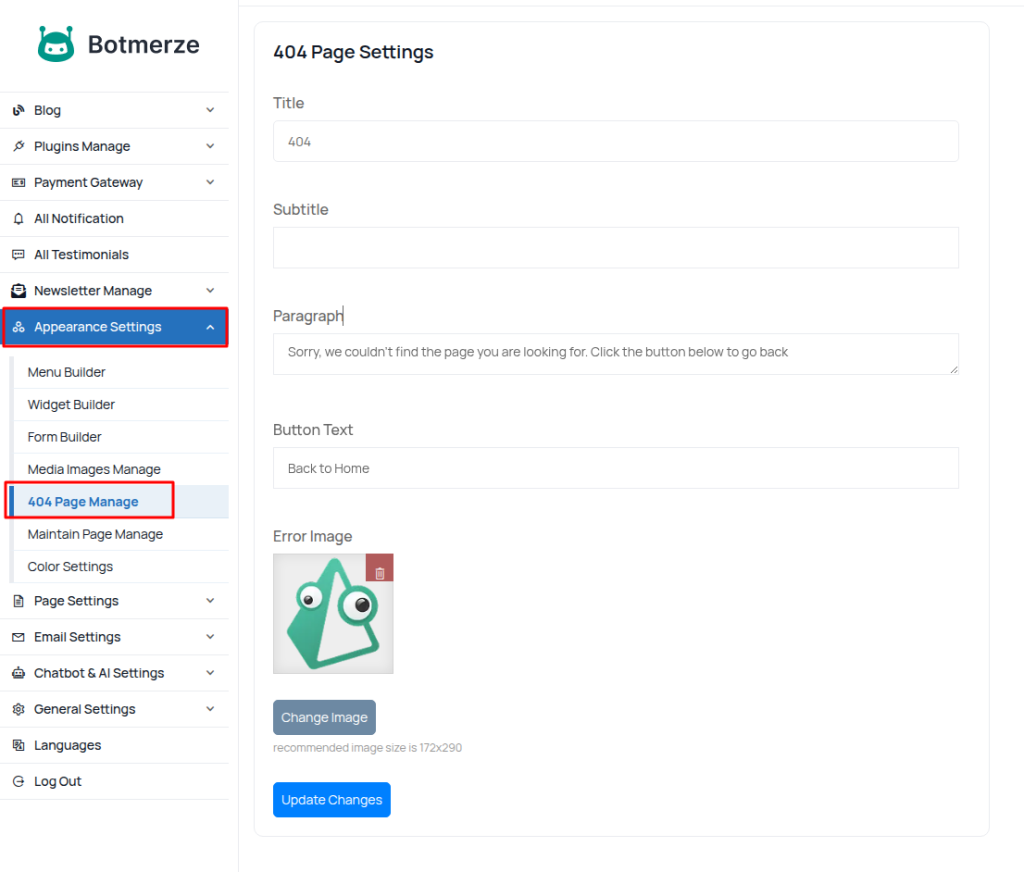 Screenshot
Maintain Page Manage
This cms you can maintain page manage easily go to ” Appearance Settings> Maintain Page Manage.”.
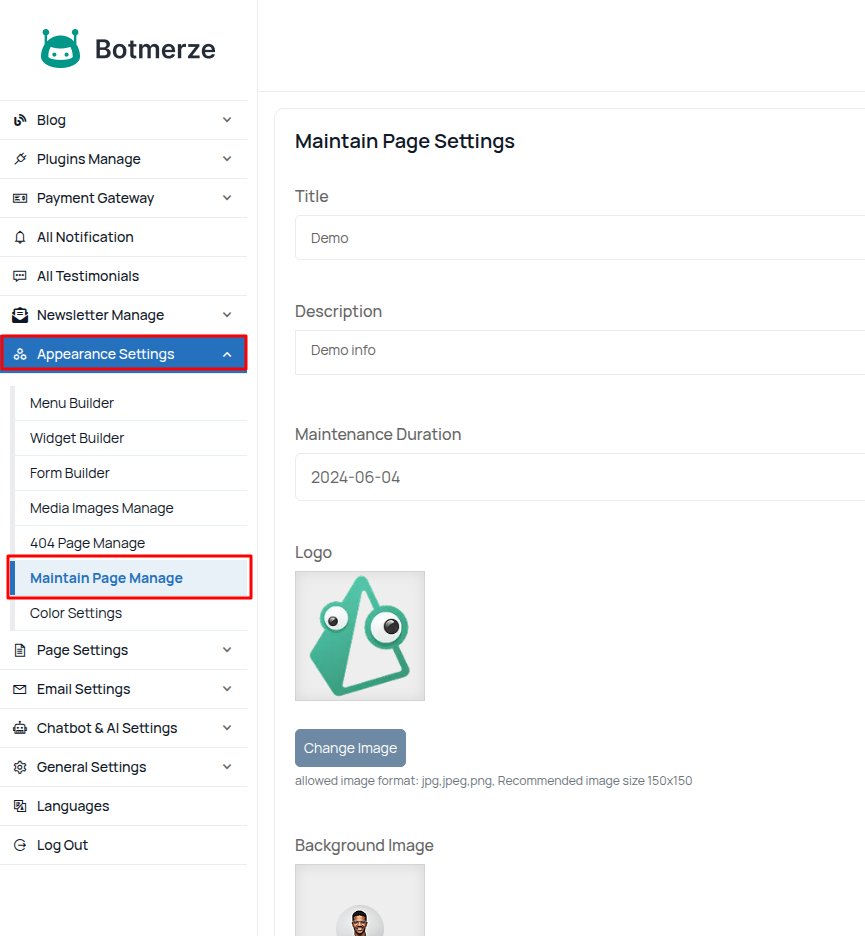 Screenshot
Media Images Manage
In this CMS, you can easily manage Media Images; go to ”Appearance> Media Images> Manage”.
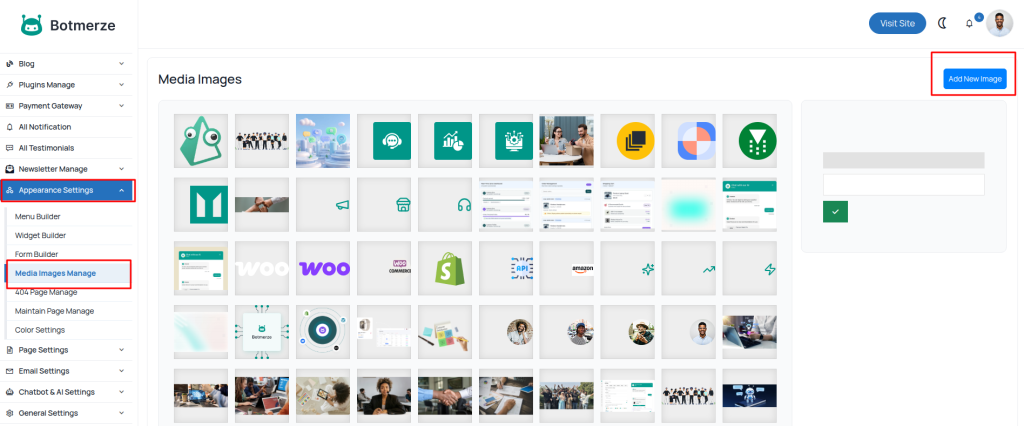 Screenshot
Color Settings
To manage and customize your website’s color, go to ”Appearance > Color Settings > Manage”, where you can update theme colors, branding elements, and overall visual styling easily.
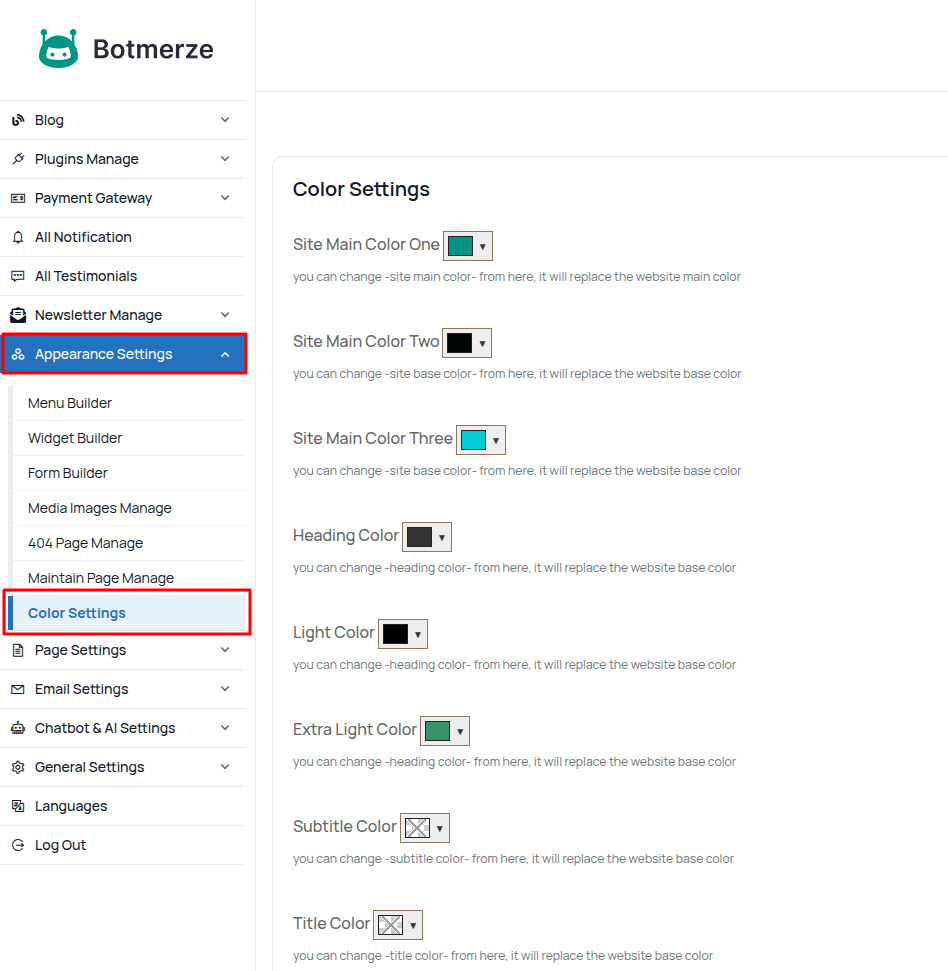 Screenshot
Menu Builder
To create and organize navigation menus, go to ”Appearance > Menu Builder > Manage”, where you can add pages, arrange menu items, create dropdowns, and control menu structure easily.
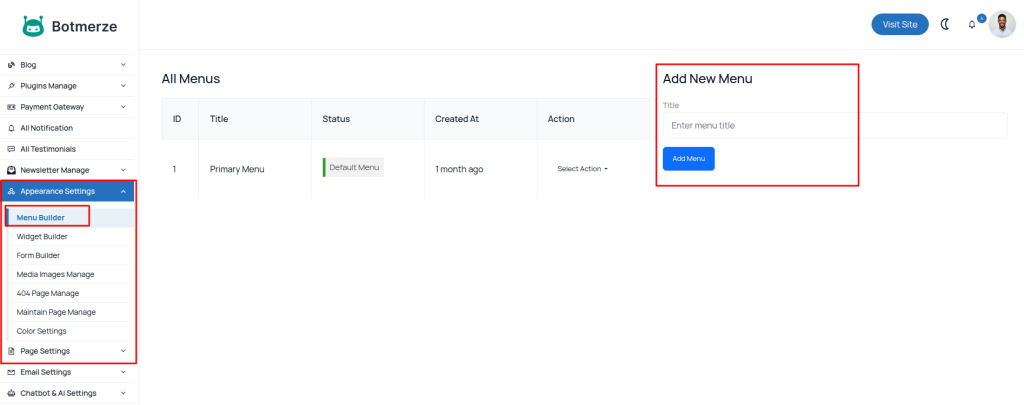 Screenshot
Widget Builder
To manage and customize footer widgets, go to ”Appearance > Widgets Builder > ”, where you can add content blocks, edit widget areas, and control footer sections easily.
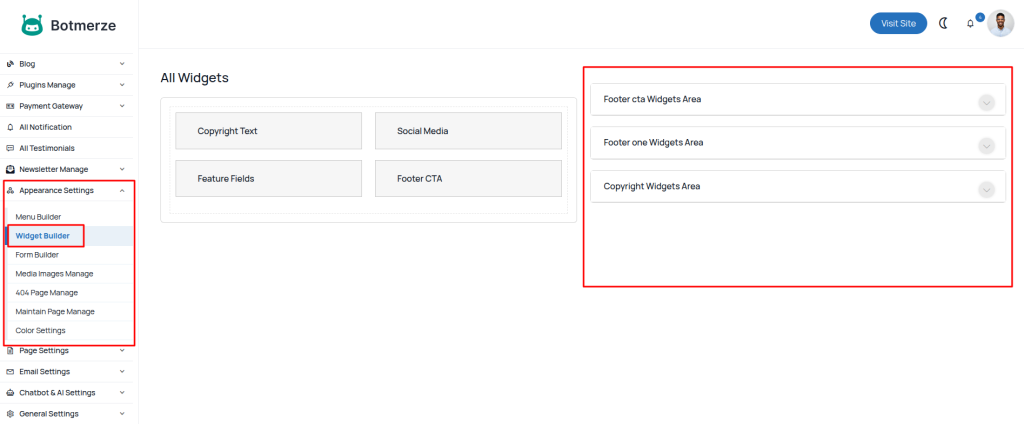 Screenshot