

Security Plugin Premium Plugin
Jump to: Chat Words Restriction · User Login Activity Logs · Freeze Freelancer/ Client Settings
Chat Words Restriction
Go to admin panel “Security Manage Plugin” click on “Restricted Words”, now you will find all the word that are restricted in the chat message
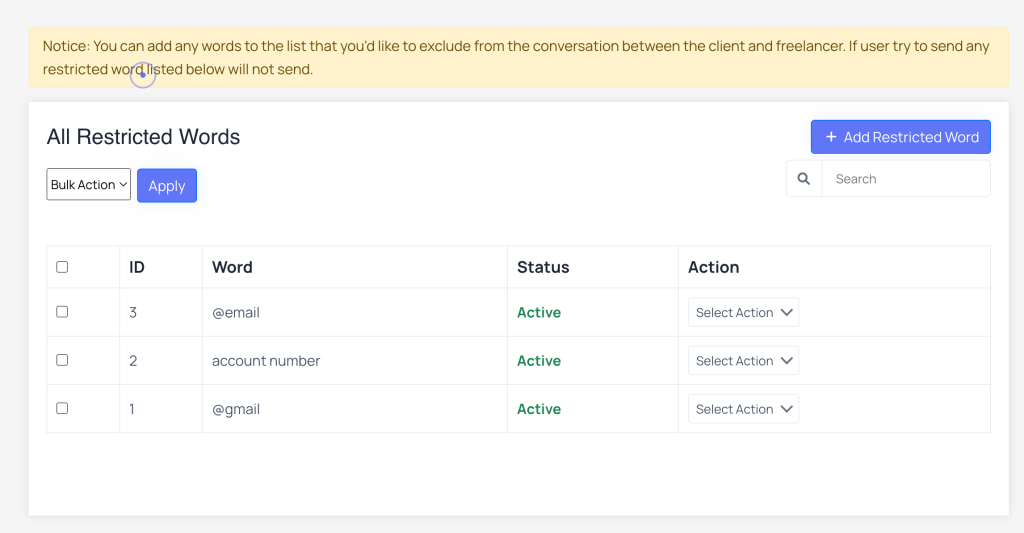 Screenshot
how to add restricted words ?
Click on Add Restricted Word button to add new words.
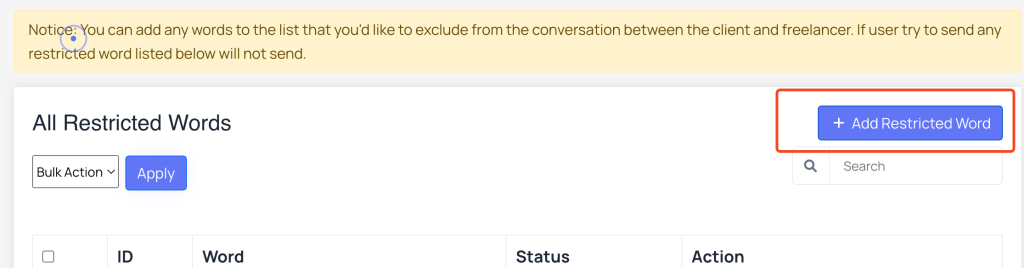 Screenshot
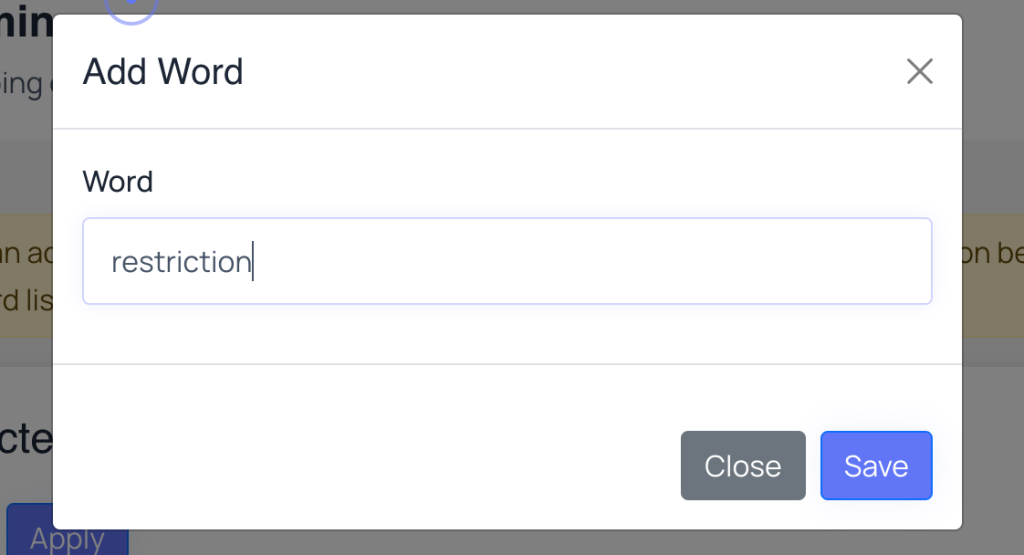 Screenshot
after adding the word click on save button to save it.
User Login Activity Logs
Go to admin panel “Security Manage Plugin” and click on “Log History”, in this page you will find logs of user logged in and logout, with the ip address and country
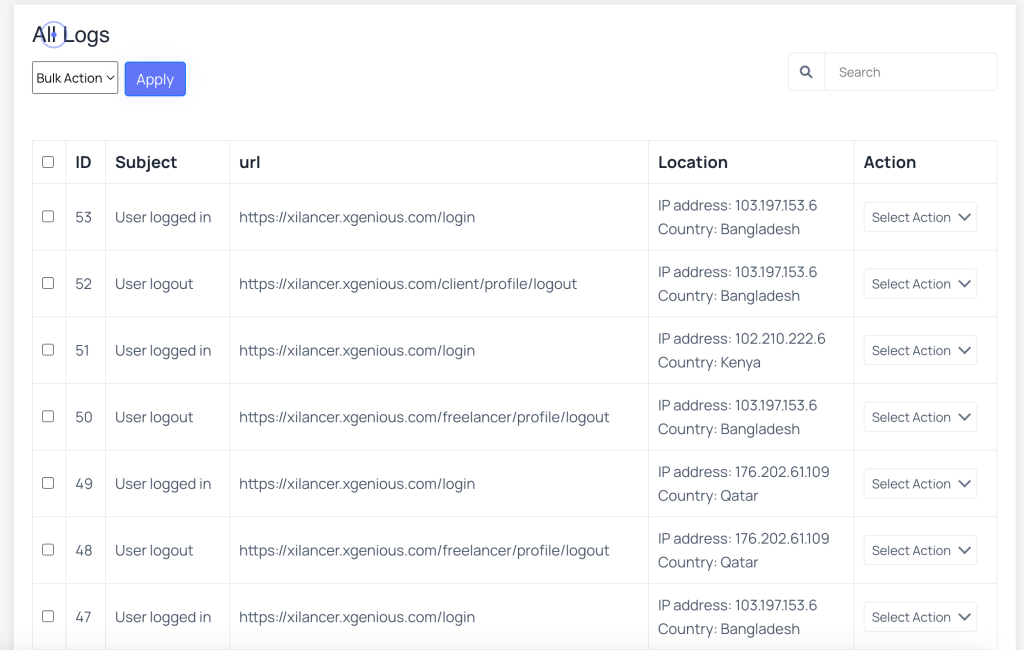 Screenshot
Freeze Freelancer/ Client Settings
After installing the plugin, you will get few new settings in user manage -> All Freelancer / All Clients to add restriction to their account.
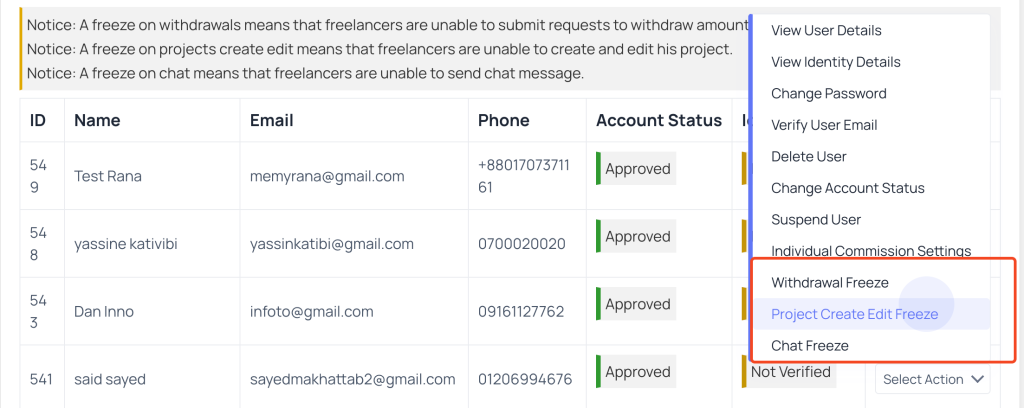
Here is new settings for Freelancer
Notice: A freeze on withdrawals means that freelancers are unable to submit requests to withdraw amount.
Notice: A freeze on projects create edit means that freelancers are unable to create and edit his project.
Notice: A freeze on chat means that freelancers are unable to send chat message.
 Screenshot
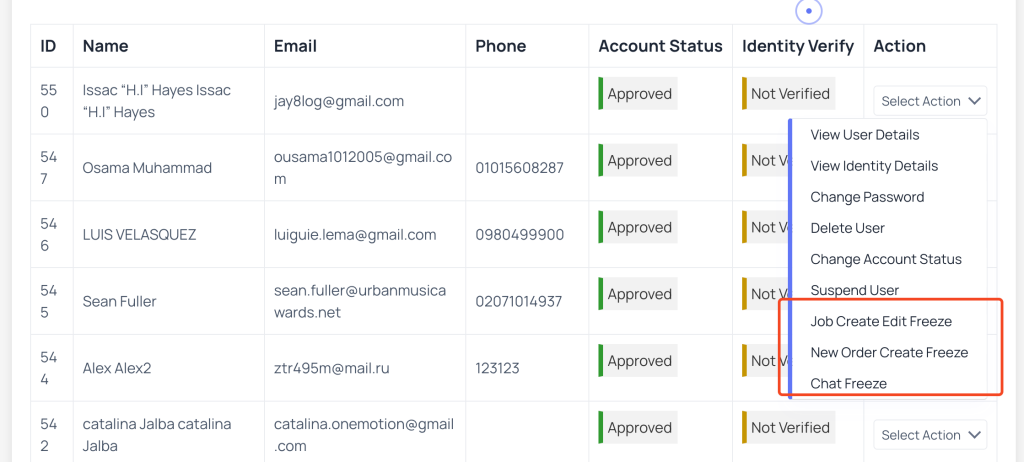
Here is new settings for Client
Notice: A freeze on jobs create edit means that clients are unable to create and edit his job.
Notice: A freeze on chat means that clients are unable to send chat message.
Notice: A freeze on order means that clients are unable to create new orders.
 Screenshot