

In this documentation explains how to configure the webhook for receiving messages and status updates from WhatsApp
- Go to https://developers.facebook.com/apps and create your app. Then select your app ,click WhatsApp -> Set Up.
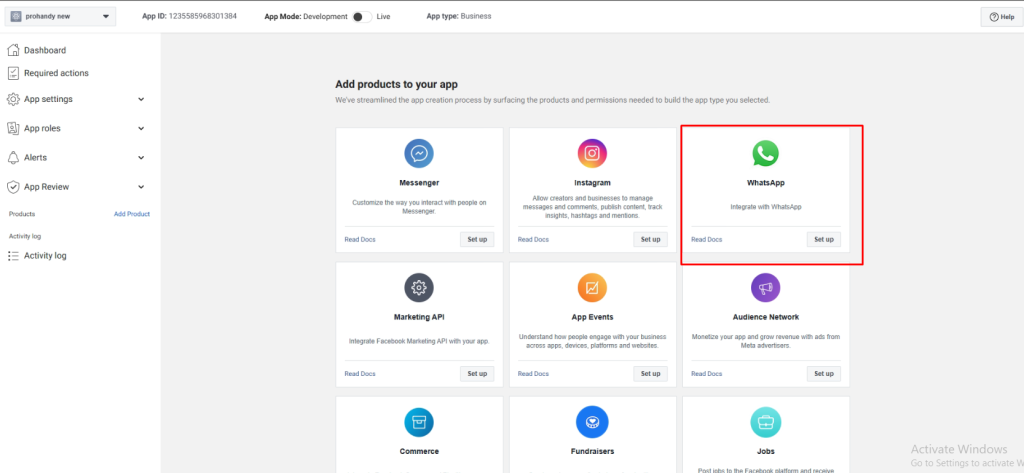 Screenshot
- In the left sidebar, click WhatsApp ->Configuration.
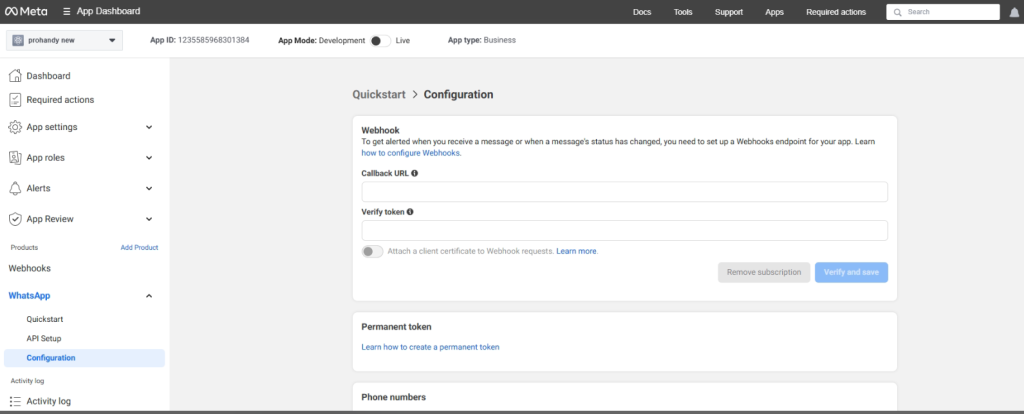 Screenshot
-
Enter your Webhook Callback URL (e.g., your server's endpoint like
https://yourdomain.com/api/v1/webhook/whatsapp). -
Enter verify token . After plugin install, you get this token from admin panel->WhatsApp Settings->WhatsApp Settings
 Screenshot
- Click Verify and Save. Meta will send a verification request to your server with the token to validate the setup.
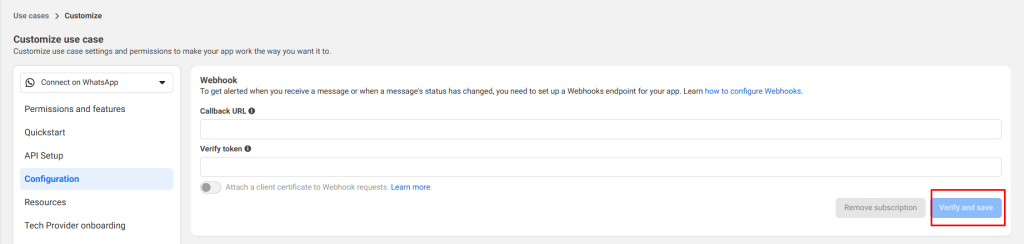 Screenshot
- Select the messages webhook fields to receive message updates.
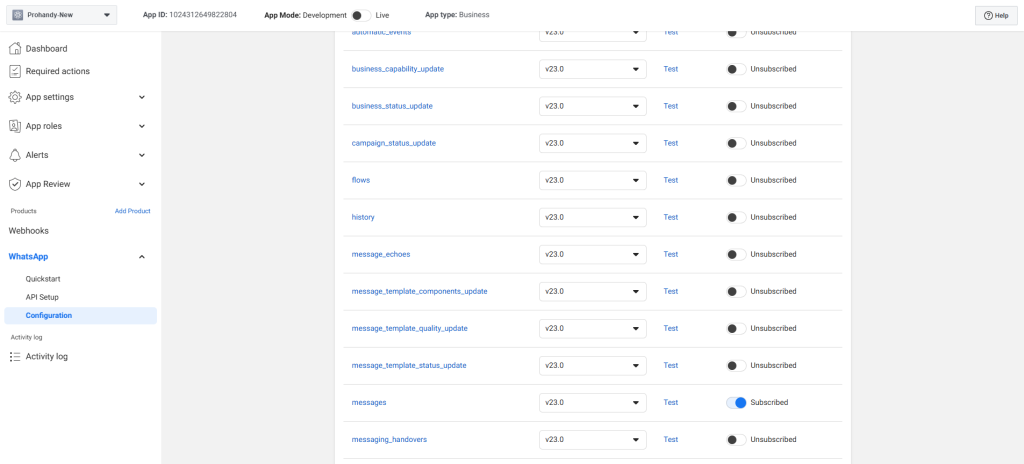 Screenshot
Still stuck?
Our support team is ready to help you get set up.