

Admin Commission Settings
Jump to: How to set admin commission for sellers · How to set minimum and maximum withdraw amount · Seller profile settings · User register page settings
How to set admin commission for sellers
To setup admin commission, login to admin panel, go to seller settings page then click on Admin Commission settings.
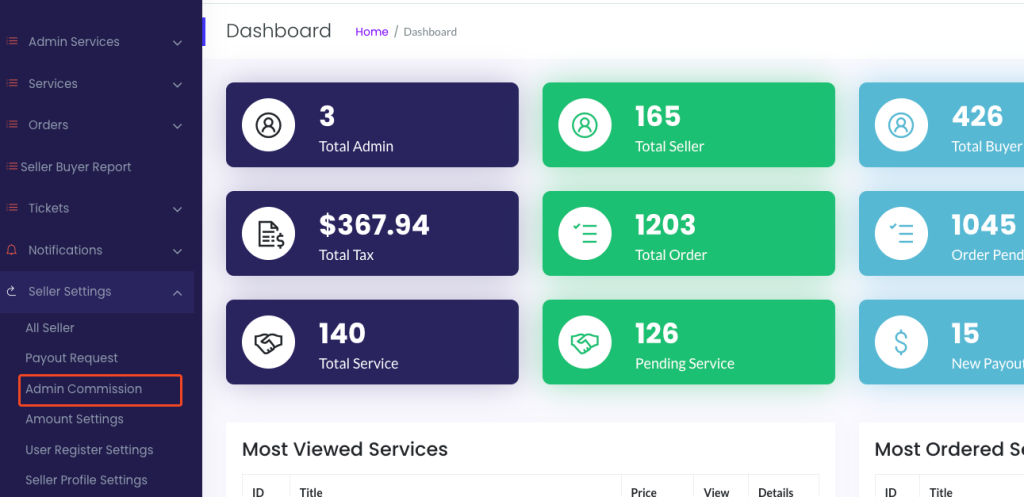 Screenshot
Now you can set commission by percentage or can set a fixed amount of commission. also you can change the charge type to subscription or commission
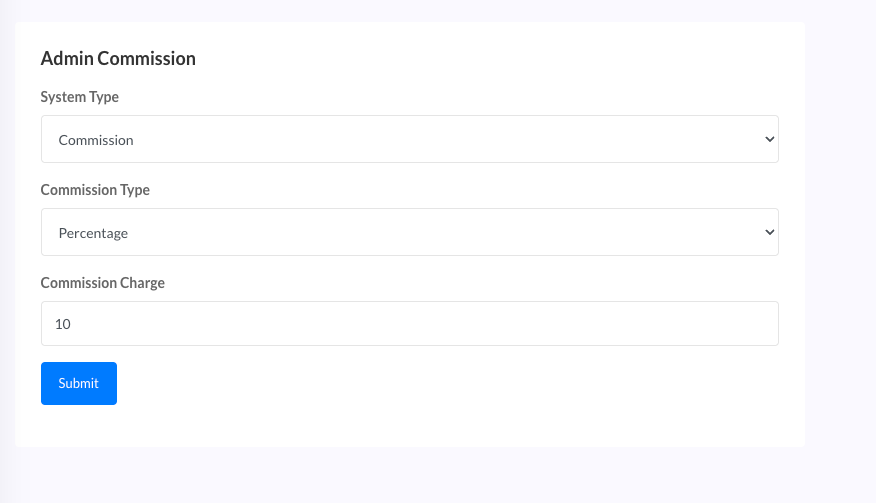 Screenshot
How to set minimum and maximum withdraw amount
To setup admin commission, login to admin panel, go to seller settings page then click on Amount setting.
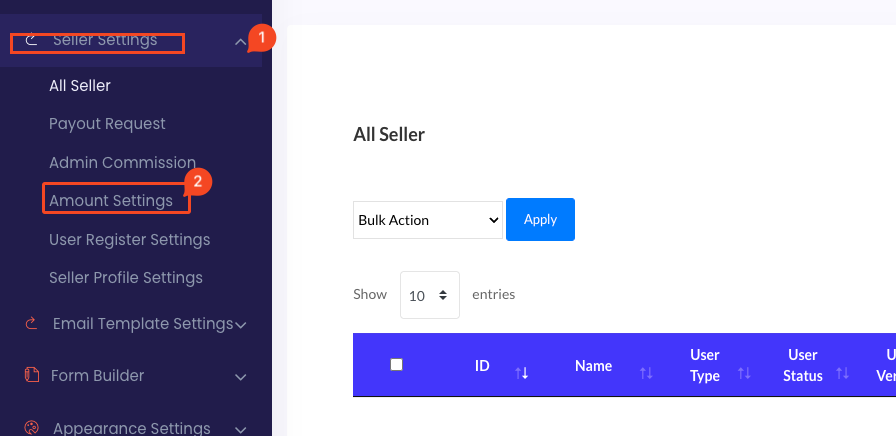 Screenshot
now you can set minimum and maximum amount for withdraw
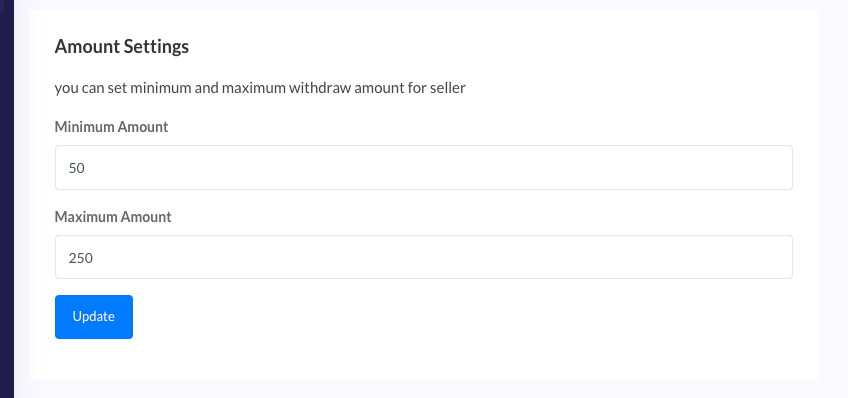 Screenshot
Seller profile settings
To setup admin commission, login to admin panel, go to seller settings page then click on Seller profile settings
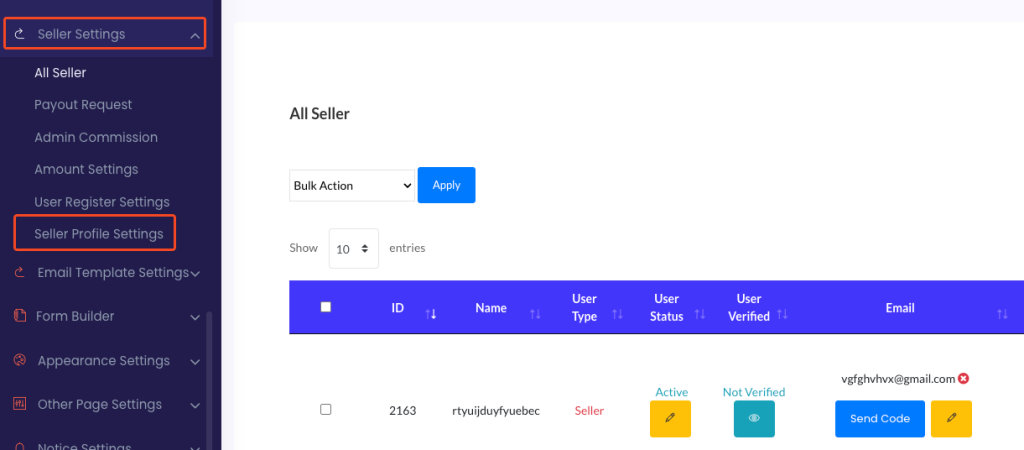 Screenshot
now you can show/hide seller's tax number and available schedule
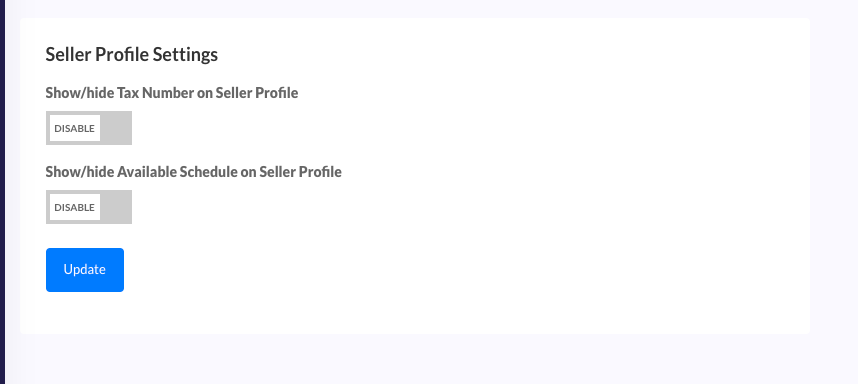 Screenshot
User register page settings
To setup an admin commission, login to the admin panel, go to user register settings page then click on User register setting.
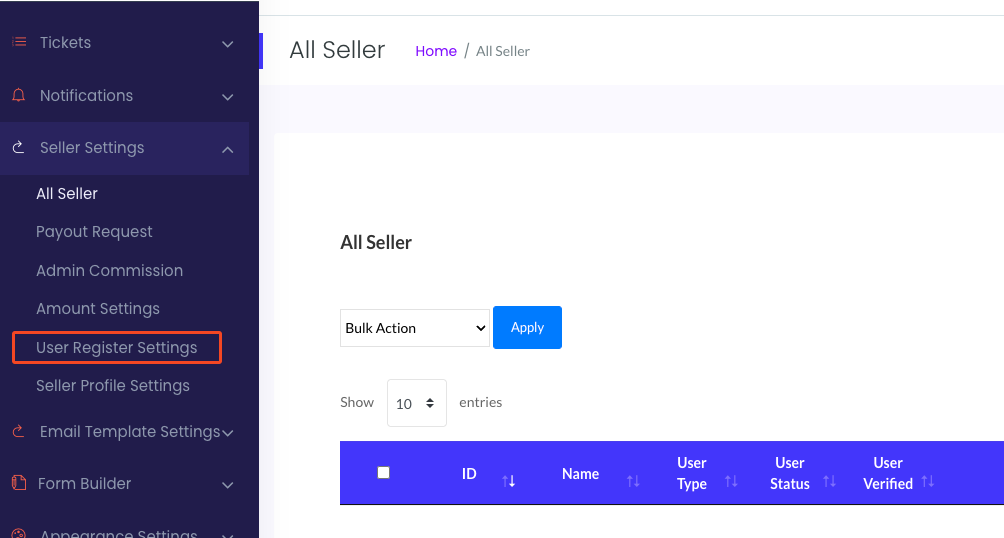 Screenshot
you can manage
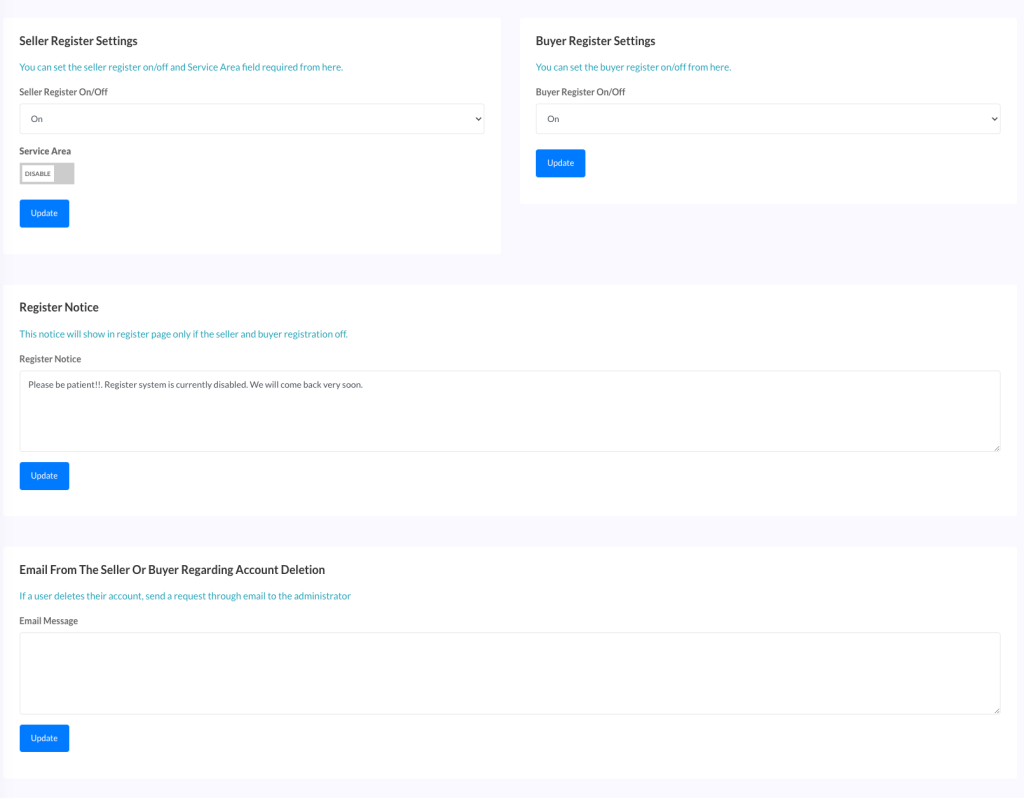 Screenshot