

Goto SMS Gateway > SMS Settings in the MSG91 section and click on settings
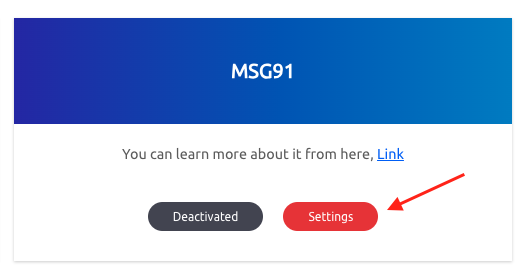 Screenshot
Go to MSG91 to get your Auth Key and Template IDs. Then put the all credentials accordingly.
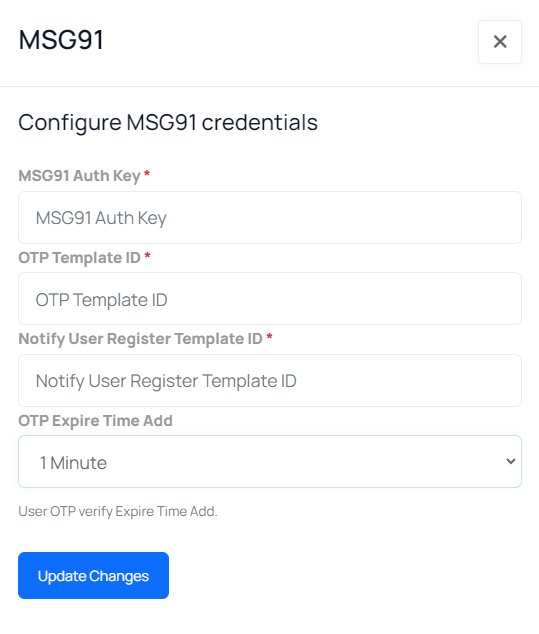 Screenshot
To use this inside the Indian region, you need government approval for your DLT. In the DLT you have to provide one or multiple template patterns. The same DLT pattern will be used in the MSG91 template.Follow this link to register DLT: https://msg91.com/help/MSG91/dlt-registration-in-india
Here are template patterns for which you need approval to use this plugin,
For OTP Template:CODE is your OTP for NAME login. Please do not share this with anyone – SITENAME, YourCompanyName
Notify User Registration for User Template:Welcome to SITENAME. Your account registration is successful – SITENAME, YourCompanyName
Notify User Registration for Admin Template:A new user has been registered – SITENAME, YourCompanyName
Notify New Order for User Template:Hello, Your order has been placed. Order ID: ORDER – SITENAME, YourCompanyName
Notify New Order for Admin Template:A new order has been placed. Order ID: ORDER – SITENAME, YourCompanyName
Here you have to replace “YourCompanyName” with your actual company or organization name
For example,Welcome to SITENAME. Your account registration is successful – SITENAME, Xgenious
To create Templates in the MSG91 account, follow the link below:https://msg91.com/help/MSG91/where-to-find-my-flow-id