

Service Manage
Jump to: Admin All Services · Create Service · Edit Service · Admin Schedule Manage · Make Featured · Admin All Products · Create Product · Edit Product
Admin All Services
-
Create Service
-
Edit Service
Create Service
To manage these services, follow these steps:
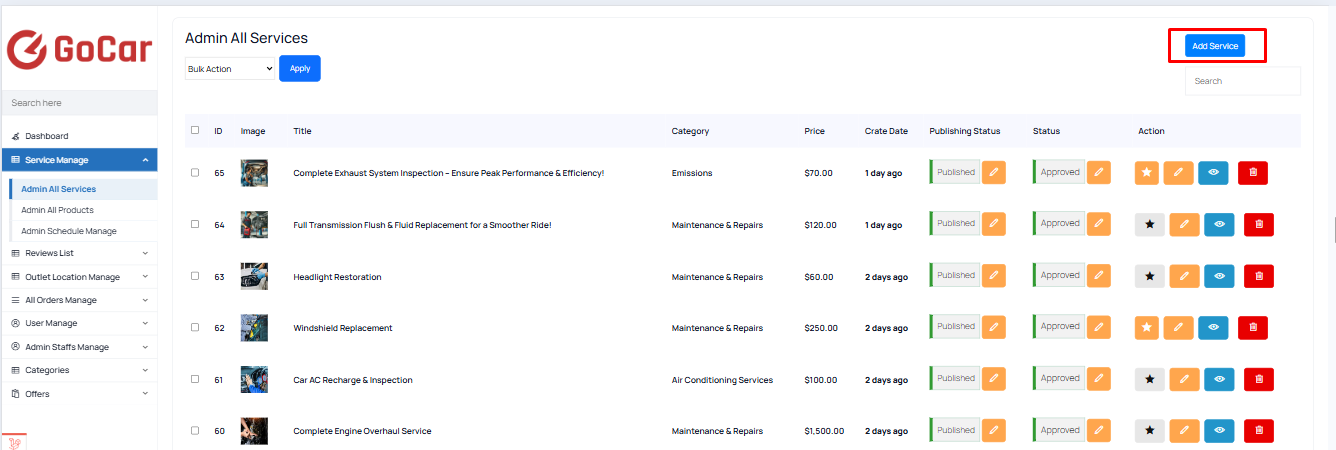
- Go to “Service Manage > Admin All Services” in the admin panel. This section contains a list of all services that are created and managed by the admin team.
2. Creating a New Admin Service
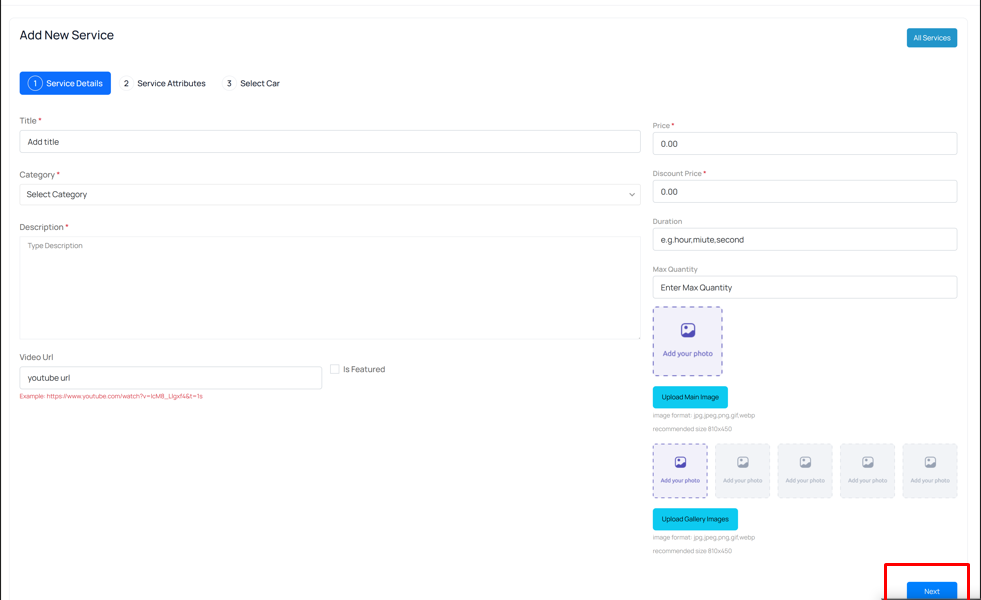
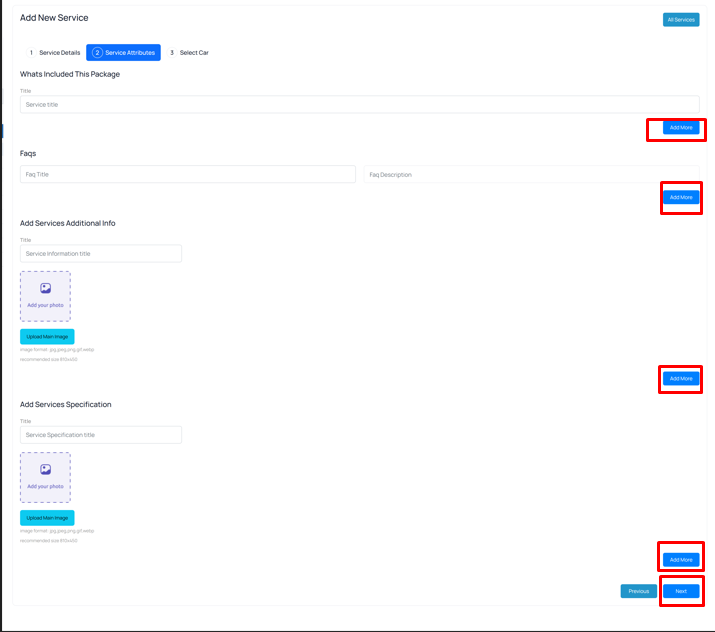
Admins can create new services under the Admin All Services section. Here’s how:
 Screenshot
 Screenshot
 Screenshot
 Screenshot
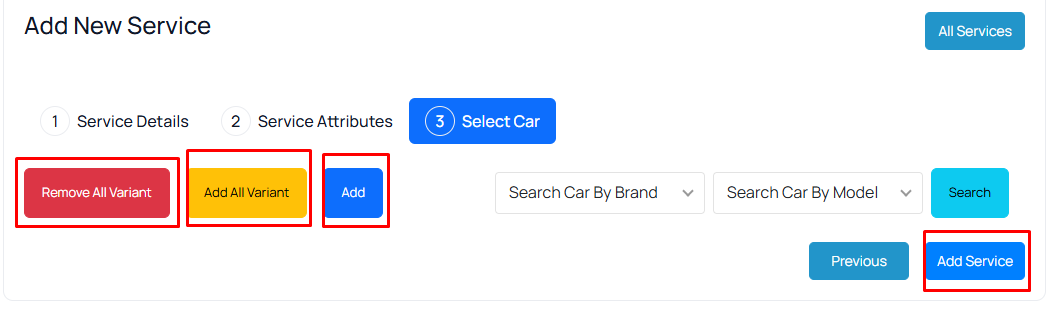
By clicking “Add All Variants,” you can add all car variants available for this service. If you click “Add,” you can add each variant one by one according to your choice.And by clicking “Remove All Variants,” you can remove all car variants available from the list.
On the third page, you will find the “Add Service” button.
Edit Service
To manage these services, follow these steps:
- Go to “Service Manage > Admin All Services” in the admin panel.
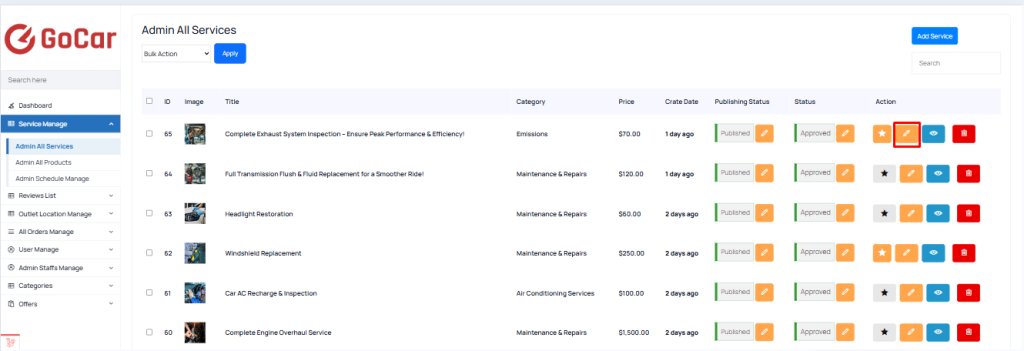 Screenshot
Admin Schedule Manage
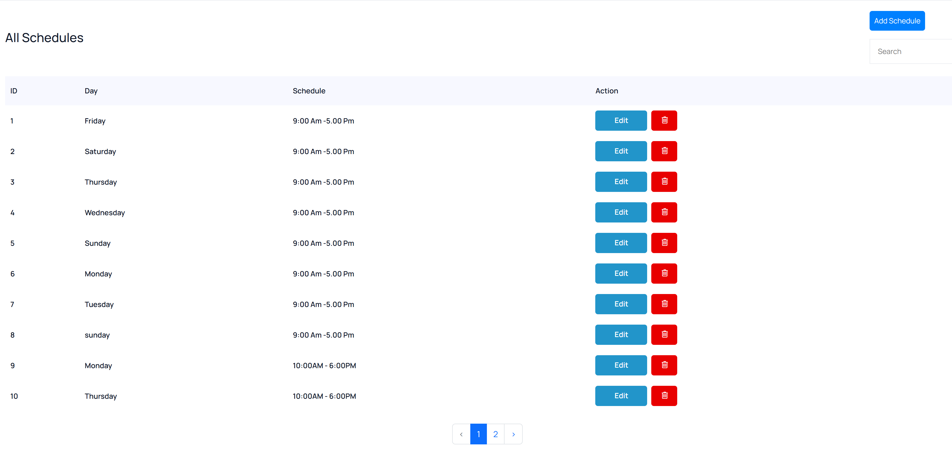 Screenshot
Make Featured
To manage these services, follow these steps:
- Go to “Service Manage > Admin All Services” in the admin panel.
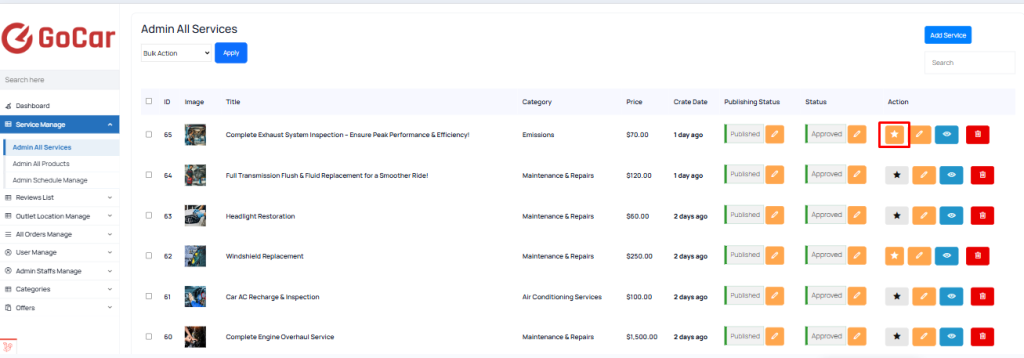 Screenshot
Admin All Products
-
Create Product
-
Edit Product
Create Product
To manage these products, follow these steps:
- Go to “Service Manage > Admin All Products” in the admin panel. This section contains a list of all products that are created and managed by the admin team.
2. Creating a New Admin Product
Admins can create new products under the Admin All Products section. Here’s how:
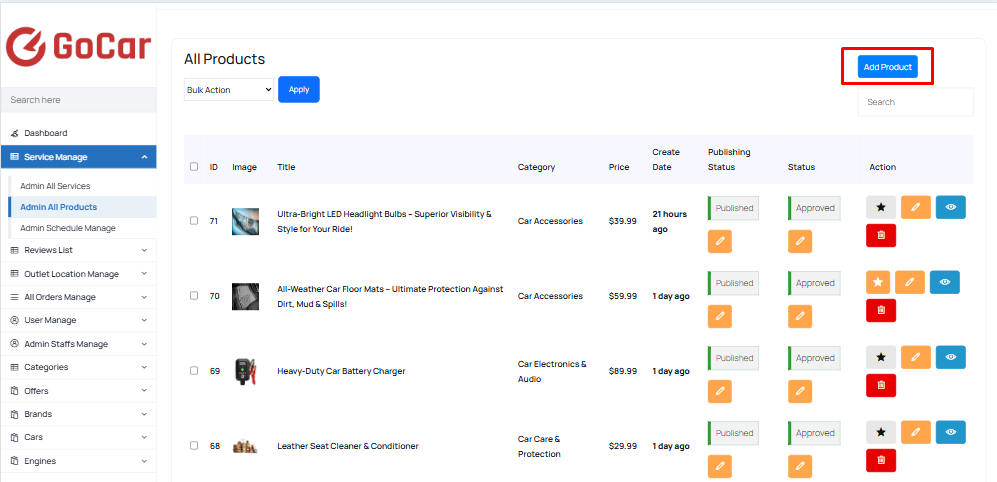 Screenshot
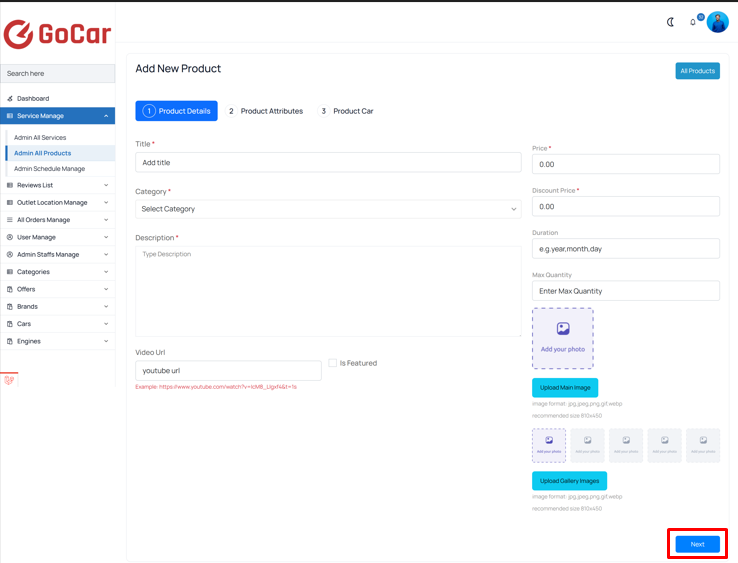 Screenshot
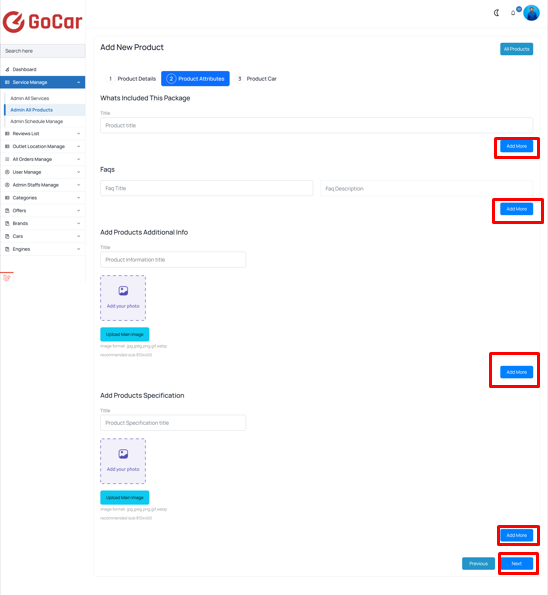 Screenshot
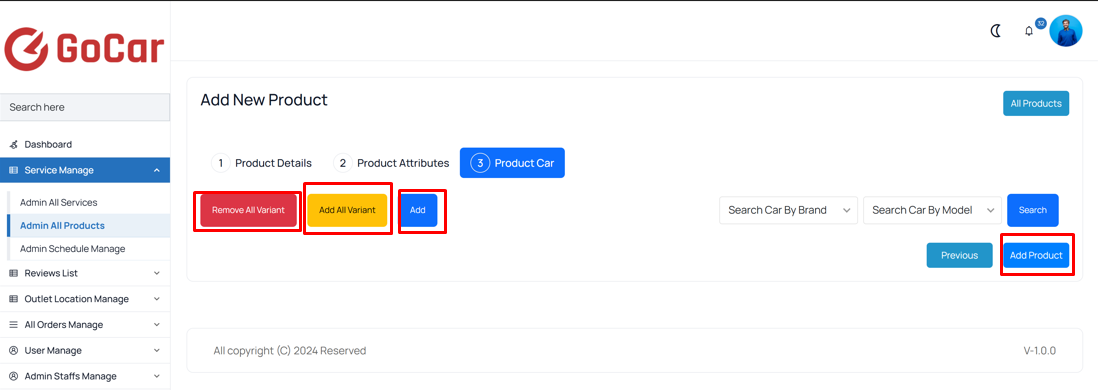 Screenshot
By clicking “Add All Variants,” you can add all car variants available for this product. If you click “Add,” you can add each variant one by one according to your choice.And by clicking “Remove All Variants,” you can remove all car variants available from the list.
On the third page, you will find the “Add Product” button.
Edit Product
To manage these services, follow these steps:
- Go to “Service Manage > Admin All Products” in the admin panel.
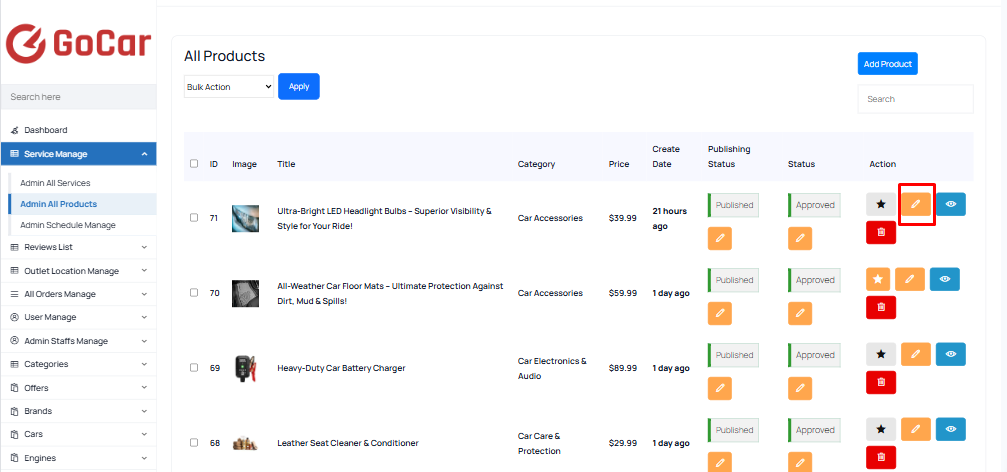 Screenshot