

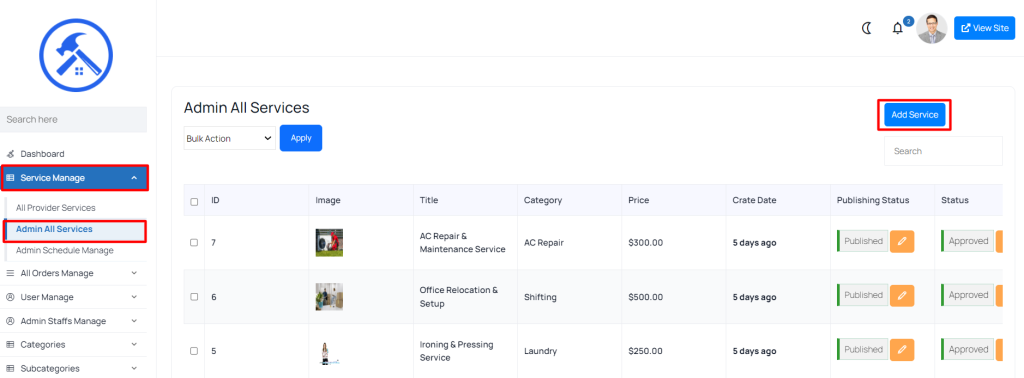
1. Navigate to Admin All Services
To manage these services, follow these steps:
- Go to “Service Manage > Admin All Services” in the admin panel. This section contains a list of all services that are created and managed by the admin team.
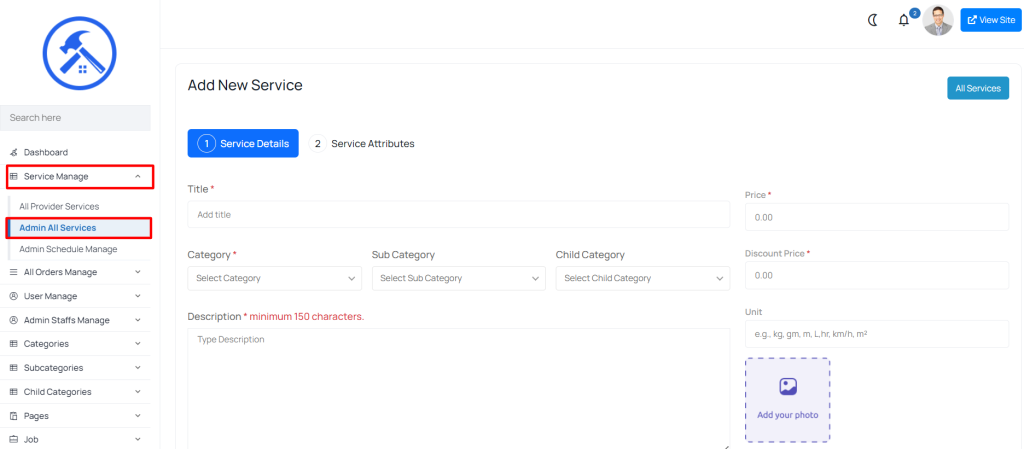
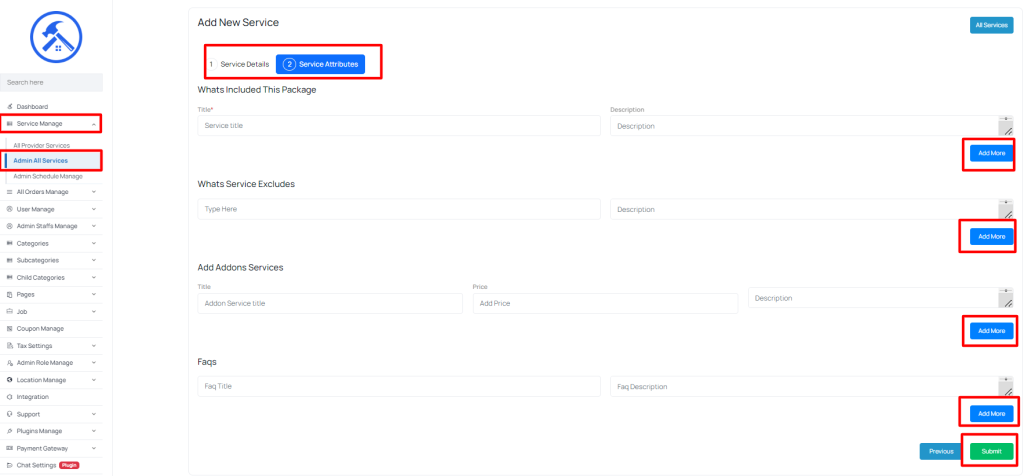
2. Creating a New Admin Service
Admins can create new services under the Admin All Services section. Here’s how:
 Screenshot
 Screenshot
 Screenshot
Still stuck?
Our support team is ready to help you get set up.