

Select the page you want to add in the menu, click on add to menu, it will added at the bottom of the menu.
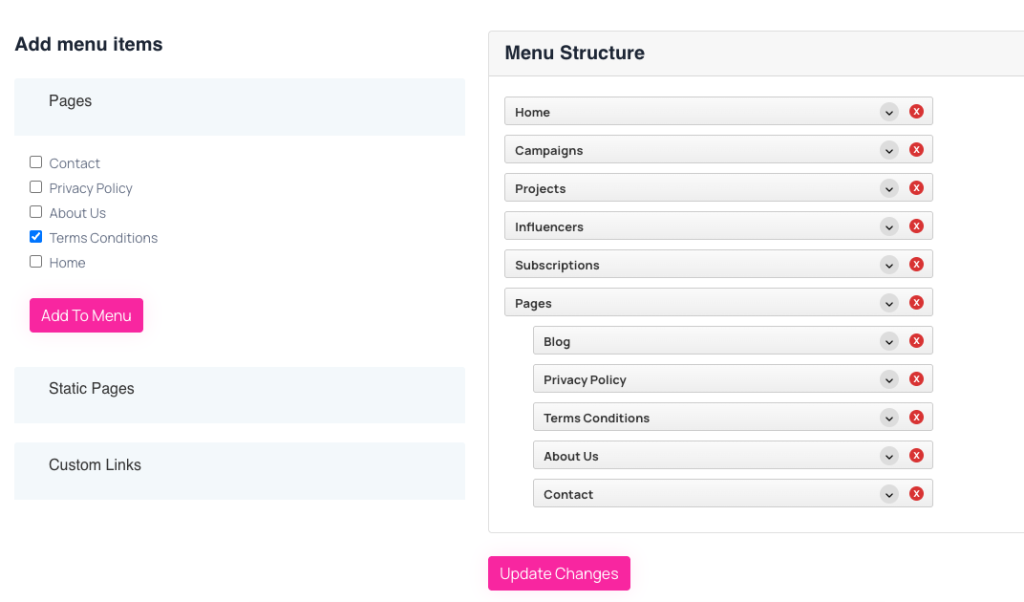 Screenshot
Set menu order:
drag menu item to up to down and leave it where you need.
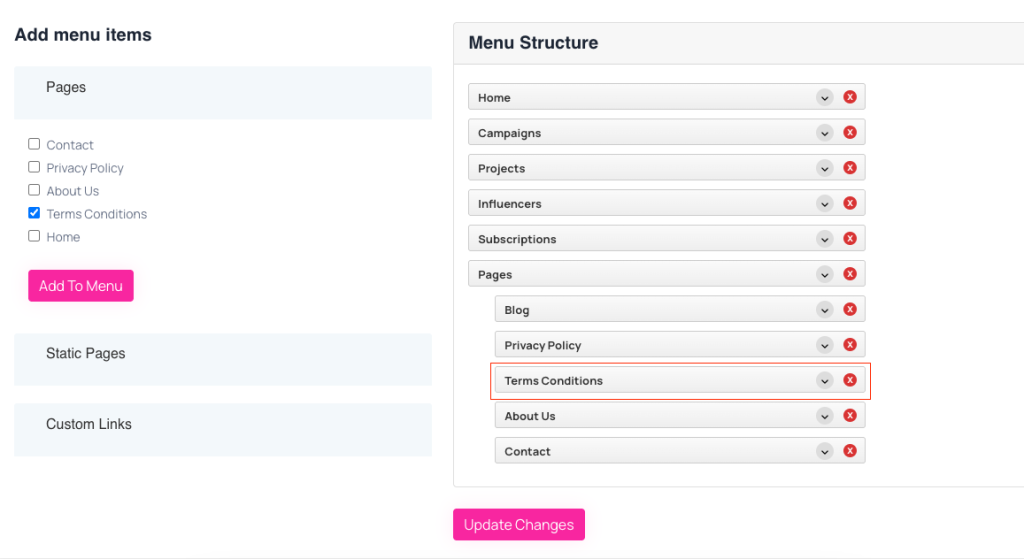 Screenshot
Create Dropdown:
drag the item you want to make dropdown, drag it to right right and you will see it nested to the top item. in this way you can make dropdown menu, you can also add multiple dropdown
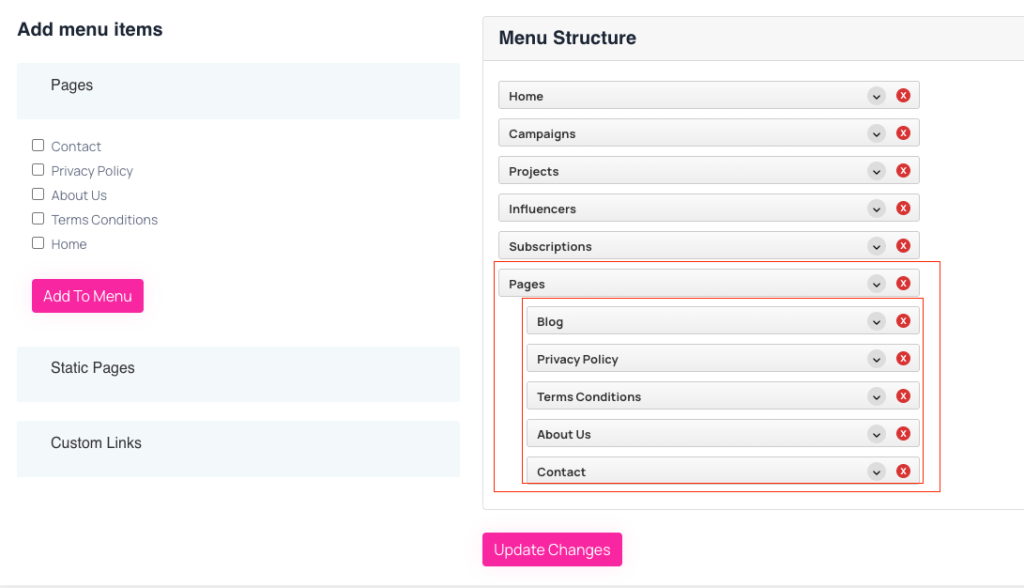 Screenshot
Add a custom url as a menu item
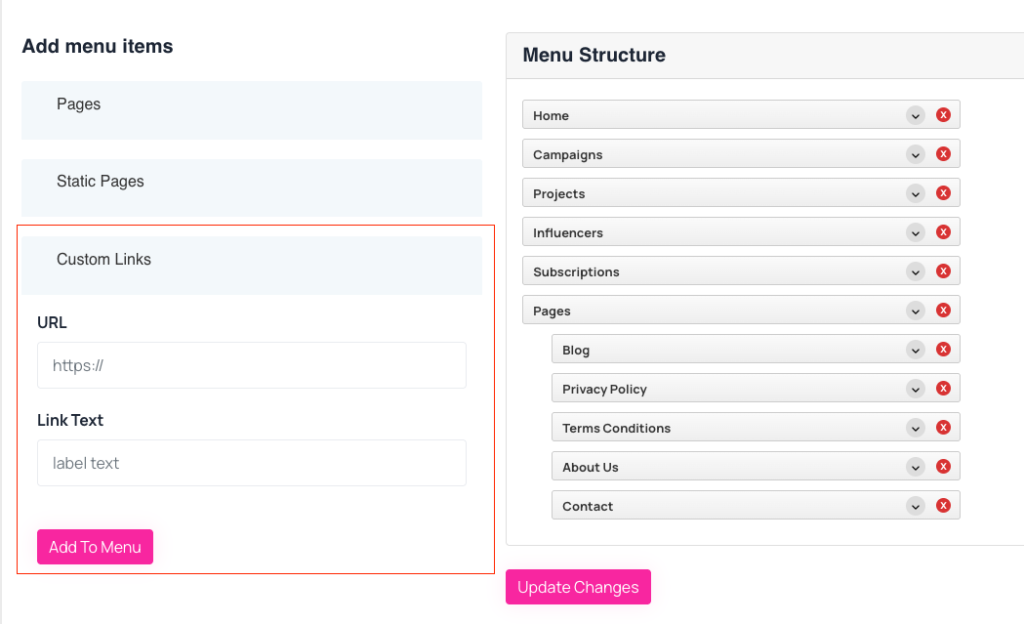 Screenshot
Still stuck?
Our support team is ready to help you get set up.