

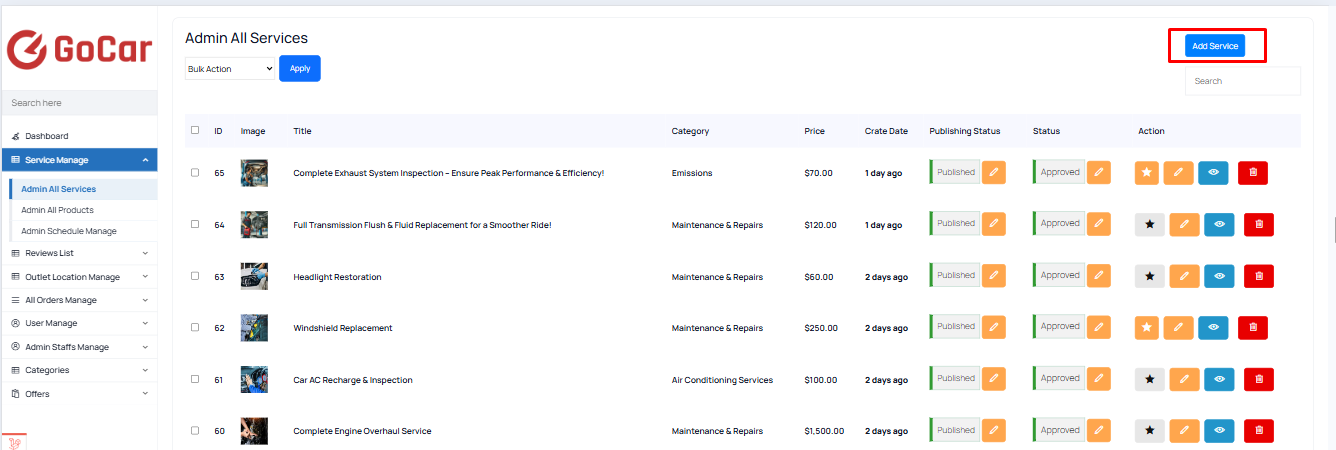
1. Navigate to Admin All Services
To manage these services, follow these steps:
- Go to “Service Manage > Admin All Services” in the admin panel. This section contains a list of all services that are created and managed by the admin team.
2. Creating a New Admin Service
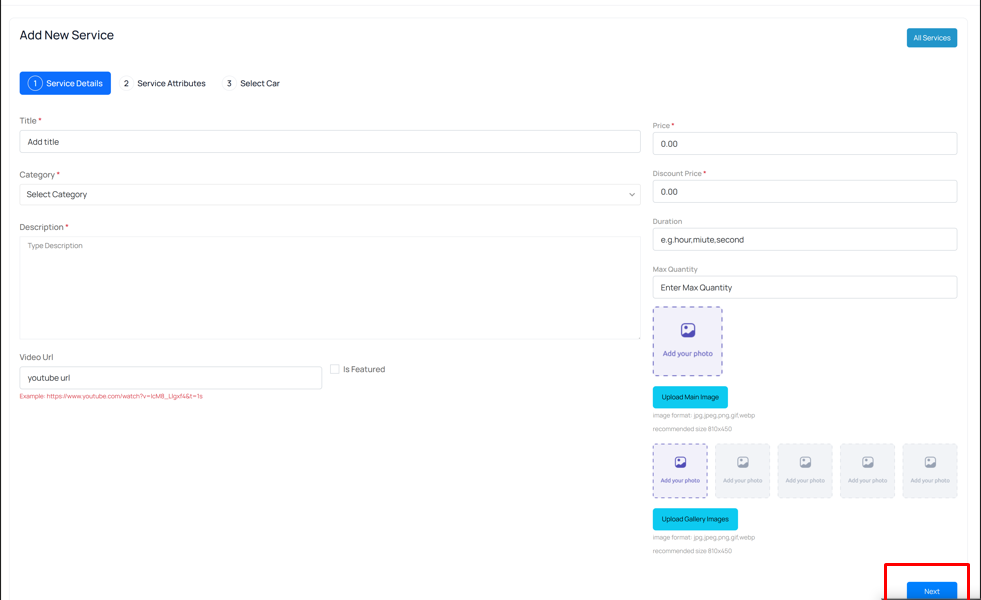
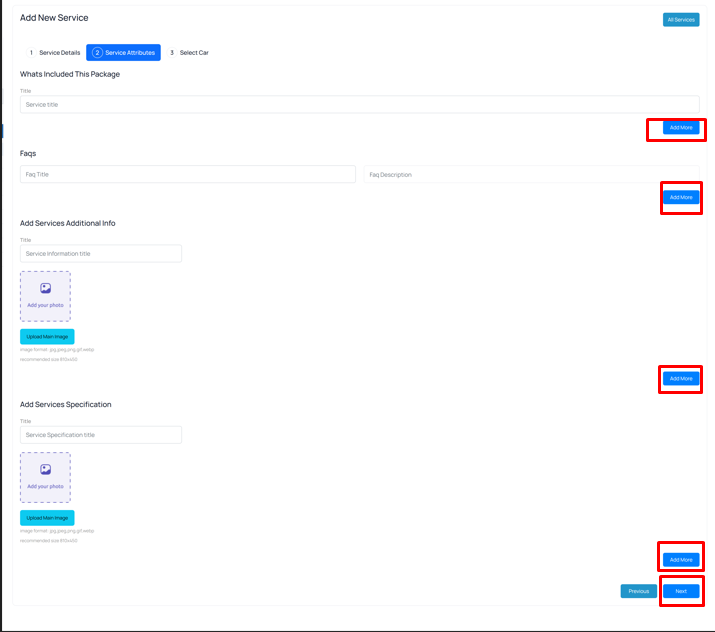
Admins can create new services under the Admin All Services section. Here’s how:
 Screenshot
 Screenshot
 Screenshot
 Screenshot
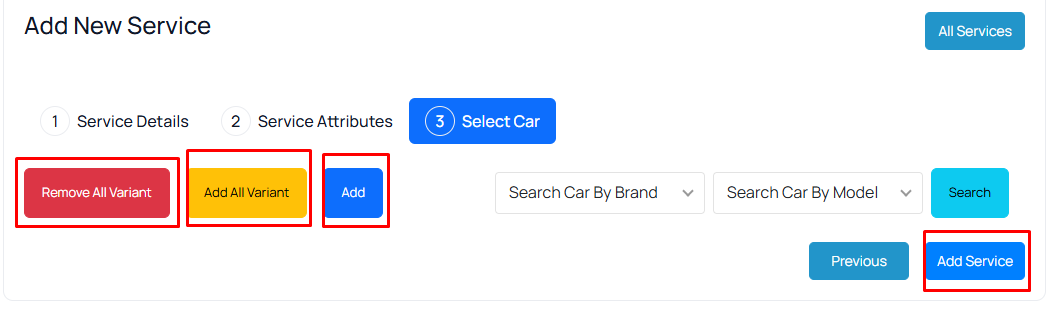
By clicking “Add All Variants,” you can add all car variants available for this service. If you click “Add,” you can add each variant one by one according to your choice.And by clicking “Remove All Variants,” you can remove all car variants available from the list.
On the third page, you will find the “Add Service” button.
Still stuck?
Our support team is ready to help you get set up.