

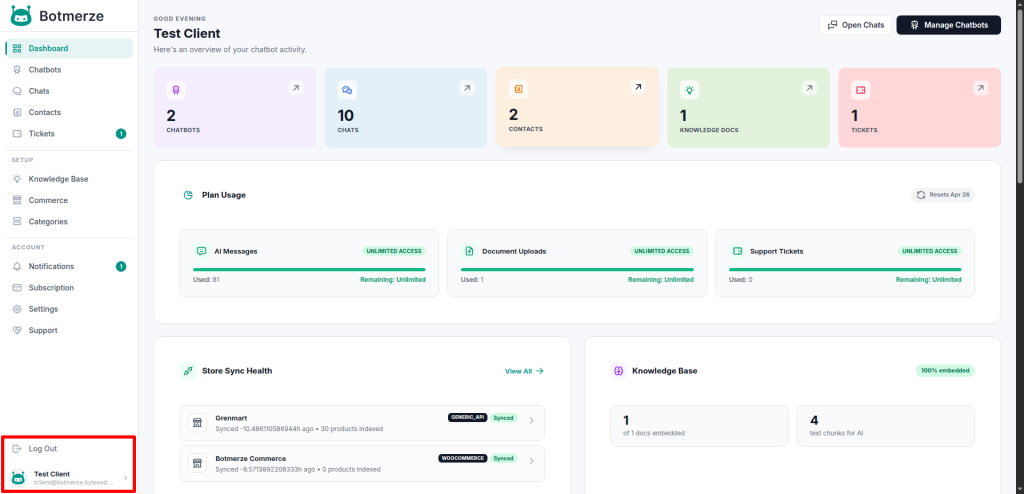
The User Dashboard provides an overview of key features and activities. As shown in the image below, users can quickly access important sections such as the Knowledge Base, Chat, and Tickets.
The left sidebar contains the main navigation menu. At the bottom of the sidebar, users will find options for User Settings/Profile and Logout.
 Screenshot
User Dashboard
Notifications
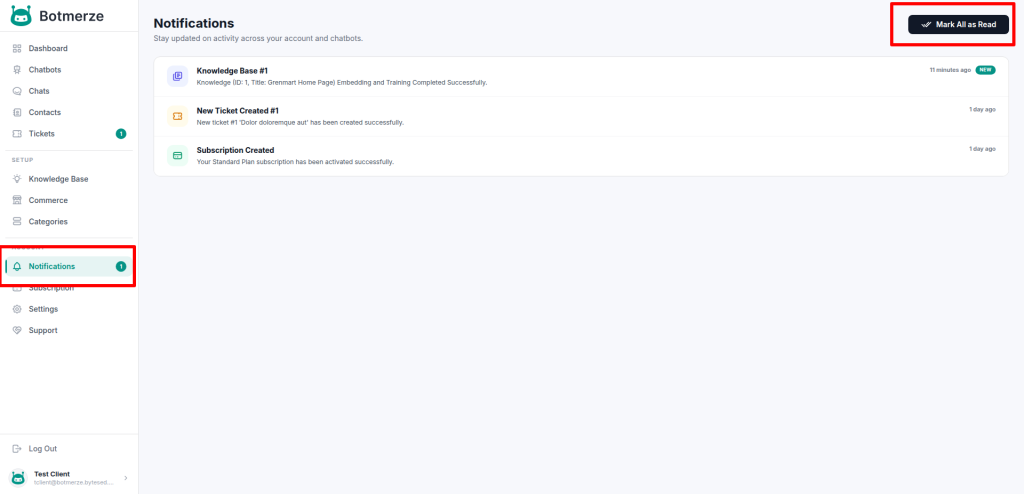
The Notifications page displays all system notifications related to your account. From the top-right corner, you can mark all unread notifications as read with a single click. Selecting any notification will redirect you to the corresponding page or event for further action.
 Screenshot
User Notifications
Categories
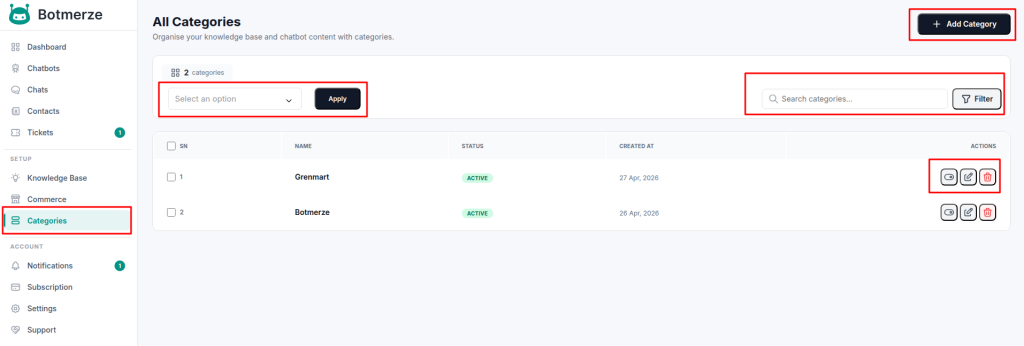
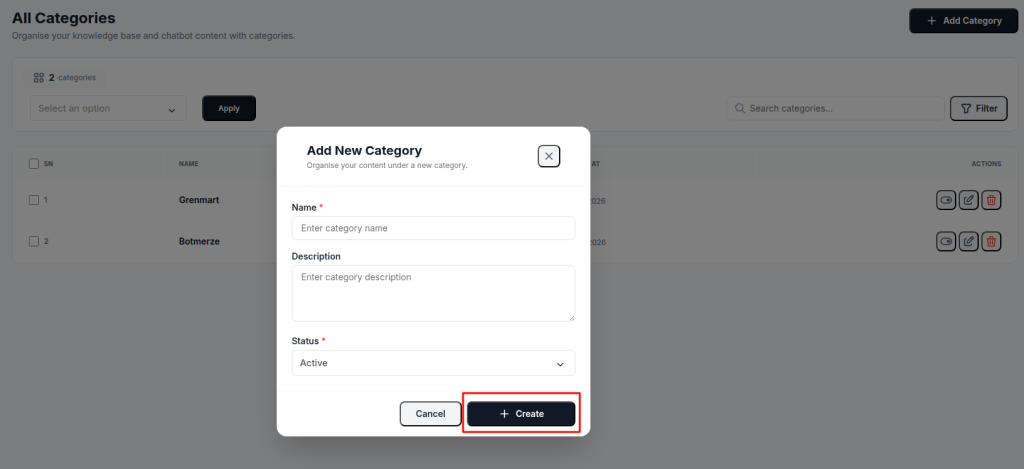
The Categories page allows you to manage all categories. From the top-right corner, you can use the search and filter options to quickly find specific categories.You can also create a new category using the Add New button.
Additionally, the Bulk Actions feature enables you to activate, deactivate, or delete multiple categories at once.
 Screenshot
Categories
New Category Create Form
 Screenshot