

Job Module
Jump to: All Jobs & approve process · Job Offers
All Jobs & approve process
Once the job successfully created admin will get a notification and email as well as job approve request. Admin can approve or decline the job from action area.
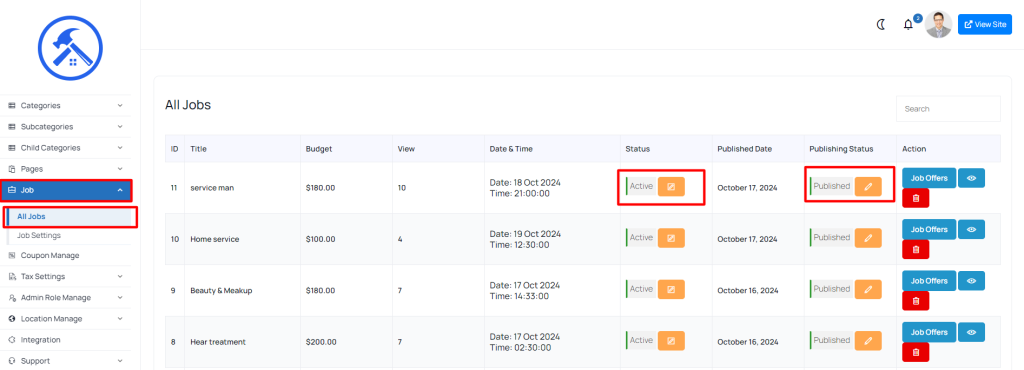 Screenshot
Note: if admin can set job auto approval in that case job will automatically published.
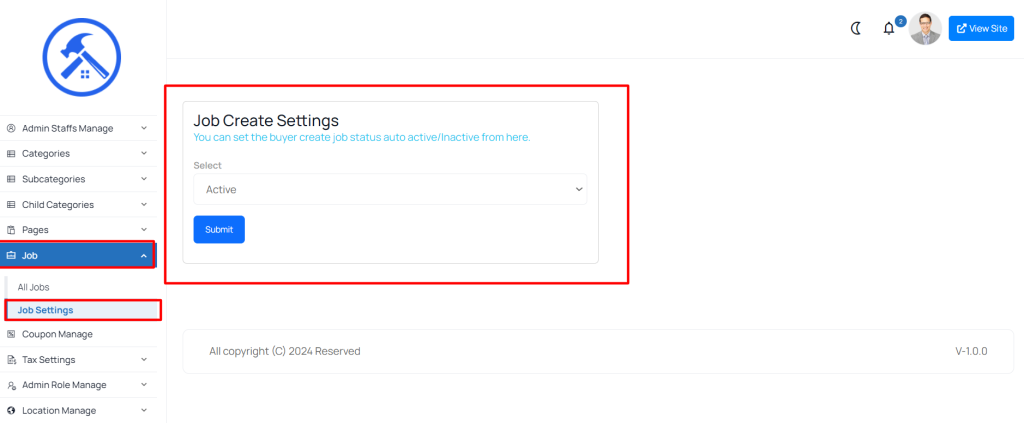 Screenshot
Job Offers
You can manage job offers easily by going to ”Jobs > All Jobs”.
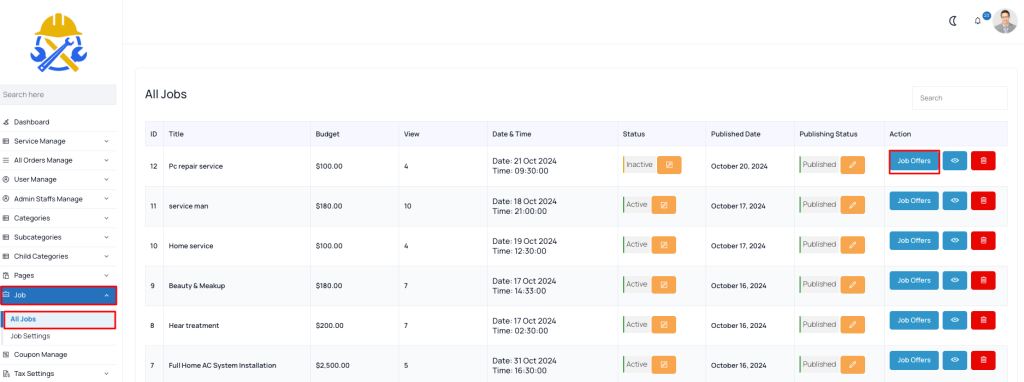 Screenshot
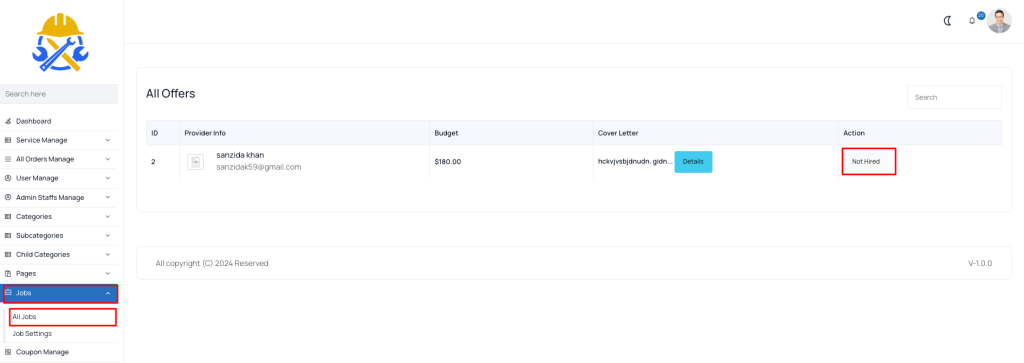 Screenshot
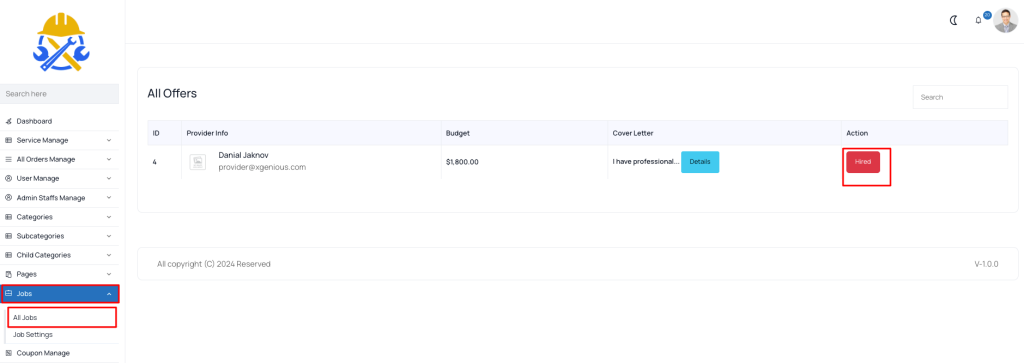 Screenshot
Still stuck?
Our support team is ready to help you get set up.