

Plugin Manager is a built-in system for installing and managing first-party and third-party plugins for Listocean. Script owner can add, remove and manage the status of any plugin
How to Install
This Listing platform has an advanced Plugin Manage option. Admin can install and manage external plugins in Listocean. To use this feature go to “Plugin Manager > Add New Plugin”
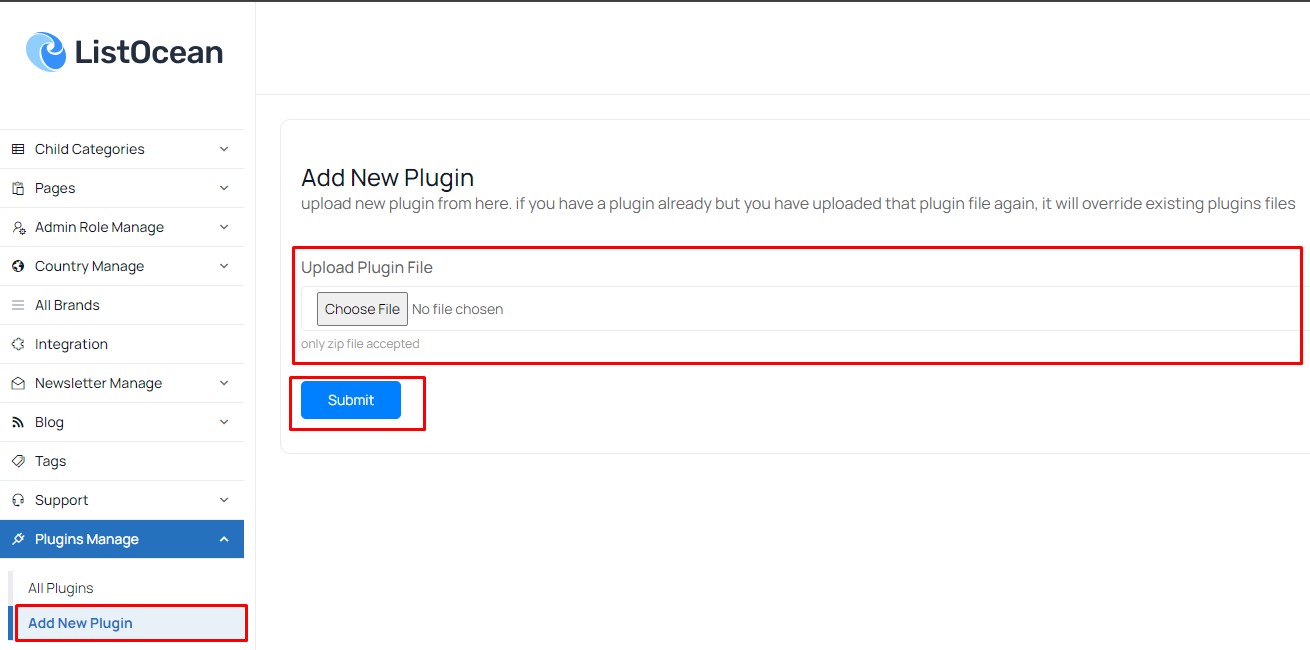 Screenshot
Click on the Choose File and select your plugin zip file then hit submit button.Wait for some moments and the plugin will be installed in your script (If the plugin is valid)
Plugin List
To get the plugin list go to “Plugin Manager > All Plugins”
 Screenshot
Admin can active and deactivate any plugin just by clicking on the active/deactivate button
 Screenshot
Admin can also delete any plugin from the site script (The plugin will be delated permanently and will not be restorable until reinstalled again),