

Category Menu Manage
Jump to: Create a category menu · how to add product category mega menu
Create a category menu
To create a category menu goto “Appearance > Category Menu>add new”
select the page you want to add in the menu, click on add to menu, it will added at the bottom of the menu.
add item to menu
Set menu order:
drag menu item to up to down and leave it where you need.
set menu order
Create Dropdown:
drag the item you want to make dropdown, drag it to right right and you will see it nested to the top item. in this way you can make dropdown menu, you can also add multiple dropdown
create dropdown
Add a custom url as a menu item
custom url in menu item
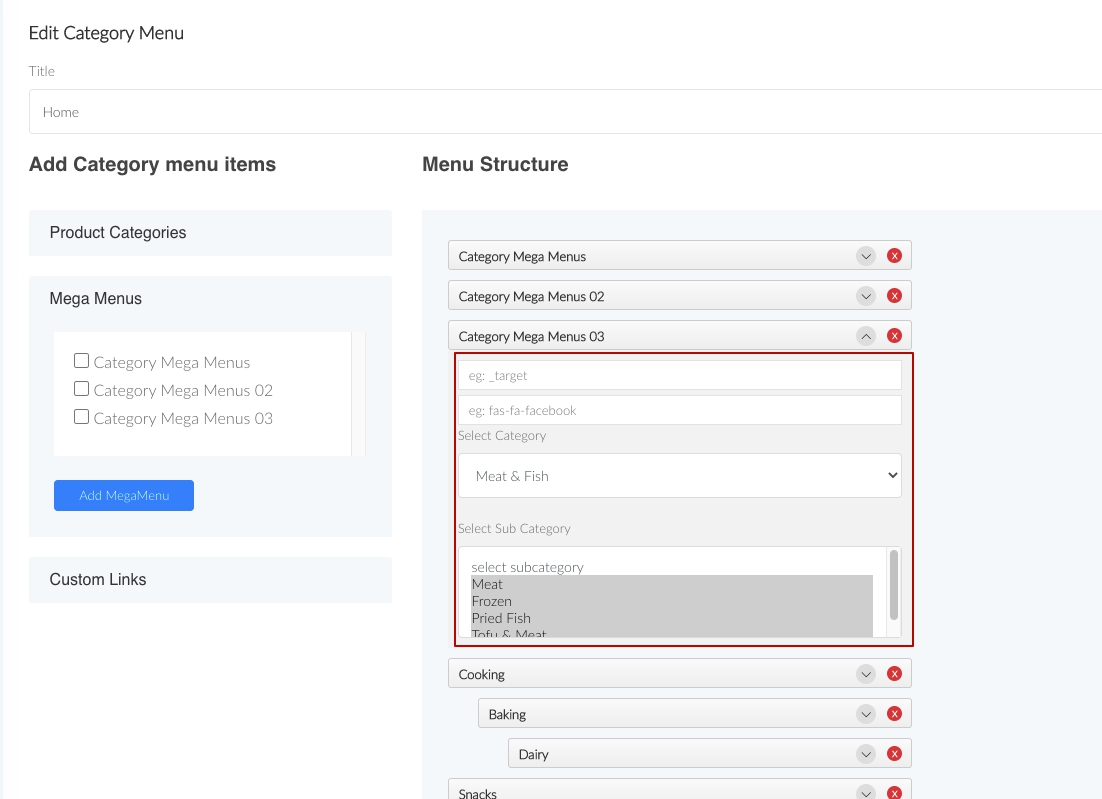
how to add product category mega menu
Go to “Appearance > Category menu > edit menu” then select the menu you want to show in frontend category menu section, select categories which you want to chose to show in mega menu
Still stuck?
Our support team is ready to help you get set up.