

Basic Settings
you can change your website logo you have to go to “General settings > Basic Settings”.
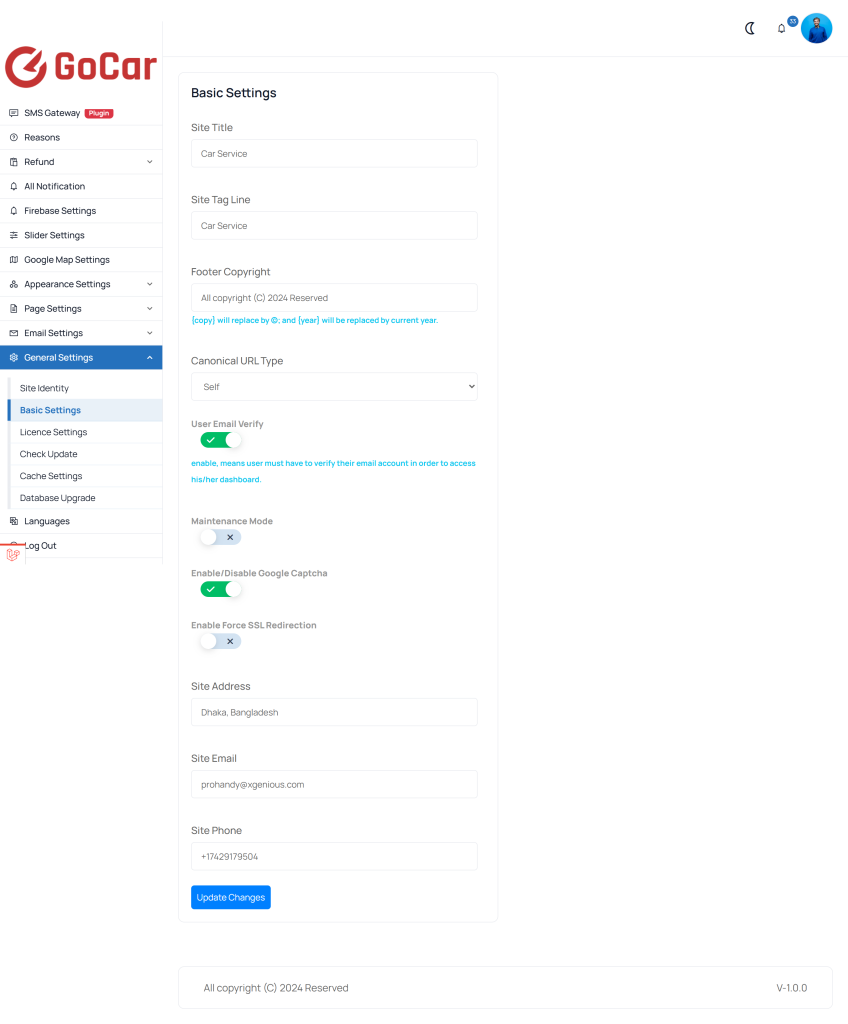 Screenshot
-
Site Title: enter your website title, it very important for your website seo
-
Site Tag Line: enter your tag line
-
Footer Copyright: footer copyright text, Will replace by © and will be replaced by current year.
-
Dark Mode For Admin Dashboard: your can enable/disable admin panel dark mode
-
Disable User Email Verify: you can enable/disable user email verification.
Still stuck?
Our support team is ready to help you get set up.