

 Screenshot
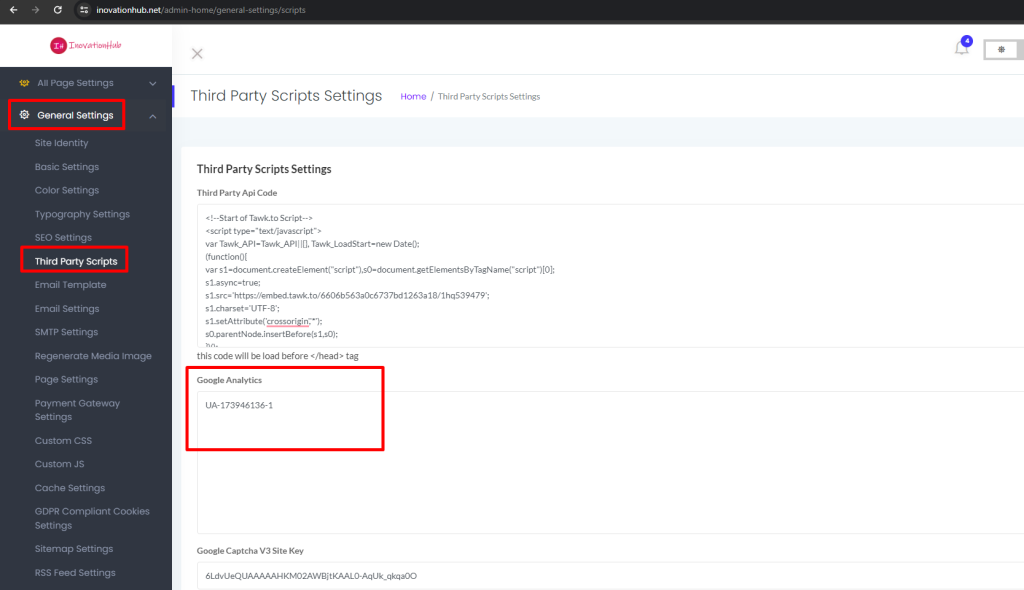
Kindly go to the “General Settings->Third Party Script” then you will find UA-173946136-1 text in the Google Analytics section. You need to just add your own Google Analytics code here.
Or if you don't need to add Google Analytics code right now then you can skip this section as empty.
 Screenshot
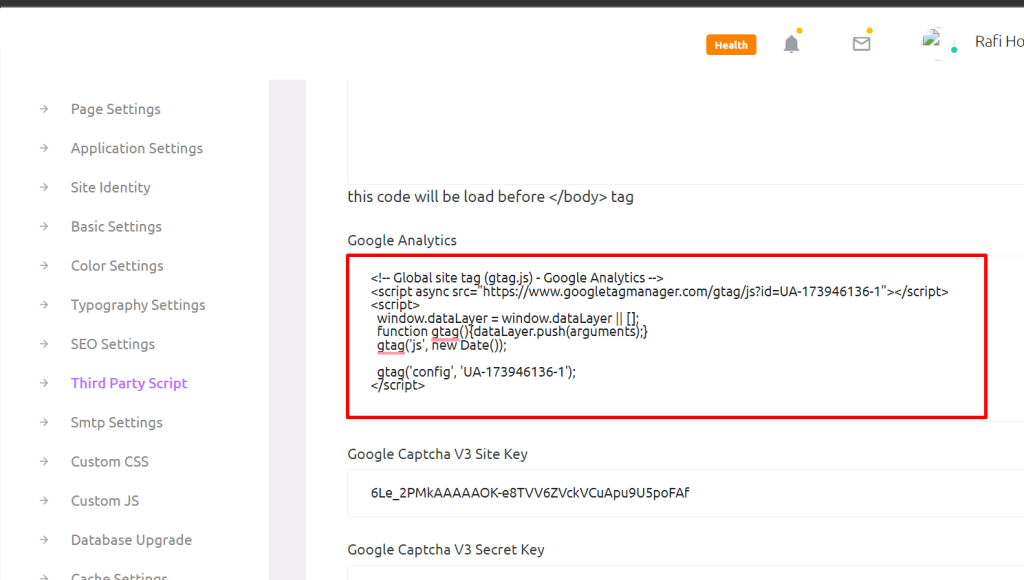
Here is one of the examples of Google Analytics code.
 Screenshot
Still stuck?
Our support team is ready to help you get set up.